Twitch
See Grant access keys from a Twitch drop for the end-to-end walkthrough.
Configuration
Section titled “Configuration”Configuration required to call Twitch entitlement APIs.
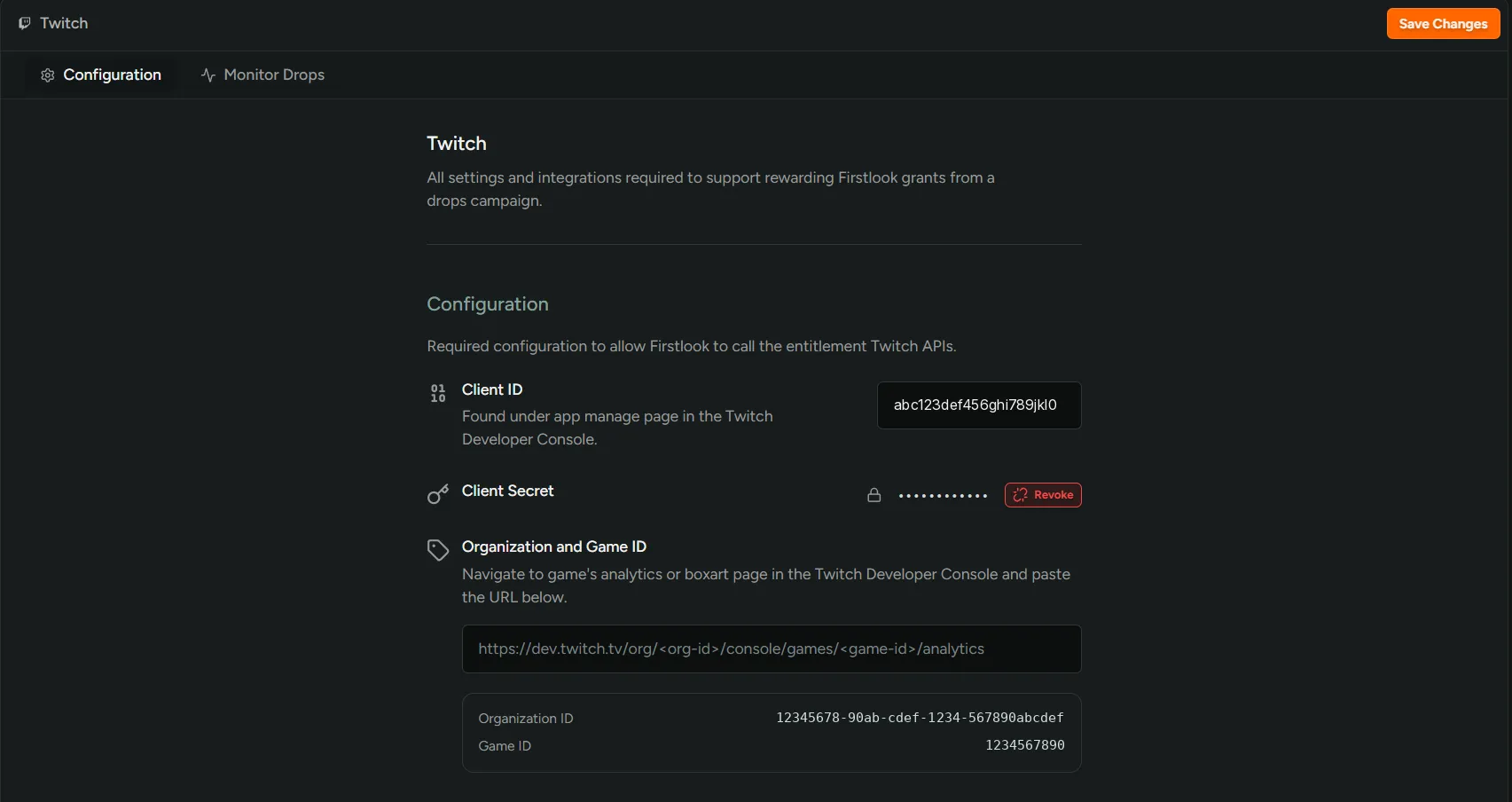
Client ID- the client ID of the Twitch application that owns your drops campaign. Found on the app management page in the Twitch Developer Console.Client Secret- the matching secret. Shown masked once saved; revoke to rotate.Organization and Game ID- paste the URL of your game’s analytics or boxart page from the Twitch Developer Console. FirstLook reads both IDs out of the URL and displays them back.https://dev.twitch.tv/org/<org-id>/console/games/<game-id>/analytics
Reward mapping
Section titled “Reward mapping”Each row maps one Twitch reward ID to a Grant Type — the key type granted when that reward is claimed.
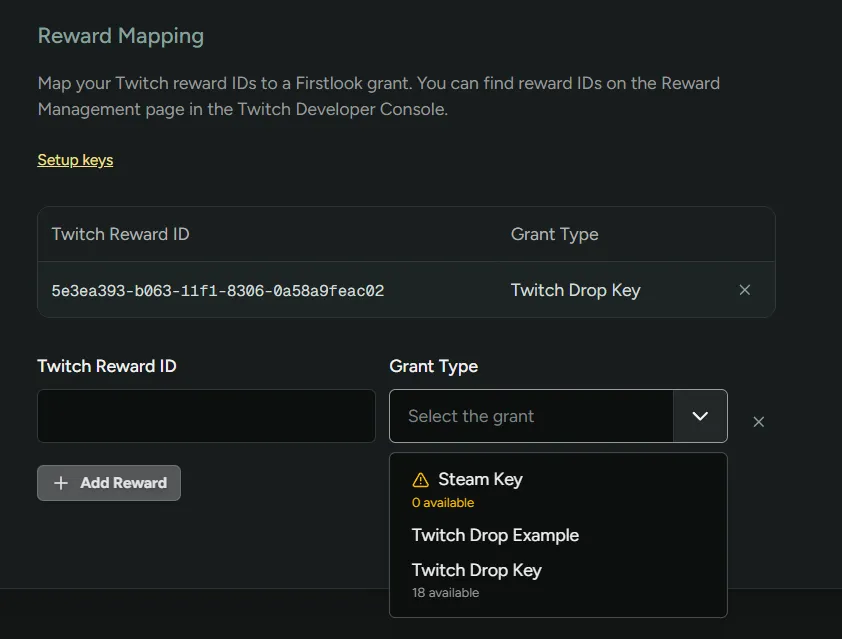
- Reward IDs come from Twitch and are listed on the Reward Management page in the Twitch Developer Console.
- Only add reward IDs that FirstLook is responsible for fulfilling. All other reward IDs set up for your game are ignored.
Sync controls and monitoring
Section titled “Sync controls and monitoring”On the Monitor Drops tab you can start and stop syncing with Twitch, and see a history of all synced rewards.
Start Syncing
- Subscribes to the Twitch EventSub
drop.entitlement.grantevent. - Runs a background sync every 15 minutes that reads claimed rewards, grants keys, and retries outstanding grants.
Stop Syncing
- Removes the EventSub subscription and stops the background sync.
Status Table
This table shows every drop FirstLook has recorded. You can filter by player names, Drop Status, and Reward IDs.
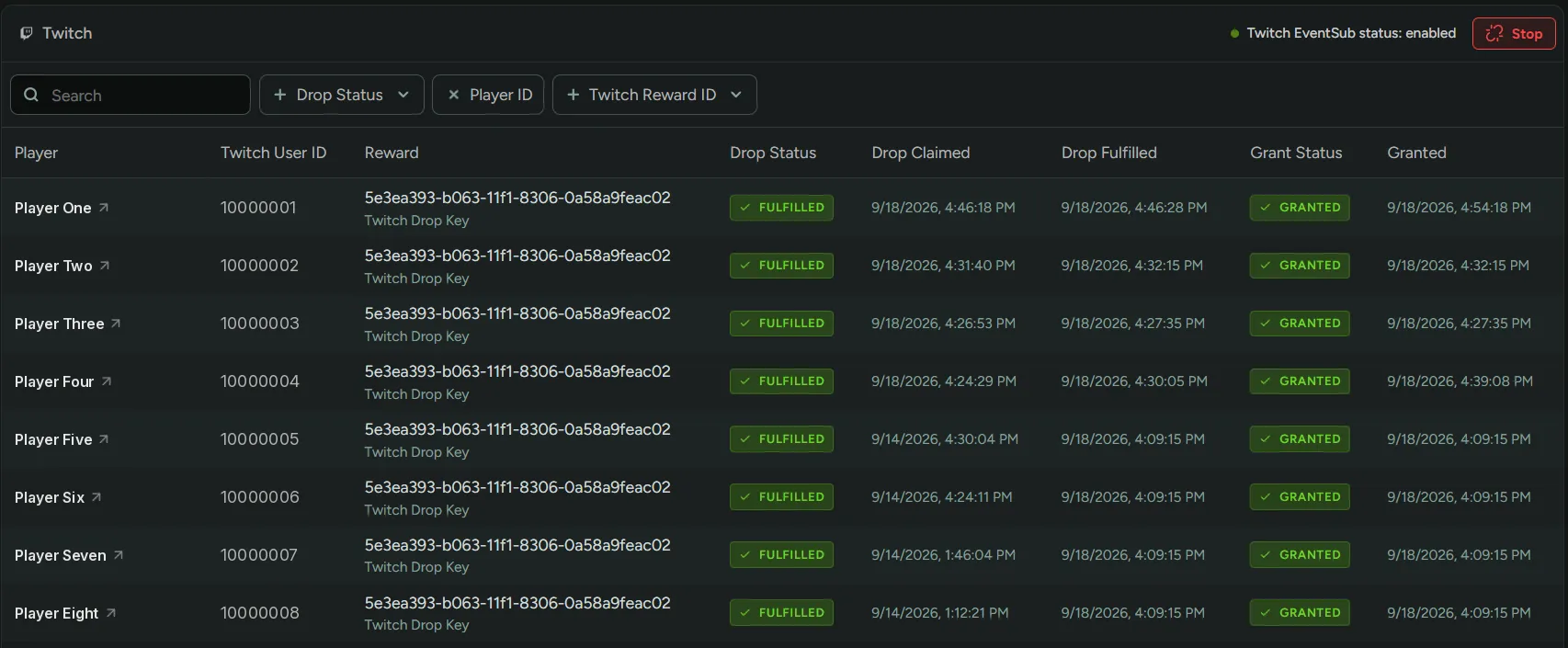
Drop Status- state of the reward on Twitch:ClaimedorFulfilled.Grant Status- status for the key grant:Pending,Granted, orPlayer limit reached.