Steam
FirstLook offers a deep integration with Steamworks (Steam Publisher Accounts), allowing you to track playtime for all your games, including hidden Playtests or games not displayed in the Steam Store. In addition, we’ll track the Wishlist and Owned status of your playtesters.
Integrate your Steamworks with FirstLook
Section titled “Integrate your Steamworks with FirstLook”To enable this integration, you’ll need to create and share a Steam Publisher WebAPI Key with FirstLook. This key is used to access the Steam Web API and retrieve the necessary information. It is stored securely and only used for the purpose of retrieving playtime data. We interact with the following endpoints and data:
- Player Ownership and Playtime – Verify if a player owns your game and how much they have played it.
- List of App IDs and Builds – Get a list of App IDs and builds in your Steam Publisher Account so you can select the correct one for tracking.
Saving the key also verifies your Steam App ownership, which is required to list your game on player.gg.
Learn more about Publisher Web API Keys in the Official Steamworks Documentation.
How to create a WebAPI Key
Section titled “How to create a WebAPI Key”- Sign in to the Steamworks Partner Portal
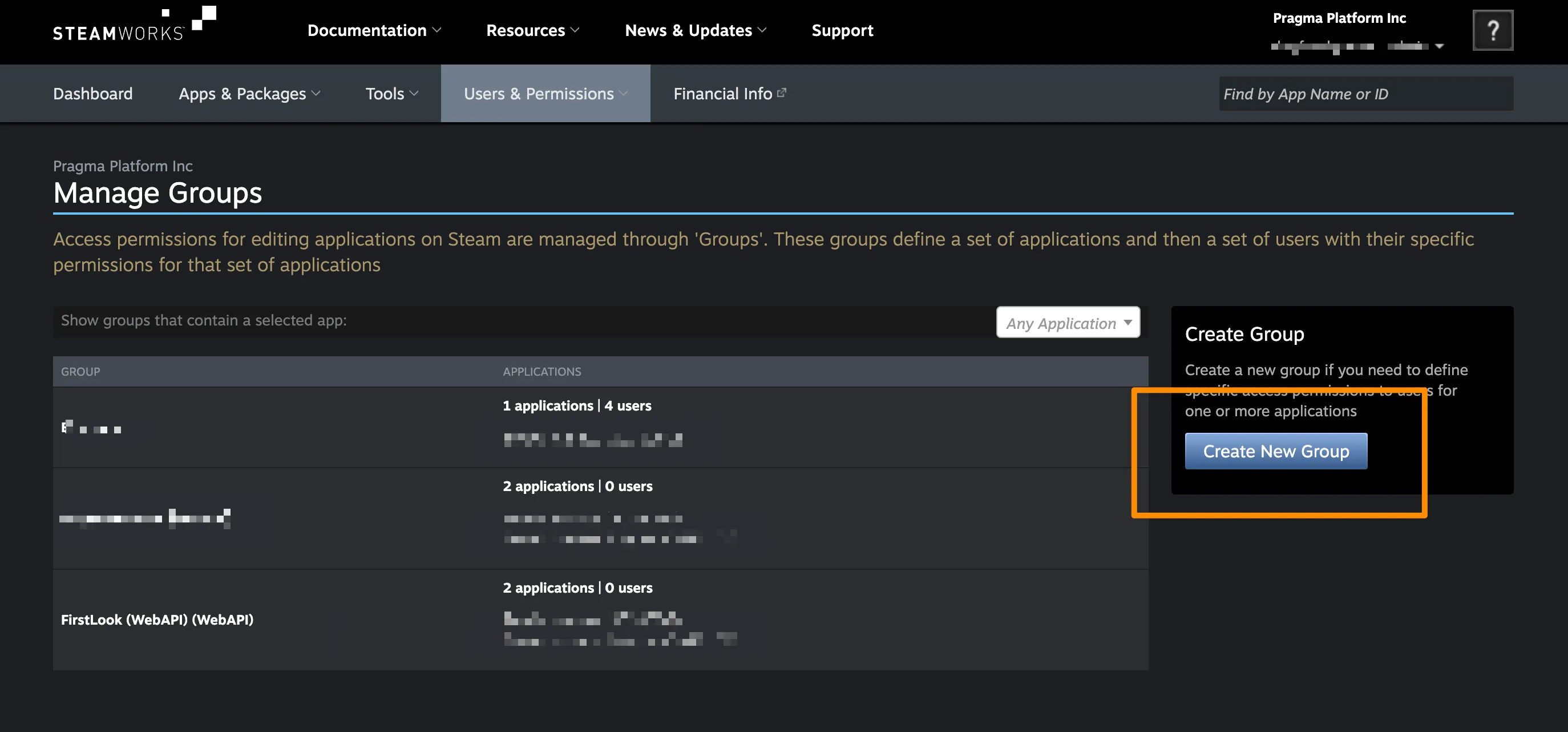
- Navigate to ‘Users & Permissions > Manage Groups’
- Click ‘Create New Group’ and enter a recognizable group name (i.e. ‘FirstLook WebAPI’)
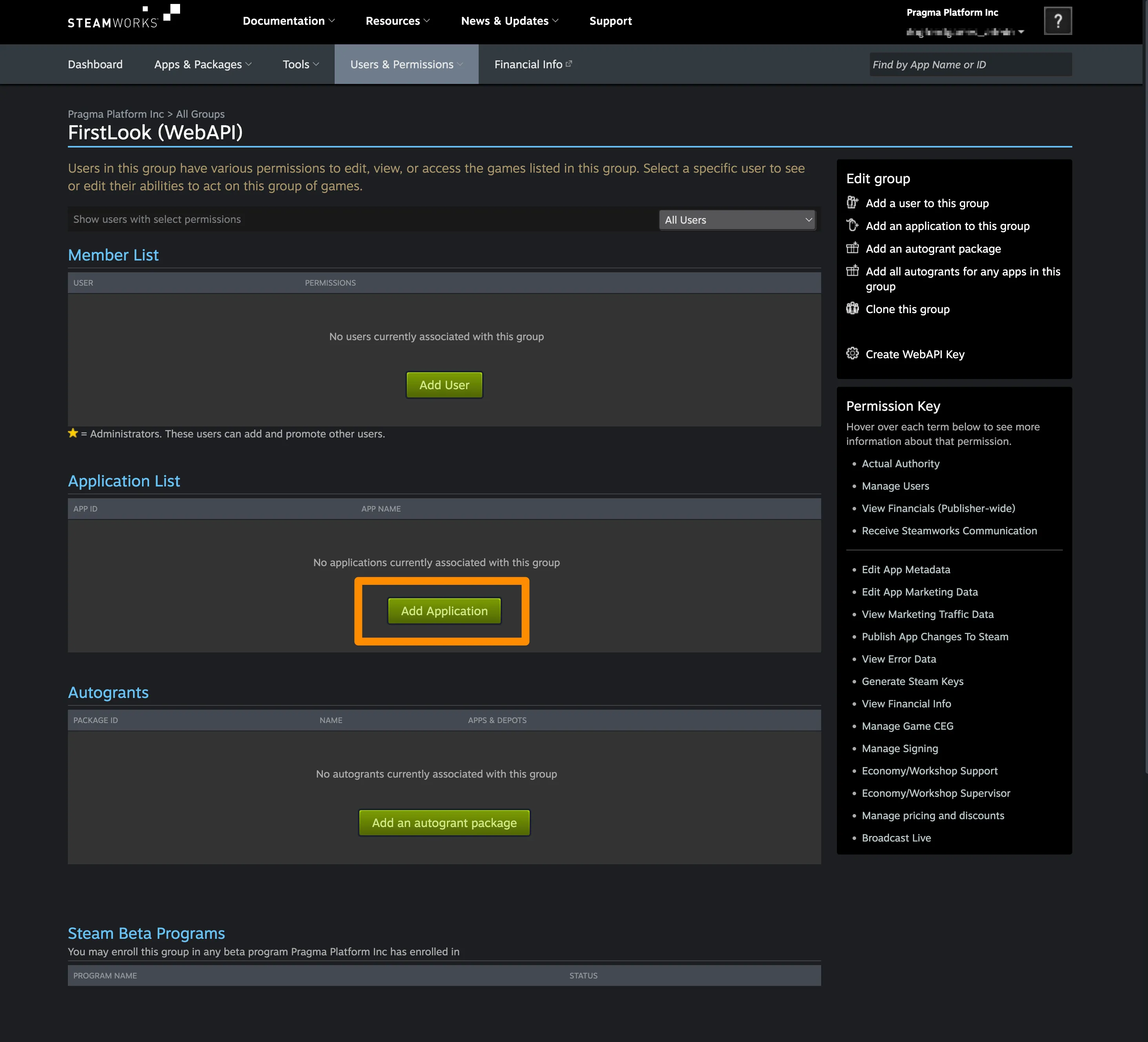
- On the new group page, use ‘Add Application’ to add your game.
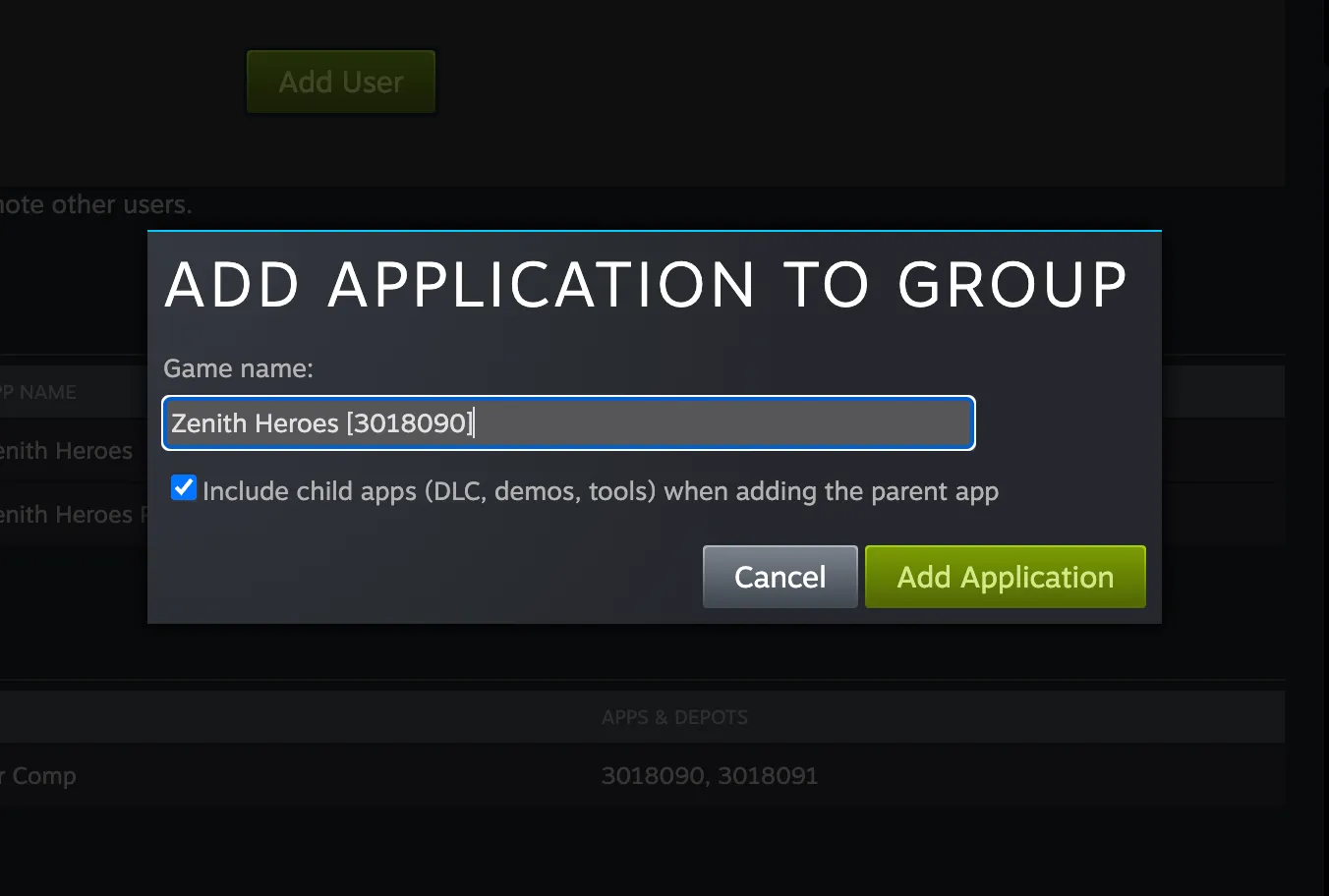
- Enter the primary game title into the autocomplete field and make sure the ‘Include child apps (DLC, demos, tools) when adding the parent app’ checkbox is selected.
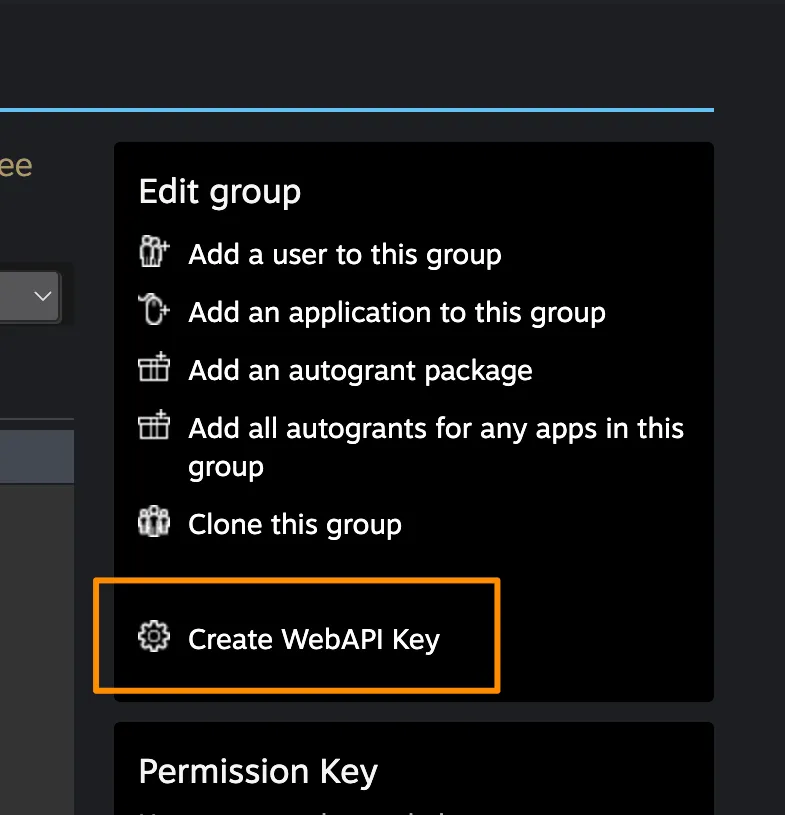
- Click ‘Create WebAPI Key’ in the sidebar.
- From the ‘Manage WebAPI Key’ tab, make sure to have
Generalticked under ‘Key Permissions’.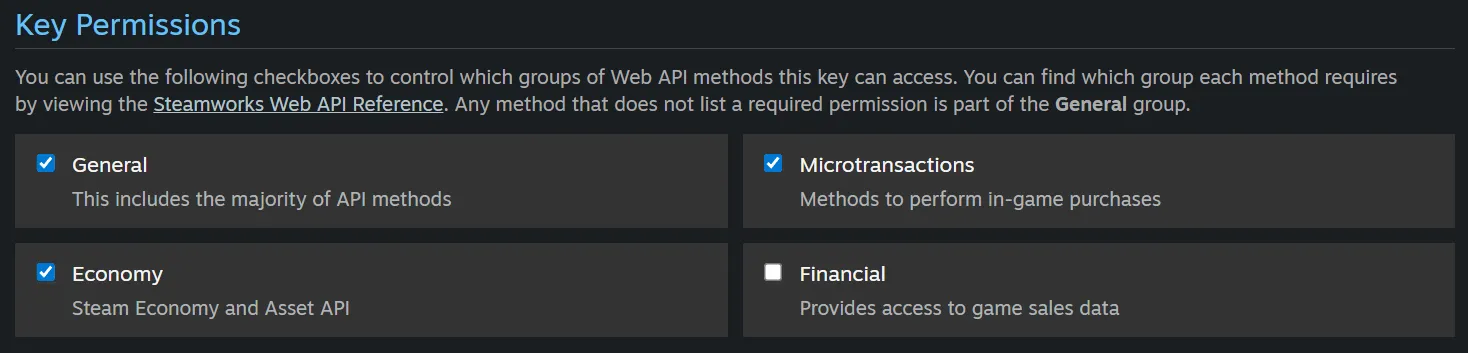
- Copy the key that appears in the box underneath.
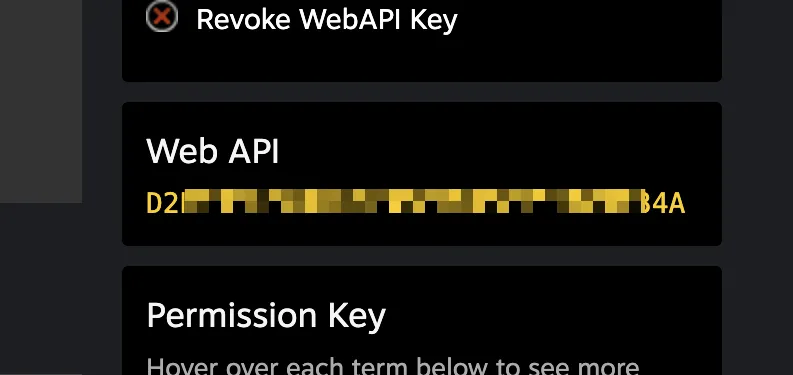
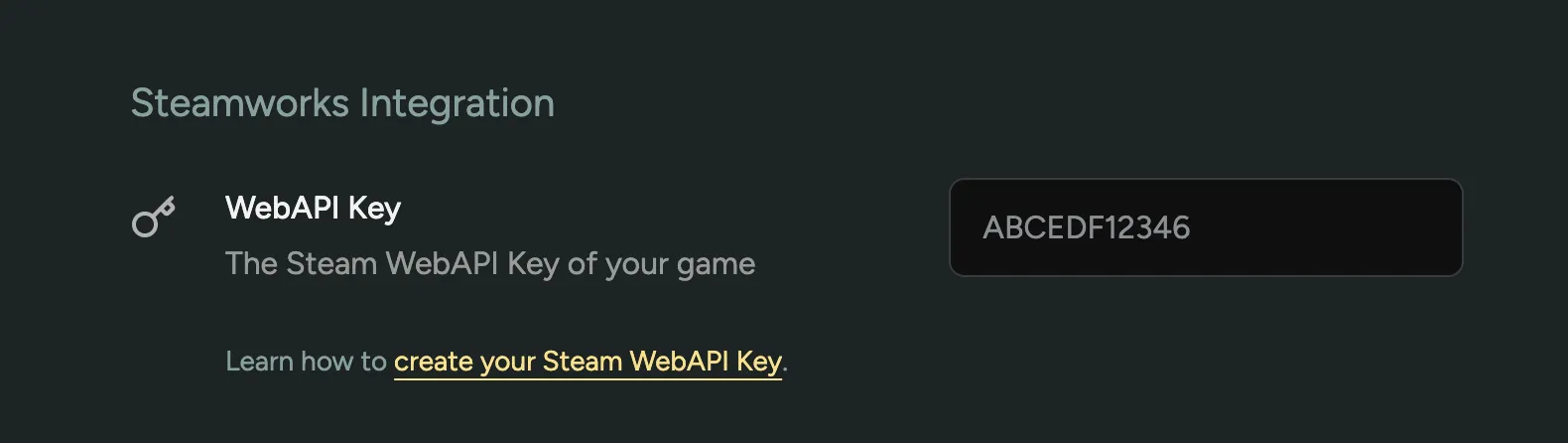
You can now paste the key in your Steam Integration Settings in FirstLook and click ‘Save’.
Featuring your Store Page and tracking Wishlists
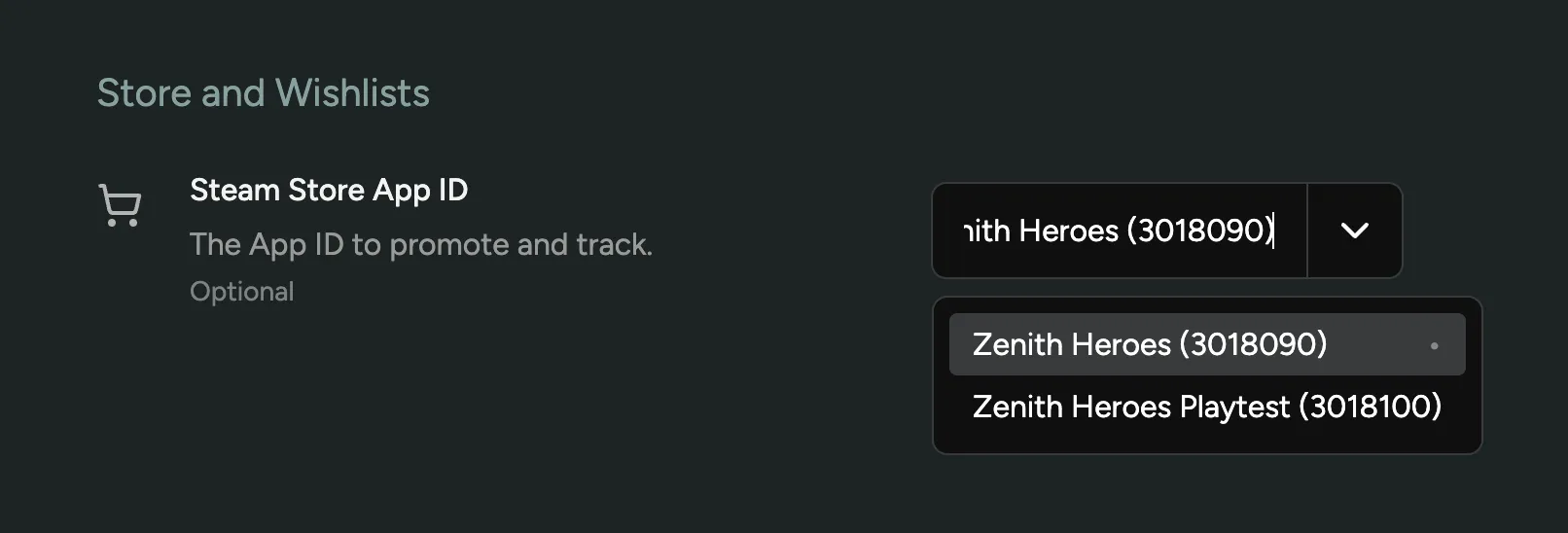
Section titled “Featuring your Store Page and tracking Wishlists”After you’ve integrated your Steamworks with FirstLook, you can select an App ID from the dropdown as your Store Page. Whenever you promote your Store Page or ask for wishlists, this App ID will be used.
Wishlist Analytics (Financial API Key)
Section titled “Wishlist Analytics (Financial API Key)”With a Steamworks Financial API Key, FirstLook tracks your app’s daily wishlist performance from Steam’s official wishlist reporting: new wishlists, deletes, purchases, and the running total. The data is shown as the Steam Wishlists graph on your Steam Analytics page.
The Financial API Key is a separate Publisher WebAPI Key with the Financial permission. It is stored securely and only used for wishlist reporting (Steam’s GetAppWishlistReporting endpoint), which returns daily aggregate wishlist actions for your app. It contains no per-player information.
Requirements
Section titled “Requirements”- A verified Steam Store App ID. Set your Store App ID (see above) and save a WebAPI Key, which verifies the App ID automatically.
- Access to financial data in your Steamworks account, so you can create a key with the
Financialpermission.
How to create a Financial API Key
Section titled “How to create a Financial API Key”The steps are almost the same as creating a WebAPI Key above. See that section for reference screenshots.
- Sign in to the Steamworks Partner Portal
- Navigate to ‘Users & Permissions > Manage Groups’
- Open the group you created for your FirstLook WebAPI Key, or create a new group (i.e. ‘FirstLook Financial’) and add your game to it, following the same steps as the WebAPI Key above.
- Click ‘Create WebAPI Key’ in the sidebar.
- From the ‘Manage WebAPI Key’ tab, make sure to have
Financialticked under ‘Key Permissions’. - Copy the key that appears in the box underneath.
Paste the key in the ‘Financial API Key’ field in your Steam Integration Settings and click ‘Save’.
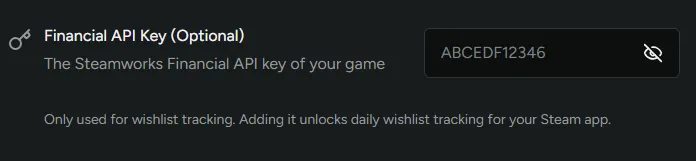
When you save, FirstLook validates the key by requesting a wishlist report for your Store App ID. Two errors can come up:
- “Invalid Steam Financial API Key” – Steam rejected the key. Check for typos and make sure
Financialis ticked under ‘Key Permissions’. - “The Financial API Key does not have access to this game’s Steam app” – the key works, but the group it belongs to doesn’t have access to your Store App ID. Add your game to the key’s group in the Steamworks portal.
Once saved, FirstLook backfills your wishlist history back to the earliest date Steam has data for your app, then refreshes the numbers once a day.
Insights
Section titled “Insights”Gathered data includes Wishlists for public profiles and Playtime data for all your playtesters, plus daily wishlist totals for your app when a Financial API Key is added.