Creator Codes
Creator Codes let creators earn a share of the sales they drive. Each creator gets their own code to share with their audience, and when a player uses it at checkout, the creator earns a cut of that purchase. Where campaigns reward content and views, codes reward actual sales, so you only pay for revenue creators bring in, and they have a reason to keep promoting your game long after a campaign ends.
Navigate to Creators → Creator Codes to get started.
Before you start
Section titled “Before you start”FirstLook doesn’t run your store, so codes work alongside your own checkout. Make sure you have:
- A checkout that accepts a code, such as your webstore, in-game store, or subscription page.
- A way to report purchases made with a code, either from your servers with the API or as a CSV upload.
Overview
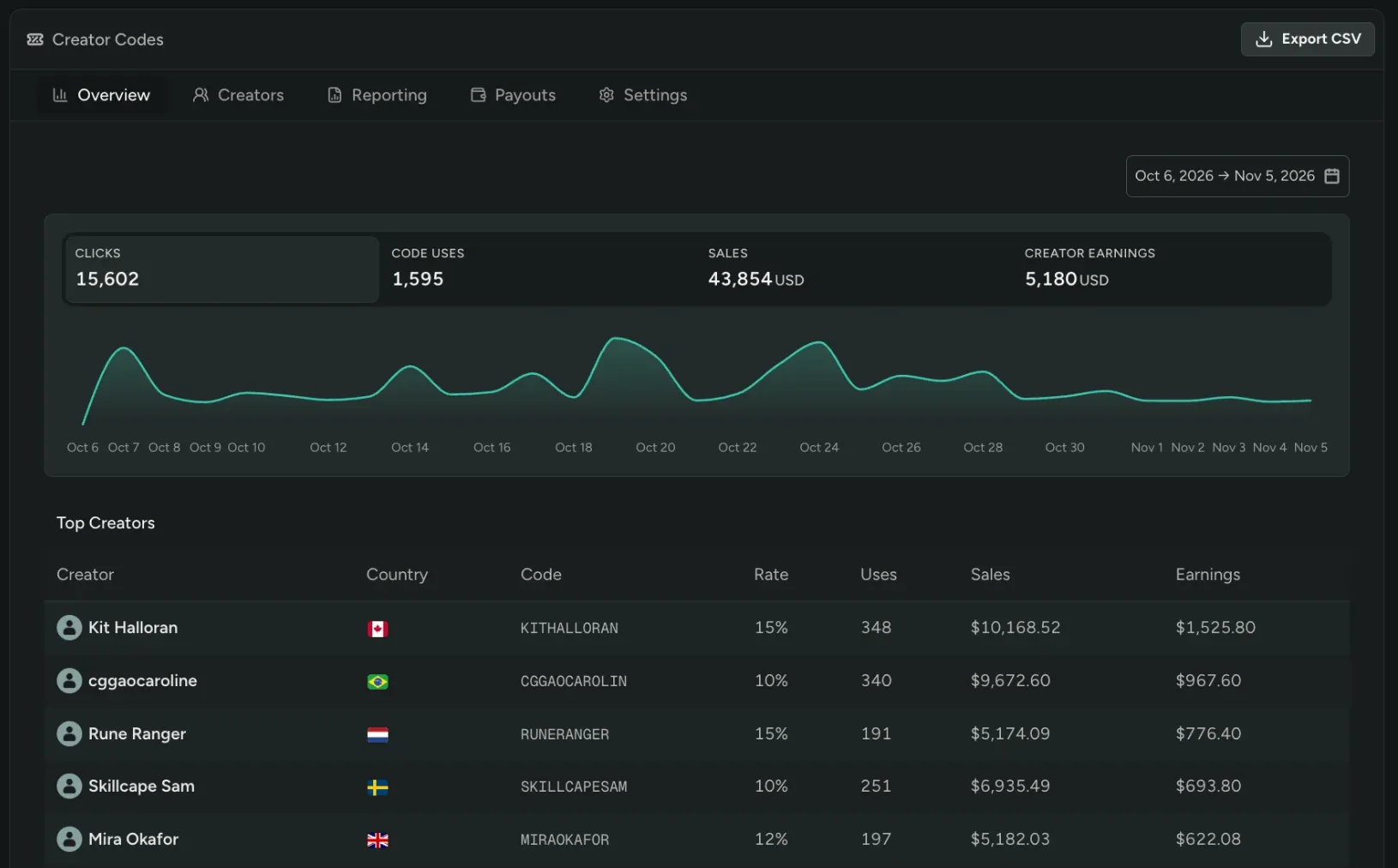
Section titled “Overview”The Overview tab shows how your program is doing at a glance: clicks, code uses, sales, and creator earnings, with trends over time and your top creators.
Creators
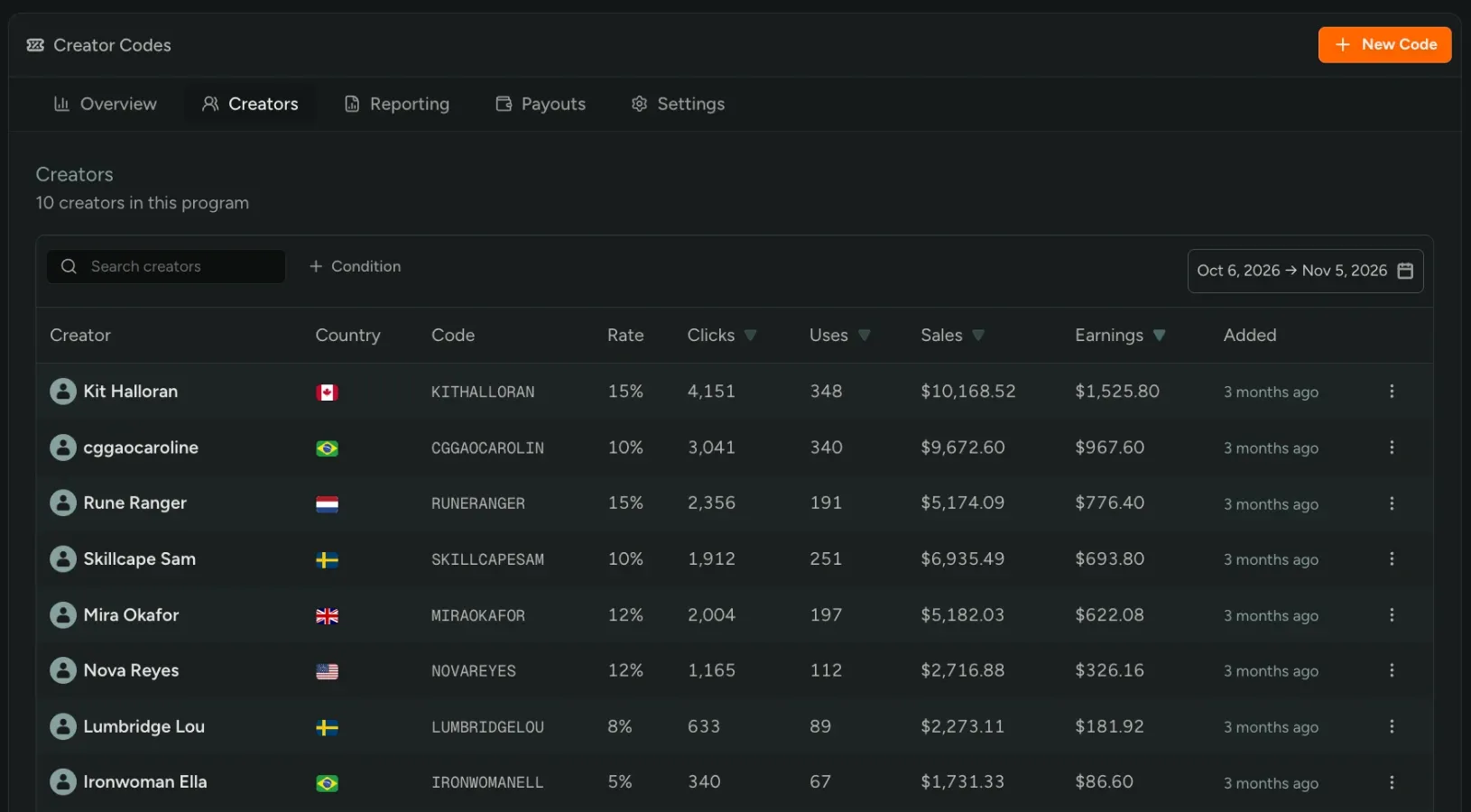
Section titled “Creators”The Creators tab lists all your creators and their codes. Create a code with New Code, and customize the rate for each creator.
Reporting
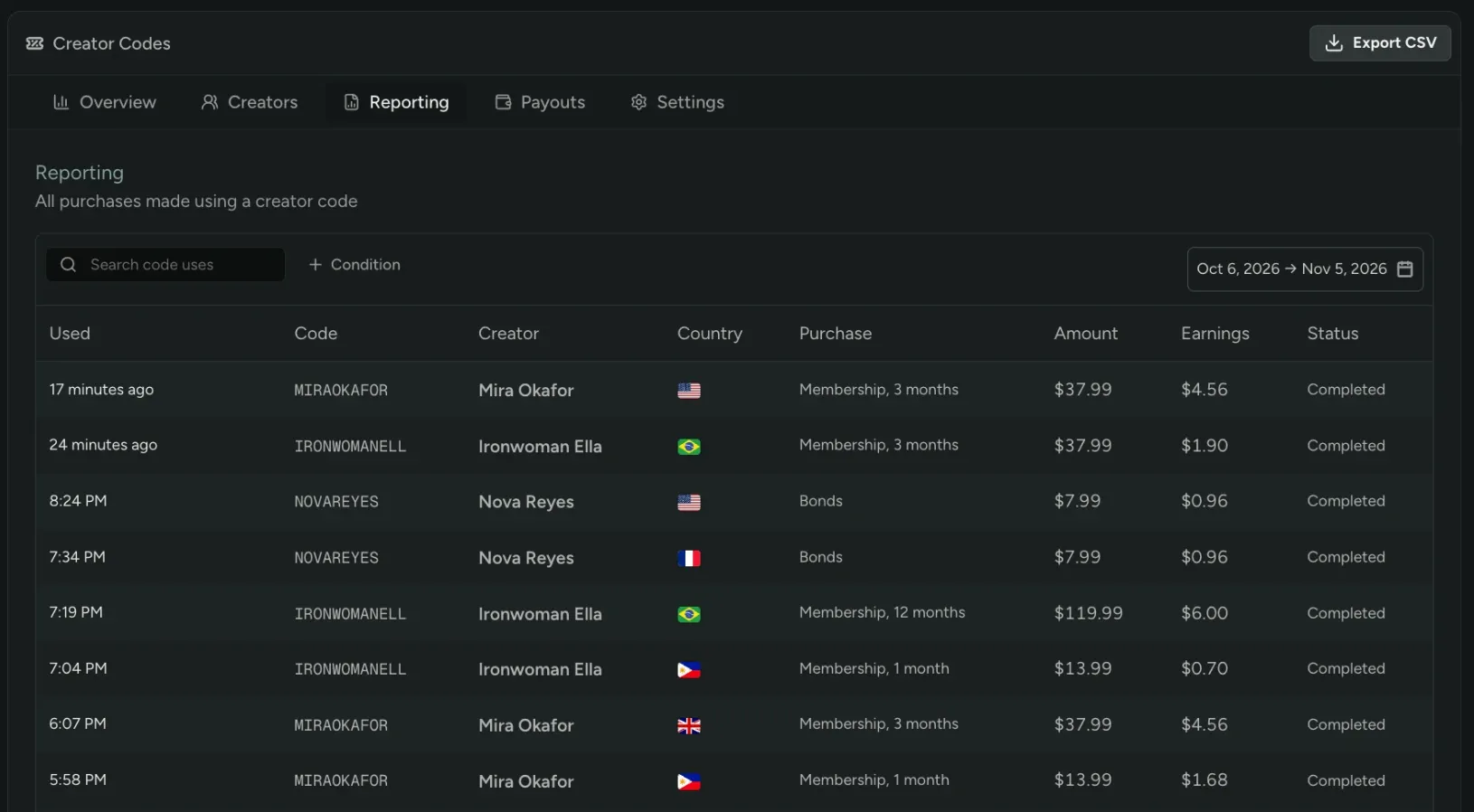
Section titled “Reporting”The Reporting tab lists every purchase made with a creator code, as reported by your studio. Filter it down or export it as a CSV for your finance team.
Payouts
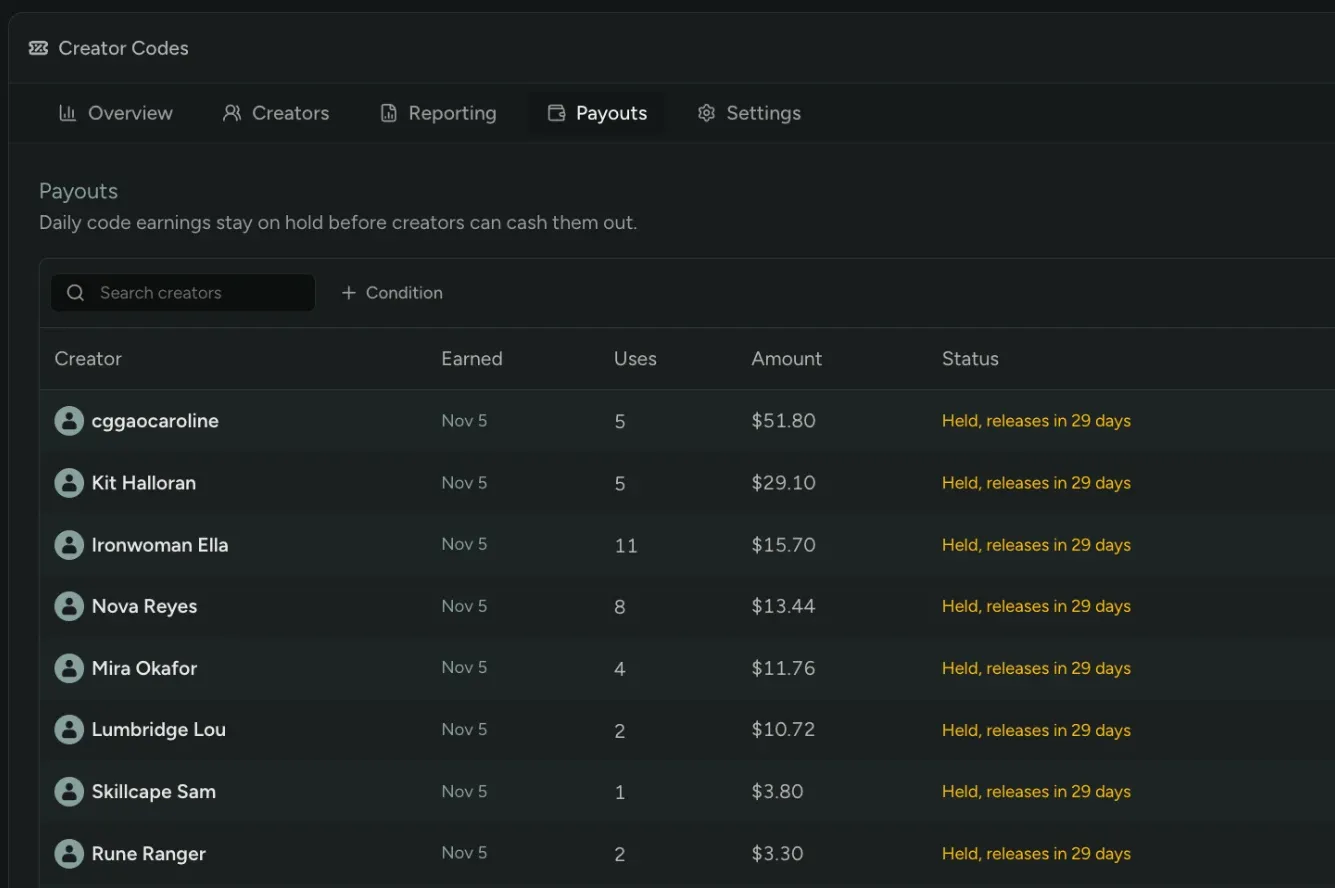
Section titled “Payouts”The Payouts tab shows what each creator has earned. Earnings are held for a set number of days before creators can cash them out.
Settings
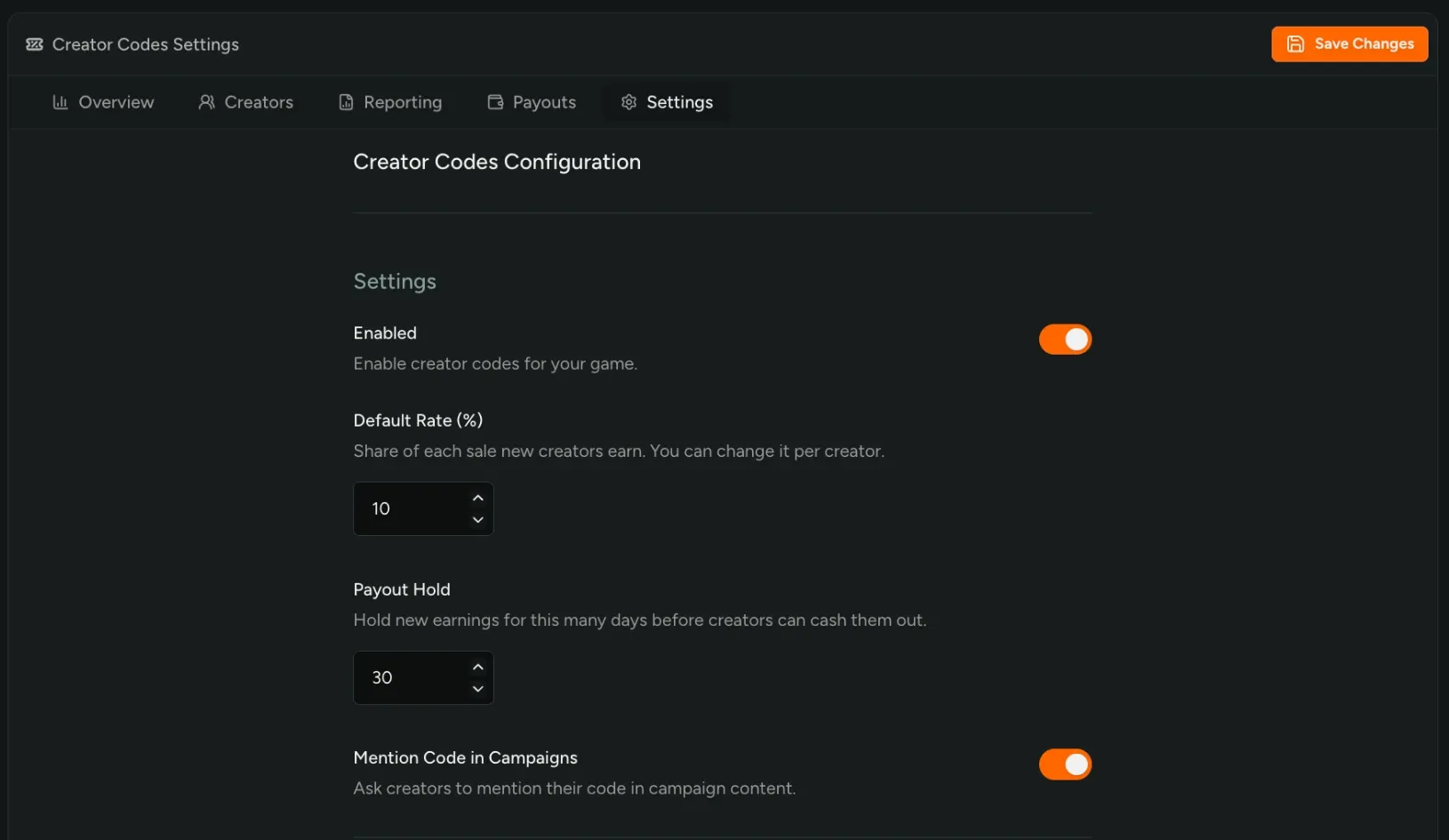
Section titled “Settings”In Settings, set your default rate and payout hold, and send us sales and refunds by API or CSV. You can also turn on Creator Links, which apply a creator’s code at checkout.