Sign Up
The Sign Up step is where players first enter your playtest. It’s accessed via the unique Flow URL e.g. https://demo.firstlook.gg/signup/playtester. If the Flow is marked as your Default Flow, players can also access it directly from your landing page.
Account Requirements
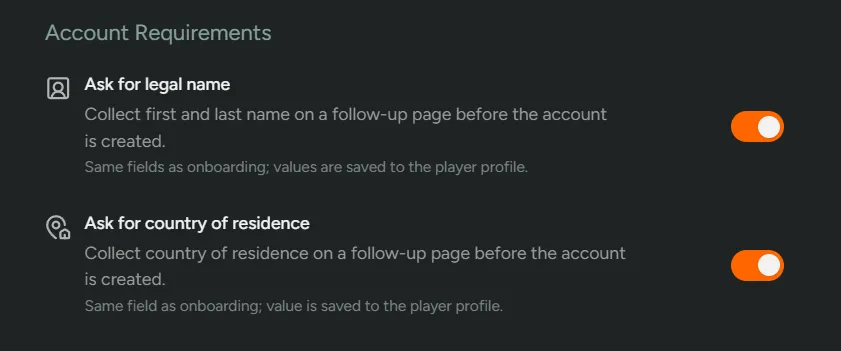
Section titled “Account Requirements”Ask for (real) name - You can turn this on or off to control whether players are required to add their first and last name. We recommend keeping this on so you’re able to personally address players in the future.
Ask for country of residence - We automatically populate a player’s country of residence however, if you’d like to ask for this to be entered manually, please toggle off.
General Settings
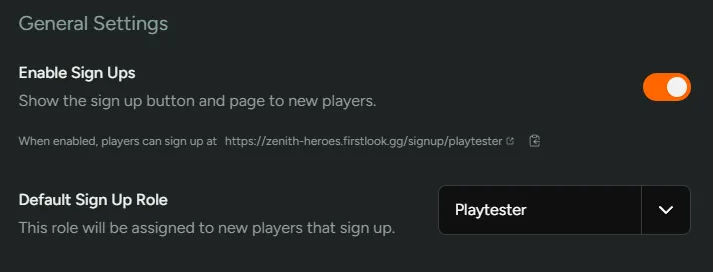
Section titled “General Settings”Enable Sign Ups- Toggling this option will immediately turn on/off the ability for players to sign-up. To fully disable sign-ups for your playtest, make sure this is disabled on your Default Flow as well. With sign-ups disabled you can still invite players by email or by sharing an invite link or code.Default Sign Up Role- Choose which Role players will get when signing up.
Account Linking
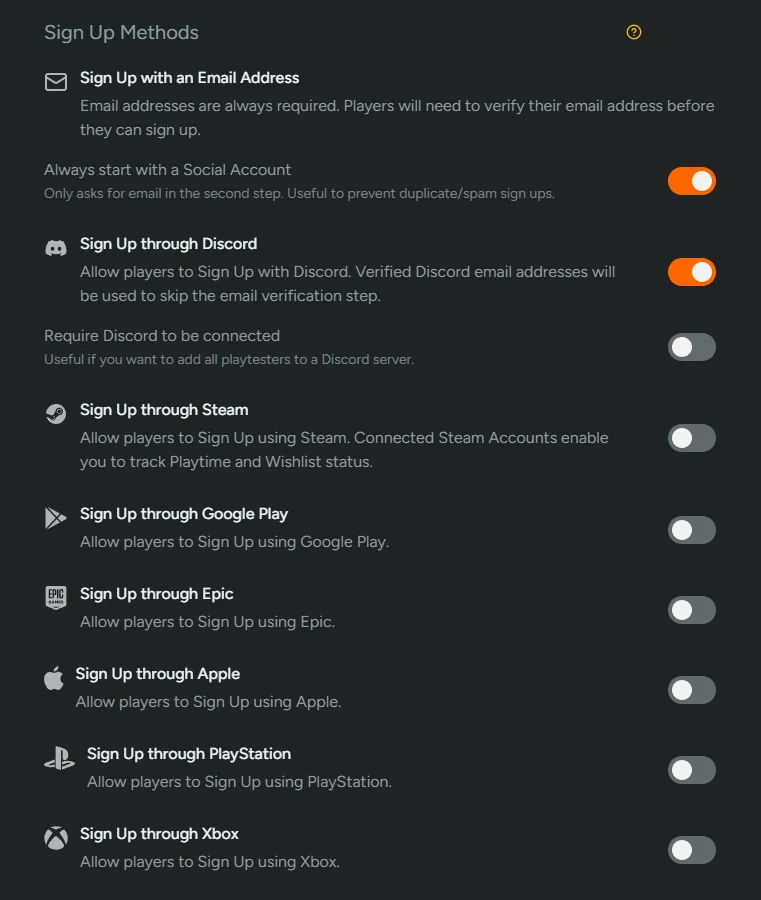
Section titled “Account Linking”Players can sign-up using email, Discord, Steam, Google Play, Epic, Apple, PlayStation & Xbox. It is best to enable at least one provider beyond email (such as Discord) to help reduce spam. You have the ability to require any of these providers as part of the signup process. Additional account linking opportunities are available later in onboarding, but minimizing early friction often helps improve conversion.
When a player enters an email address, they receive a verification email containing a code and must enter it to complete sign-up. If their email is prefilled from a social account that provides a verified email address, the verification step is skipped; entering a different address triggers verification again.
Requiring a specific provider can also improve sign-up quality: social accounts can only be linked to one email address, which helps prevent duplicate sign-ups early. Requiring Discord is useful if you plan to invite players to your Discord server, and requiring Steam is useful when distributing through Steam and you want to limit access to one key per player.
Messaging
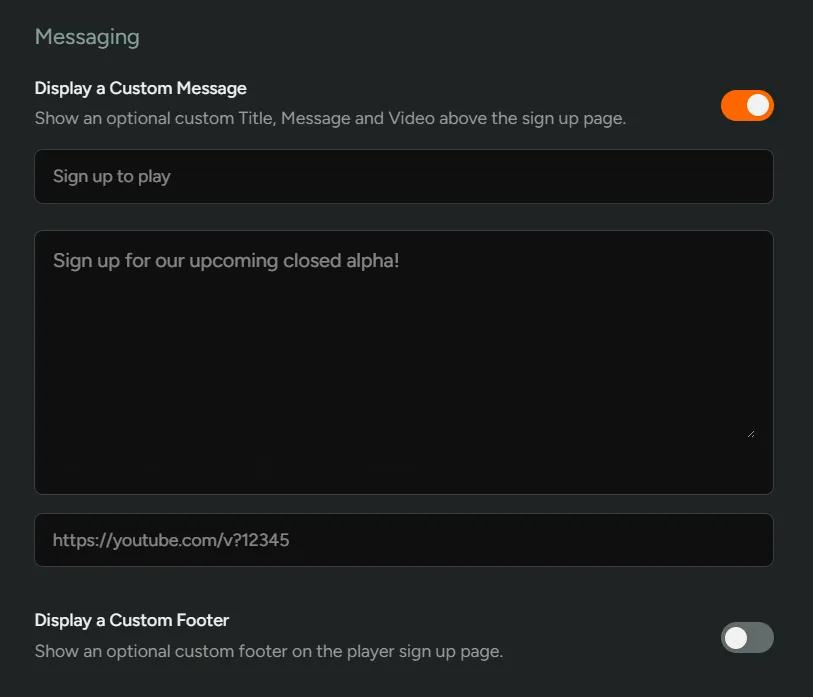
Section titled “Messaging”Display a Custom Message - Toggle on custom messages or videos to excite potential testers about your game. We strongly recommend adding some customisation to make the experience for players unique. Basic markdown formatting is supported.
Display a Custom Footer - Turn on to customise the footer text in the player dashboard during signup.
Eligibility Requirements
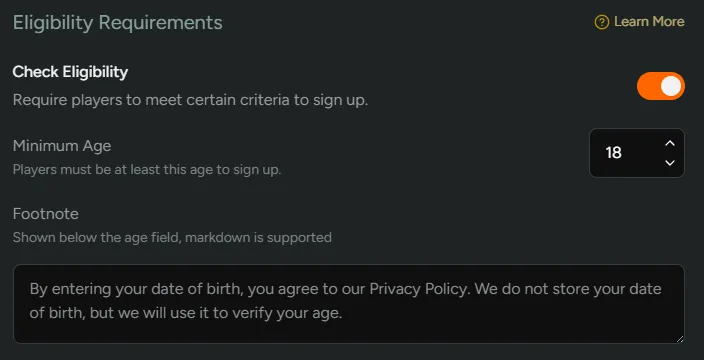
Section titled “Eligibility Requirements”This can be toggled to make players verify their age. If enabled, this will need to be filled out first before progressing to account linking.
If a player is under the minimum age, they are locked out of signing up and can’t continue unless they clear their cookies or use a different browser or device. Players you manually invite by email are not asked for their age — for those sign-ups you are expected to have verified age yourself.
Sign Up Form
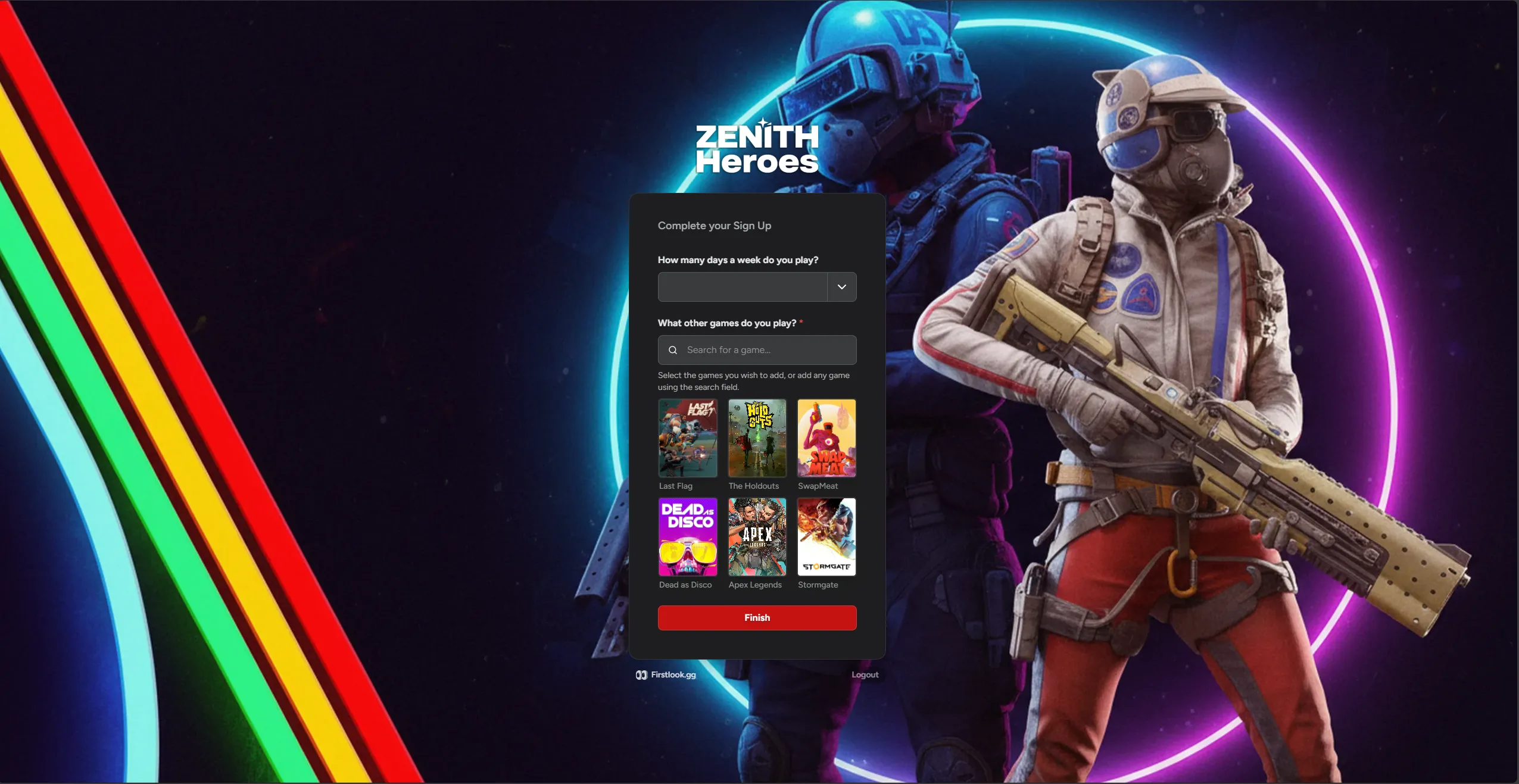
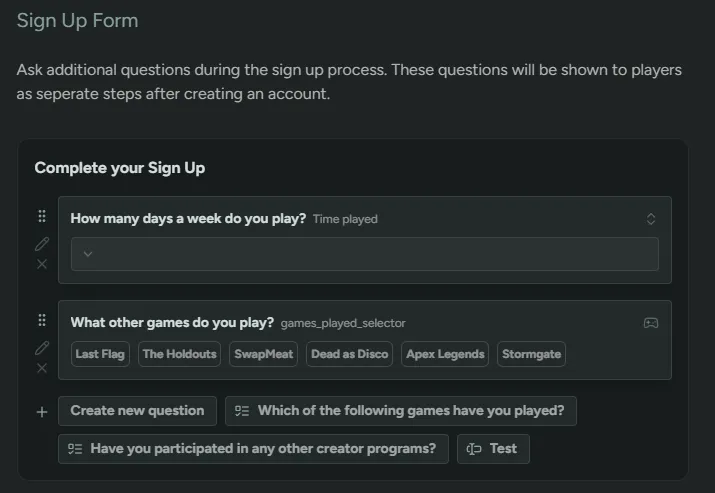
Section titled “Sign Up Form”Add pre-screening questions to gather player info e.g. playtime, games played, system specs. There are a number of different question types that you can use. You can choose between a lightweight form for easy sign-up or a detailed one for deeper segmentation - both approaches work depending on your goals.
Once a player has submitted their responses, they can be updated from the Account screen. This is to help players keep information up to date.
These answers can later be filtered in the Players tab by using
+Add Condition→Questions.
Player Experience
Section titled “Player Experience”Show player journey
Here is what the player experiences as they go through the sign-up process:
Eligibility Requirements
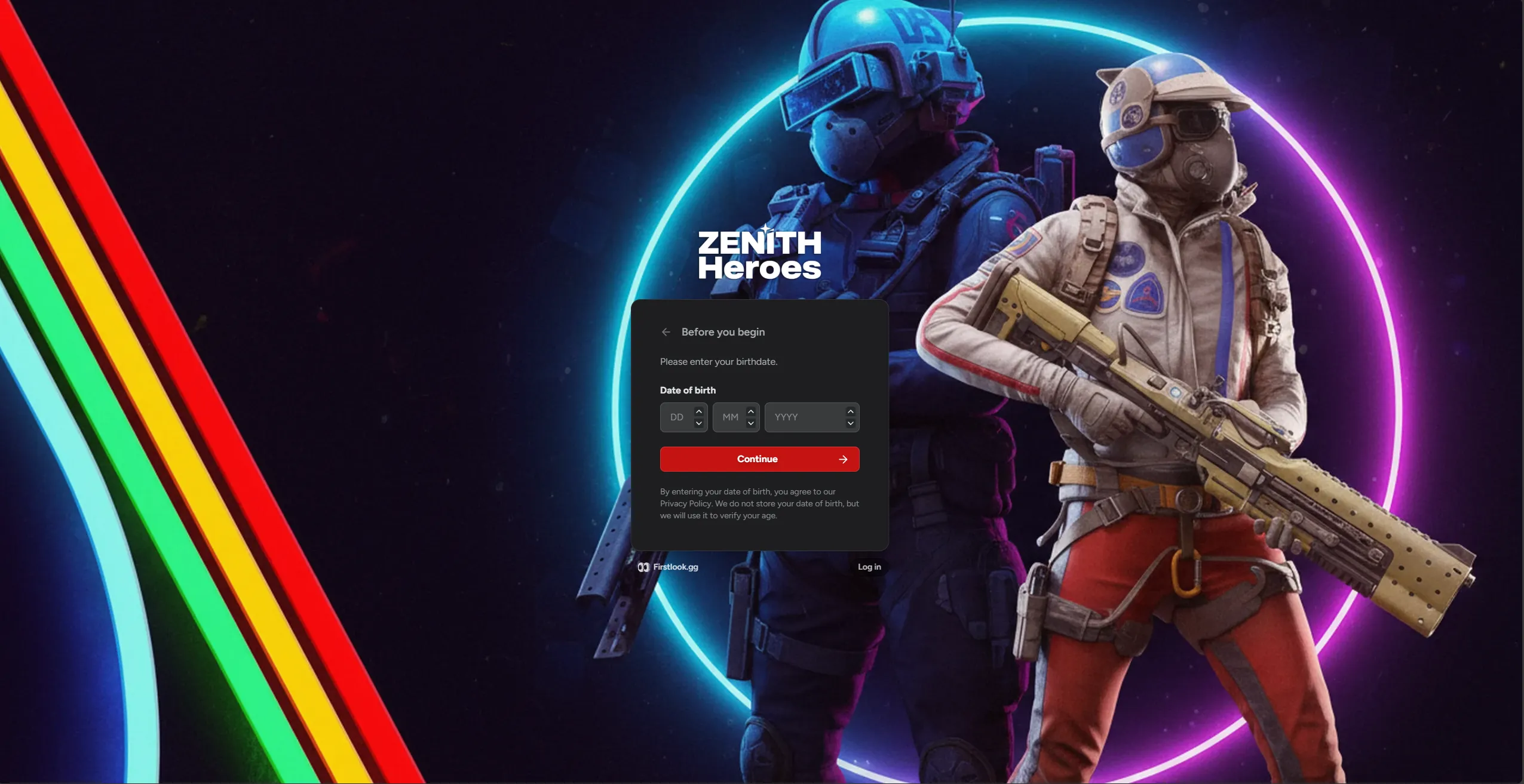
Section titled “Eligibility Requirements”If Eligibility Requirements are enabled, players will be required to enter their date of birth first.
Social Accounts
Section titled “Social Accounts”Then it’s connecting social accounts. Depending on what you have chosen above, different platform connections will be available for the player to connect.
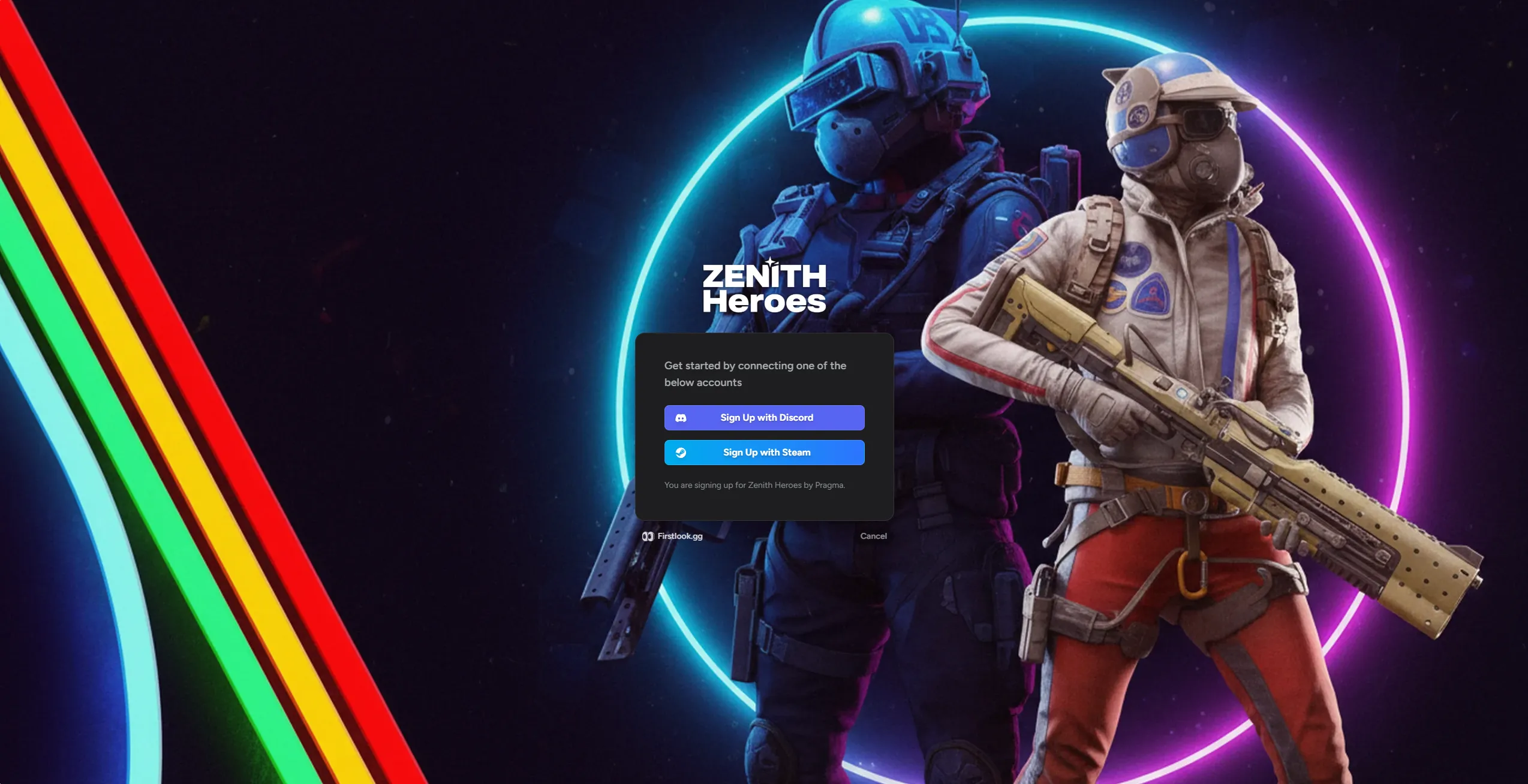
Once a player has connected their social accounts, they are given the option to connect more (if you have toggled them above).
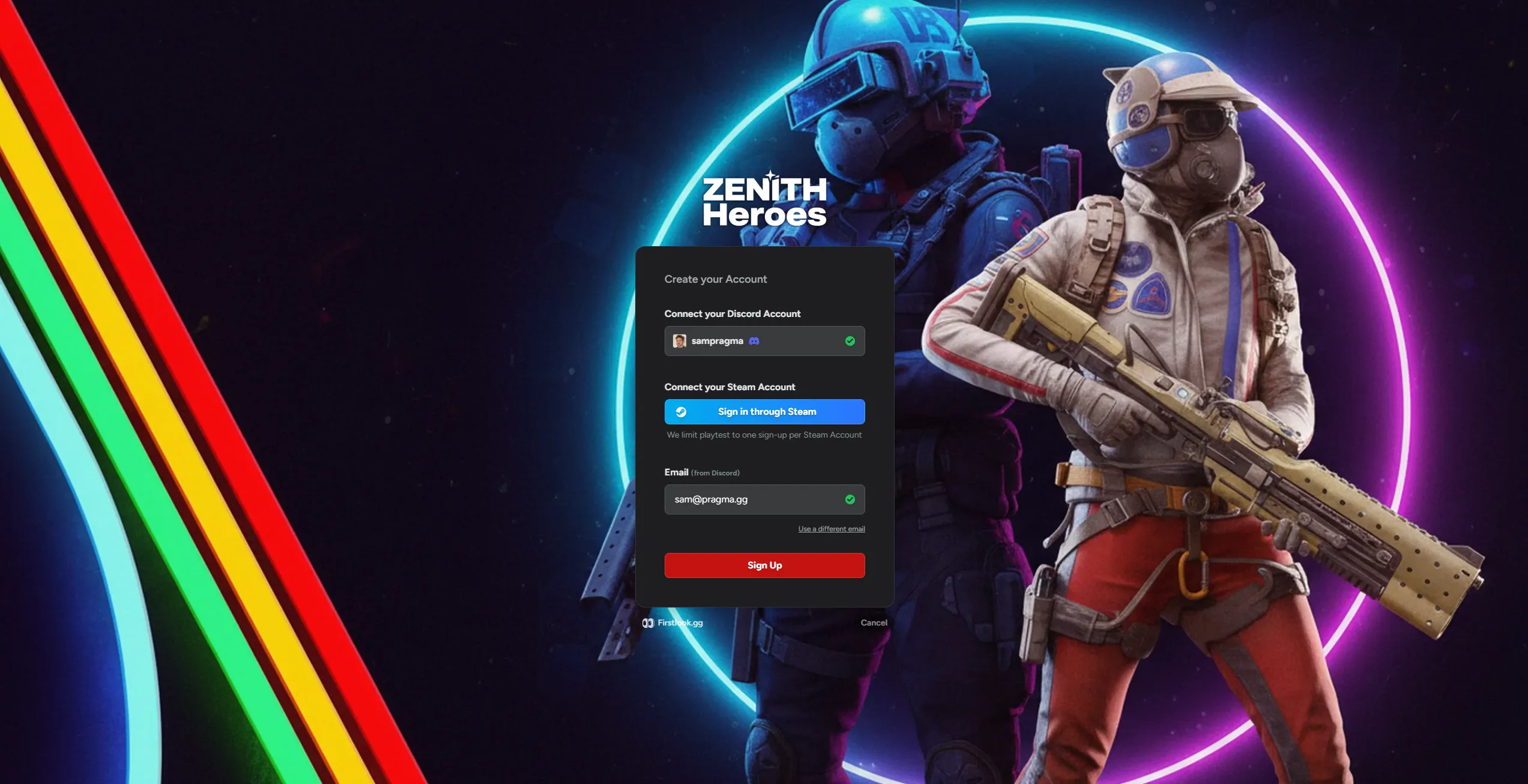
Player Questions
Section titled “Player Questions”Next players will need to answer any sign up questions you’ve asked before finishing signing up.