Campaigns
Creator Campaigns let you activate your creator community around a specific event, content drop, or ongoing program. You define what content counts, what creators need to achieve, and what they earn — FirstLook tracks everything automatically.
Navigate to Creators → Campaigns to get started.
Dashboard Overview
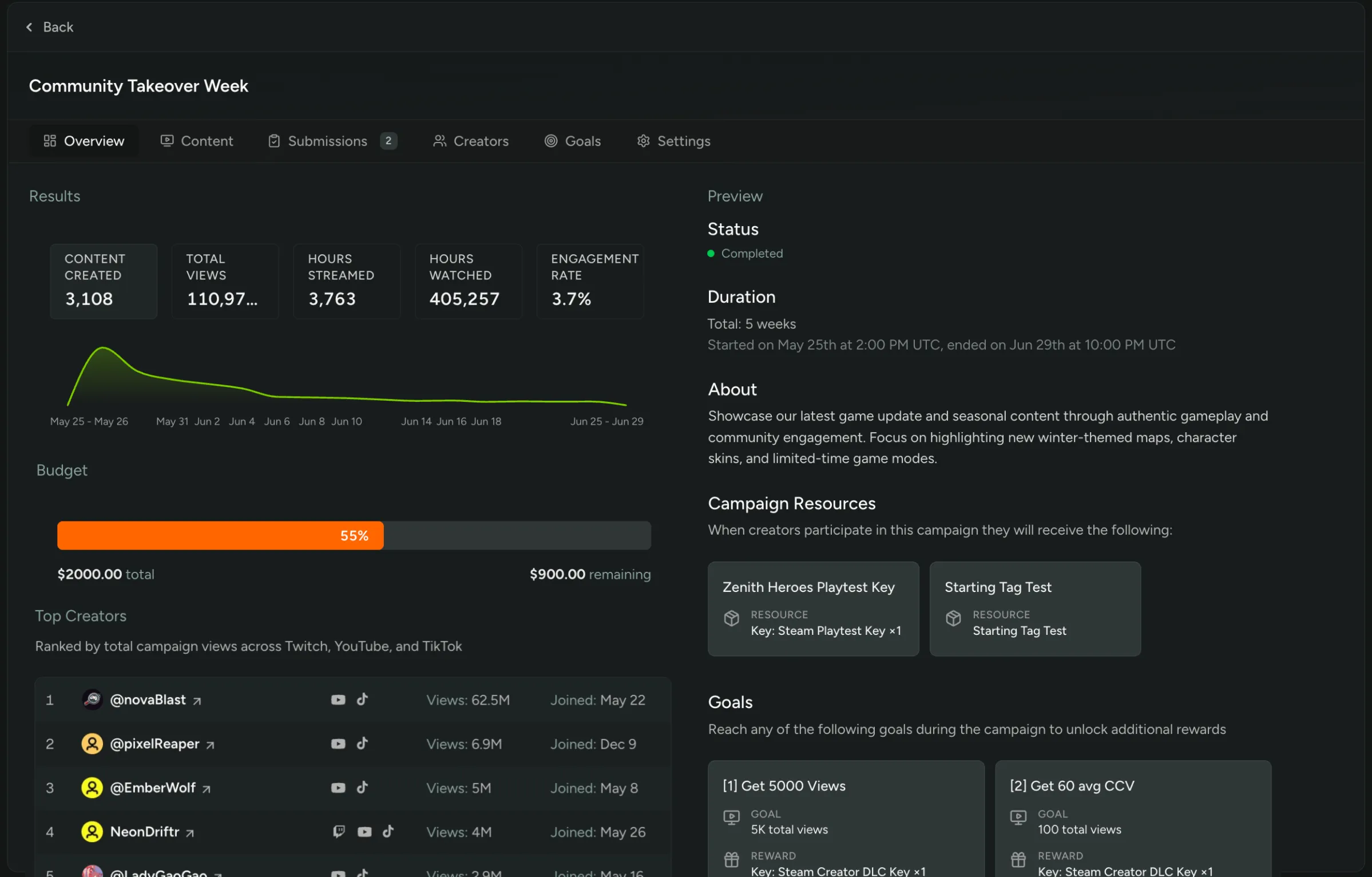
Section titled “Dashboard Overview”The overview shows a live summary of campaign performance:
Results (KPIs)
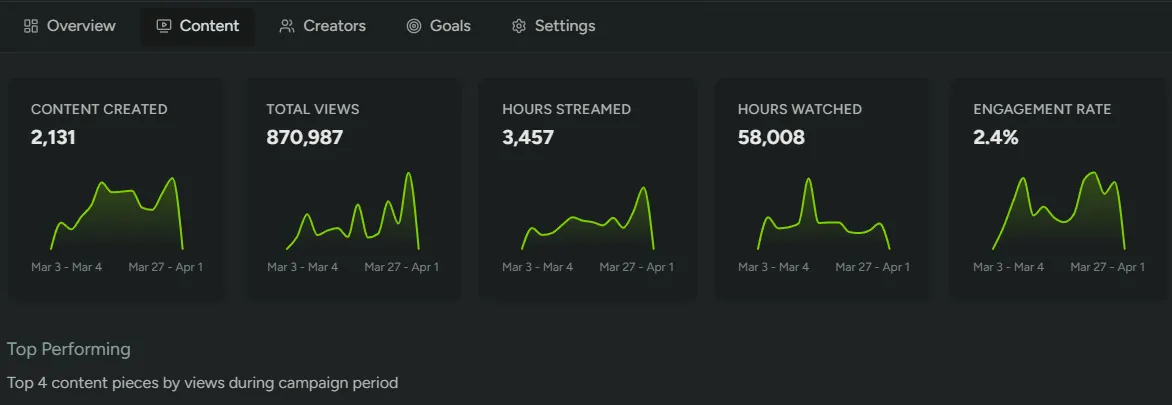
Section titled “Results (KPIs)”Five metrics are shown as selectable tabs. Clicking a tab reveals a time-series sparkline chart for that metric over the campaign period.
| Metric | Description |
|---|---|
| Content Created | Total number of videos and streams published by approved creators during the campaign. |
| Total Views | Combined view count across all tracked content. |
| Hours Streamed | Total live streaming time across all creators, in hours. |
| Hours Watched | Total hours watched by viewers across all streams. |
| Engagement Rate | Average engagement rate (likes + comments relative to views) across all content, shown as a percentage. |
Budget
Section titled “Budget”Only shown when a Total Budget has been set on the campaign. Displays a progress bar with:
| Field | Description |
|---|---|
| % used | Proportion of the budget already paid out to creators. |
| Total | The full campaign budget in USD. |
| Remaining | Unspent budget remaining. |
Top Creators
Section titled “Top Creators”A ranked table of up to 15 creators, sorted by total campaign views. Each row shows:
| Column | Description |
|---|---|
| Rank | Position by total views. |
| Creator | Avatar and name, linking to their creator profile page. |
| Platforms | Badges for each platform the creator is active on (Twitch, YouTube, TikTok). |
| Views | Total views generated during the campaign. |
| Joined | When the creator joined the campaign. |
Preview
Section titled “Preview”A read-only panel showing exactly how the campaign appears to creators:
| Section | Description |
|---|---|
| Status | Current campaign status badge (Draft, Published, Live, or Completed). |
| Duration | Total length (e.g. “3 weeks and 2 days”), plus formatted start and end date/times. |
| About | The campaign description. |
| Budget | Total payout amount, if a budget is configured. |
| Campaign Resources | Reward cards showing what creators receive just for joining. Empty if no resources are configured. |
| Goals | Reward cards for each goal, showing the condition and reward. Links to the Goals tab if none are set yet. |

Campaign Content
Section titled “Campaign Content”The Content tab is the main view for monitoring what your creators are producing during the campaign. It’s only populated after the campaign start date — before that, a Content Pending placeholder is shown.
Aggregate performance stats for all approved creators are shown across the top:
| Metric | Description |
|---|---|
| Total Views | Combined view count across all tracked content. |
| Total uploads / streams | Total number of videos and streams published during the campaign. |
| Total hours watched | Total hours watched across all streams. |
| Average viewers | Average viewers across all streams. |
| Engagement Rate | Average engagement rate across all content as a percentage. |
Top Performing
Section titled “Top Performing”The four highest-viewed pieces of content from the campaign period are shown as cards. Each card displays:
| Field | Description |
|---|---|
| Thumbnail | With duration overlay, links to the content on its platform. |
| Creator | Avatar, name, country, and follower count. |
| Title | Links directly to the video or stream. |
| Published date | When the content was published. |
| Platform badge | Source platform with view count. |
| Engagement | Like and comment counts. |
All Content
Section titled “All Content”Below the top performers is a table of every piece of content attributed to the campaign, 20 items per page. Each row shows:
| Column | Description |
|---|---|
| Thumbnail | With duration overlay, links to the content. |
| Published date | When the content was published. |
| Creator | Avatar, name, and follower count, linking to their creator profile. |
| Platform badge | Source platform (Twitch, YouTube, TikTok) with view count. |
| Engagement | Likes, comments, and views. |

Creators
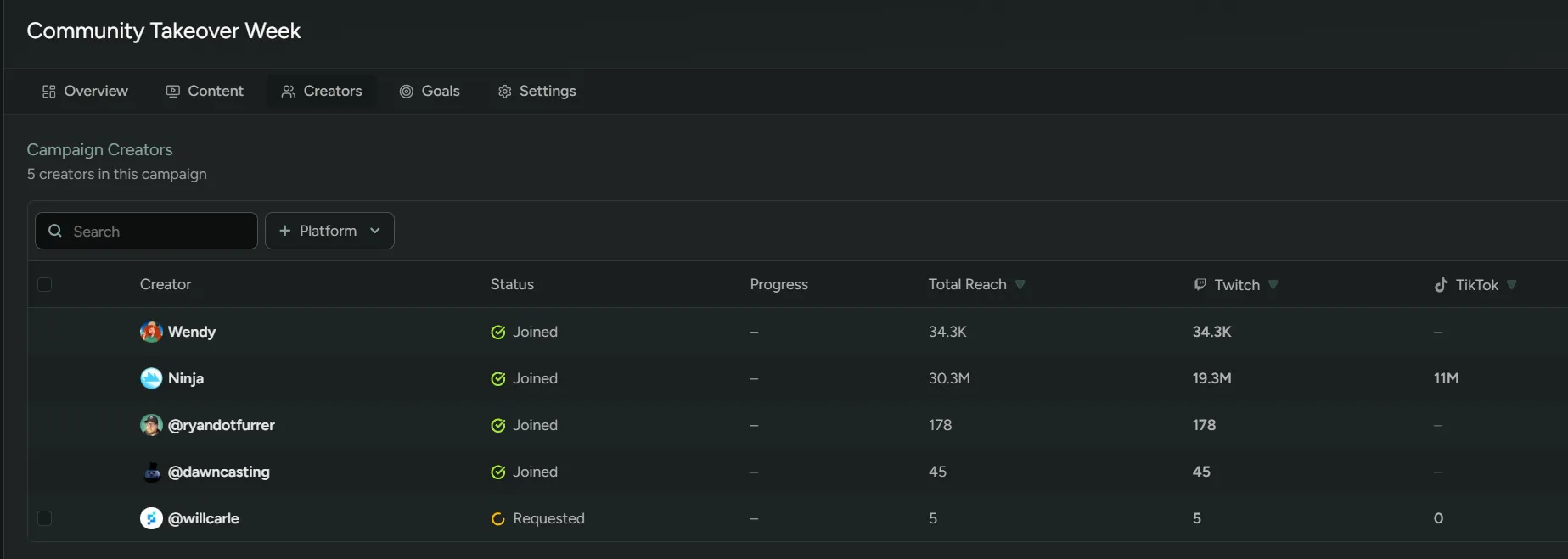
Section titled “Creators”Shows every creator enrolled in the campaign with their current stats: goals, views, uploads, stream duration, hours watched, and average viewers.
When the join method is Require Approval, pending join requests appear here. Select one or more creators and use Approve or Deny to manage access.

To set a new goal for your campaign, click ’+ New Goal’. You’ll be able to configure the following:
Goal types
Section titled “Goal types”Milestone - Fires once when the creator hits the target. Supports all reward types.
Performance - Repeats every time the creator hits the threshold. Supports a subset of reward types.
For Performance goals you can also set a Max award count — the maximum number of times a single creator can earn the reward. Leave it at
0for unlimited.

Goal Condition
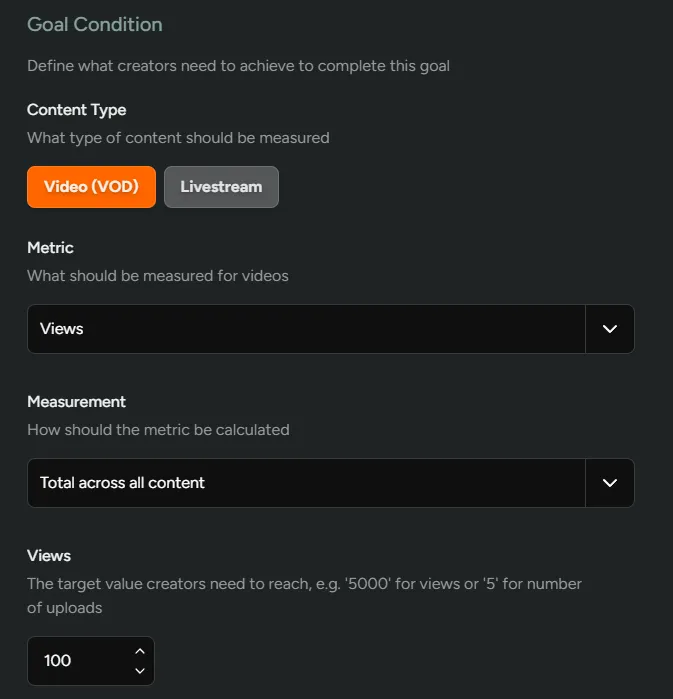
Section titled “Goal Condition”Each goal tracks either Video (VOD) or Livestream content.
| Metric | Type | Measurement |
|---|---|---|
Views | VOD | Total across all videos / On a single video |
Duration (minutes) | VOD + Livestream | Total / On a single piece of content |
Number of uploads | VOD | Total |
Average viewers | Livestream | Total across all streams / On a single stream |
Hours watched | Livestream | Total across all streams / On a single stream |
Number of streams | Livestream | Total |
Set a target value — the number creators must reach to earn the reward. For performance goals this is the repeating threshold (e.g. every 1,000 views).

Goal Reward
Section titled “Goal Reward”Every goal has a reward that creators receive on completion. Milestone goals support the full reward catalog; performance goals support a focused set suited to repeating payouts.
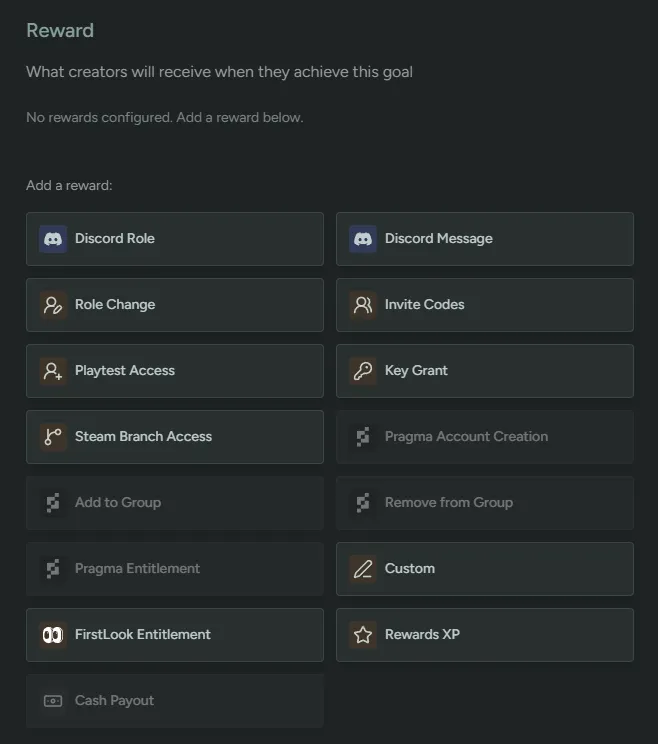
| Reward type | Available for |
|---|---|
| Discord Role | Milestone |
| Discord Message | Milestone + Performance |
| FirstLook Role | Milestone |
| Invites (game access) | Milestone + Performance |
| Key / Code Grant | Milestone + Performance |
| Gift Card | Milestone + Performance |
| Steam Branch Access | Milestone |
| Pragma Entitlement | Milestone + Performance |
| Custom Link | Milestone |
| FirstLook Entitlement | Milestone |
| XP (Battle Pass) | Milestone + Performance |
| Cash Payout | Milestone + Performance |
| Tag | Milestone |

Settings
Section titled “Settings”Campaign Settings
Section titled “Campaign Settings”| Field | Description |
|---|---|
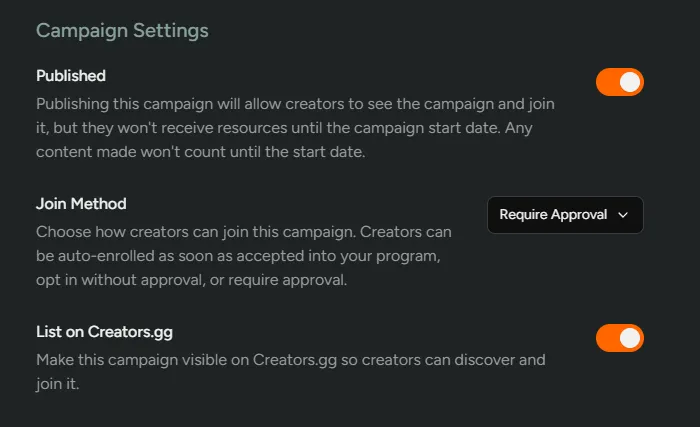
Published | Makes the campaign visible to creators so they can join. Creators won’t receive resources or have content counted until the start date. |
Join Method | Controls how creators enter the campaign — see Join Methods below. |
List on Creators.gg | Makes the campaign discoverable on the Creators.gg directory. Only available when the Creators.gg integration is enabled. Creators can be accepted to a listed campaign without joining your program first — they appear in your Profiles table as Applied. |
Join Methods
Section titled “Join Methods”| Method | Description |
|---|---|
Auto Enroll | Creators are automatically enrolled in the campaign as soon as they’re accepted into your program. |
Opt In | Creators can join the campaign on their own, without approval. |
Require Approval | The default. Creators request to join, and you approve or deny each request from the Creators tab. Requests move through Requested → Joined or Denied — see campaign participant statuses. |
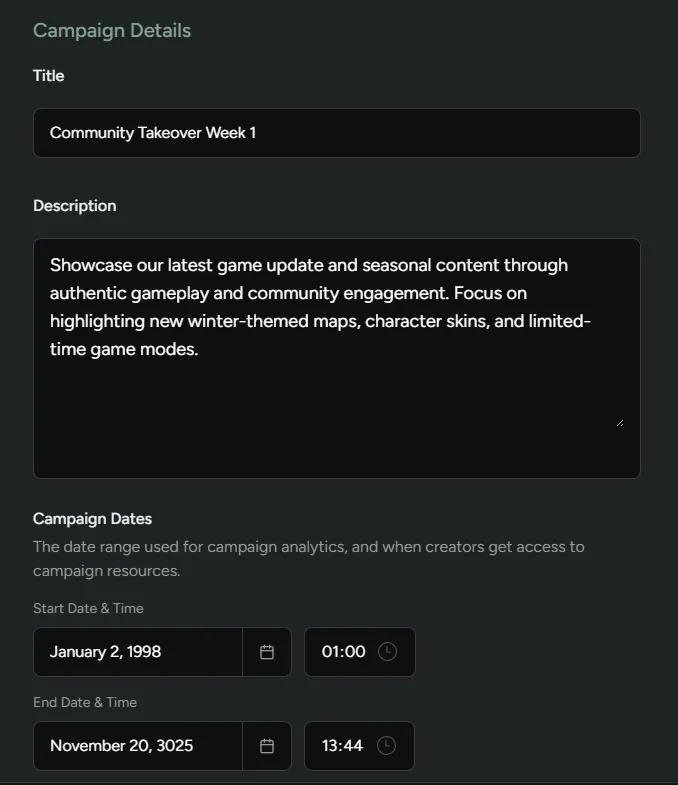
Campaign Details
Section titled “Campaign Details”| Field | Description |
|---|---|
Title | The campaign name shown to creators. |
Description | A Markdown-supported description of the campaign, visible to creators. |
Campaign Dates | Start and end date/time. Resources are granted at the start date; content only counts within this window. |
Image | Optional campaign image (recommended 1920×1080 px). |

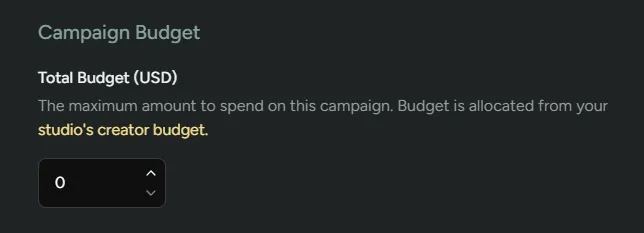
Campaign Budget
Section titled “Campaign Budget”Only visible when the Creator Payouts feature is enabled. Set a total USD budget for the campaign, drawn from your studio’s creator budget. FirstLook prevents over-allocation when goals with cash payouts are added.

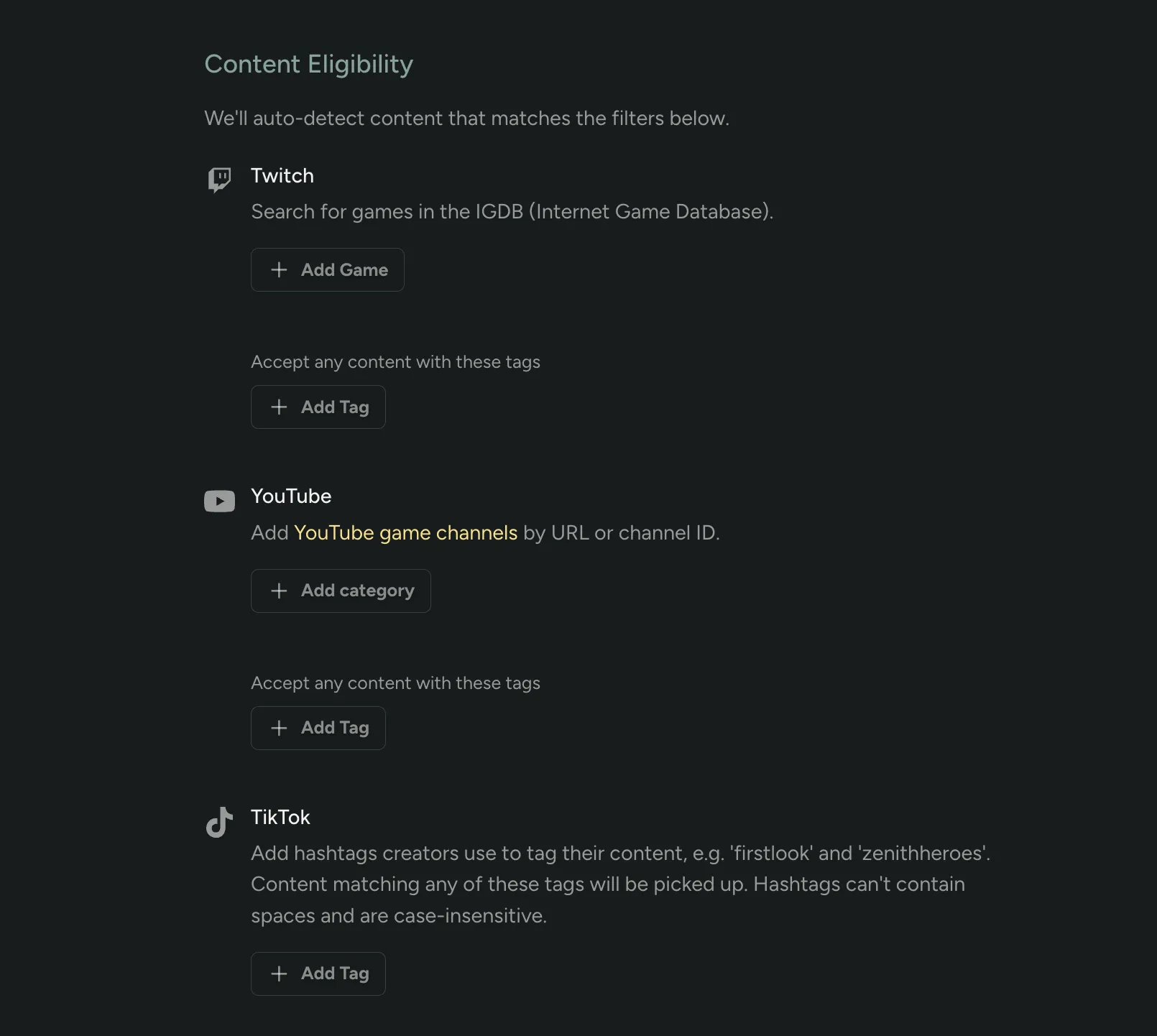
Content Eligibility
Section titled “Content Eligibility”Defines which creator content counts toward goals. By default, content matching your game’s global coverage settings counts. You can narrow this per-campaign:
| Filter | Description |
|---|---|
Twitch Games | Only count content where the creator is streaming one of the specified IGDB games. |
YouTube Channels | Only count content from specific YouTube channels. |
TikTok Tags | Only count TikTok content containing specific hashtags. |
Leaving all filters empty falls back to your game-level coverage settings.

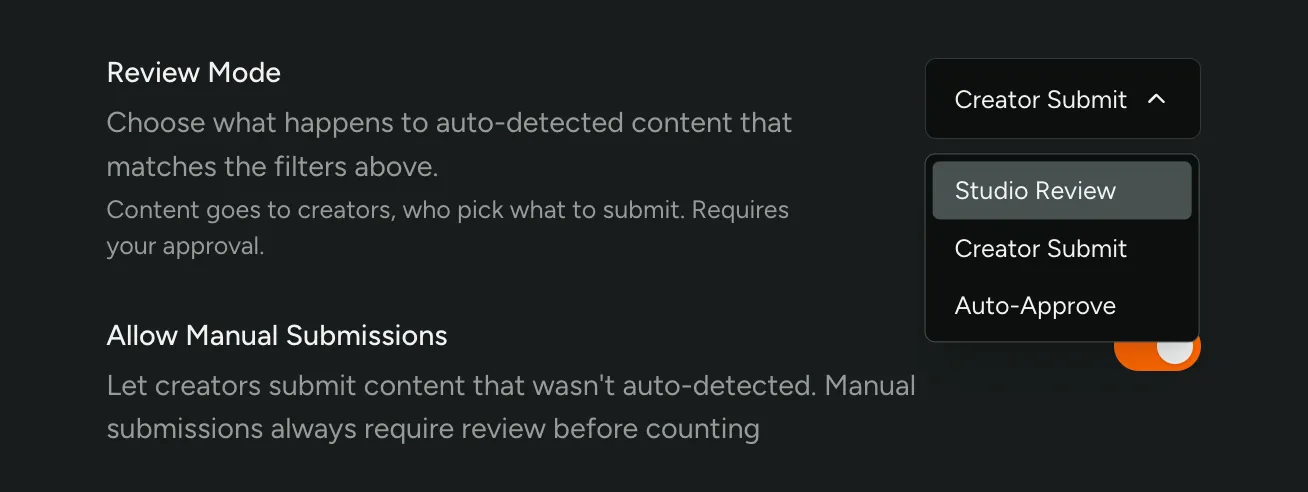
Require Review
Section titled “Require Review”When Require Review is on, auto-detected content must be manually approved before it counts toward goals. This enables the Submissions tab. When off, auto-detected matching content counts automatically. Content that creators submit manually always requires review, regardless of this setting.

Campaign Resources
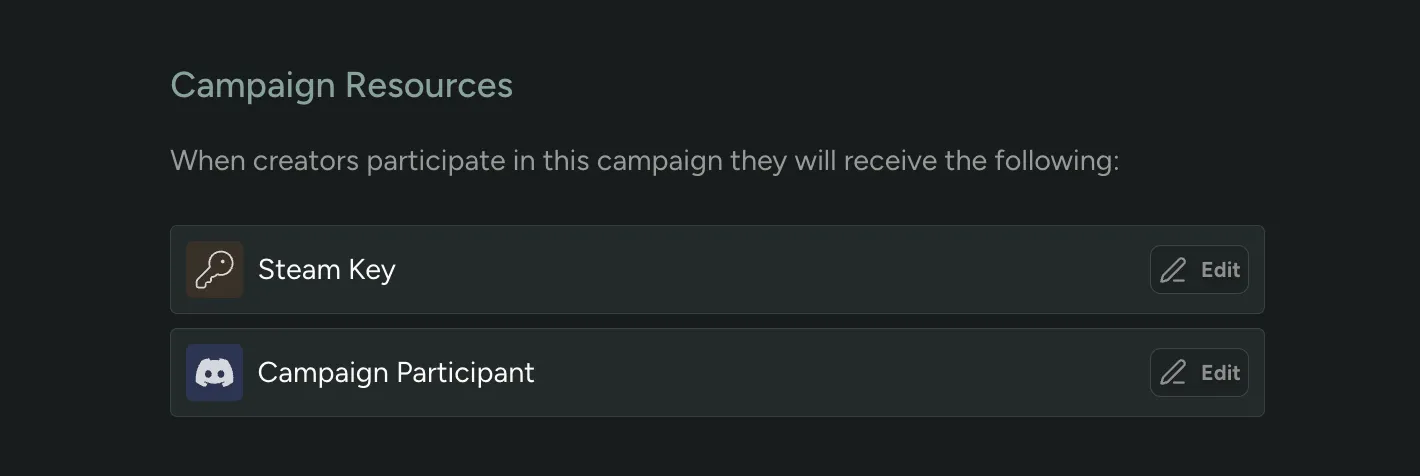
Section titled “Campaign Resources”Rewards granted to creators automatically when they join (or at the campaign start date). Resources are separate from goal rewards. Any reward type can be used — keys, Discord roles, XP, gift cards, and more.
Goals & Rewards Reference
Section titled “Goals & Rewards Reference”The full list of Goals/Quests and Rewards that can be configured in the Rewards and Creators features. These are the player-facing quest and reward types — separate from the creator campaign goal types and goal rewards documented in the sections above.
Goals/Quests
Section titled “Goals/Quests”| Name | Function | Customisation |
|---|---|---|
| Steam Wishlist | Triggers when someone Wishlists the game on Steam | Quest Name Points Period Grant points for past activity |
| Steam Playtime | Triggers when someone plays the game for a given amount of time | Quest Name Points Period Grant points for past activity Time played |
| Played | Triggers when someone plays the game on Steam | Quest Name Points Period Grant points for past activity |
| Friend Played | Triggers when a players referrals/invites play the game on Steam | Quest Name Points Period Grant points for past activity |
| Discord Activity | Triggers whenever someone engages on Discord, through posting or reacting to posts | Quest Name Points Period Grant points for past activity Number of messages required Limit to specific channels Discord message |
| Discord Threads | Triggers whenever someone posts a thread in a specific channel | Quest Name Points Period Grant points for past activity Number of threads required Limit to specific channels |
| Friend Invites | Triggers whenever someone invites a friend using friend invite codes through FirstLook | Quest Name Points Period Grant points for past activity Number of invites required |
| Friend Referrals | Triggers whenever someone refers a friend using their personal referral code through FirstLook | Quest Name Points Period Grant points for past activity Number of referrals required |
| Survey Responses | Triggers whenever someone completes a survey | Quest Name Points Period Grant points for past activity Survey |
| Match Filters | Triggers whenever a player’s data matches a custom set of filter conditions. | Quest Name Points Period Grant points for past activity Filters |
| Analytics Playtime | Triggers whenever a player’s playtime reaches a set amount of time, as tracked by the Firstlook SDK. | Quest Name Points Time Played |
| Analytics Sessions | Triggered when a player’s session count reaches the configured amount, as tracked by the Firstlook SDK. | Quest Name Points Sessions |
Rewards
Section titled “Rewards”| Name | Function | Customisation |
|---|---|---|
| Discord Role | Grant a Discord role | Reward Name Discord Role |
| Discord Message | Send a message to a Discord Channel | Reward Name Discord Message Discord Channel |
| Role Change | Change a users role in FirstLook | Reward Name Role |
| Invite Codes | Give users invite codes to share | Reward Name Invite Codes Role |
| Playtest Access | Grant access to playtest the game | Reward Name |
| Key Grant | Grant a key to the user | Reward Name Redeemable Type |
| Steam Branch Access | Grant access to a Steam branch | Reward Name Redeemable Type |
| Pragma Account Creation | Create a Pragma account for users | Reward Name |
| Add to Group | Add users to a Pragma group | Reward Name Pragma Group |
| Remove from Group | Remove users from a Pragma group | Reward Name Pragma Group |
| Pragma Entitlement | Grant a Pragma entitlement to the user | Reward Name Pragma Entitlement |
| Custom | Grant a reward outside of FirstLook | Reward Name Reward URL |
| FirstLook Entitlement | Grant a FirstLook entitlement to the player | Reward Name FirstLook Entitlement |