Combine Time Windows in One Filter
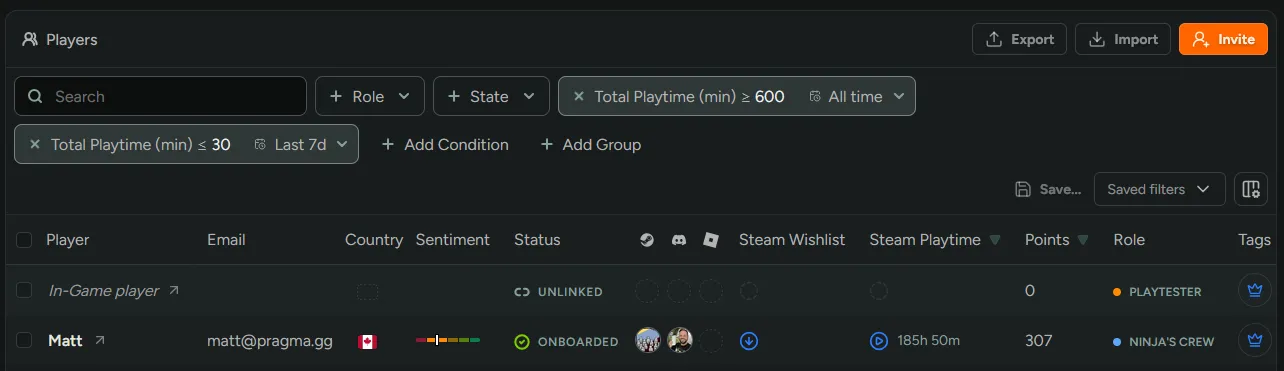
You can now add the same time-scoped filter more than once with a different window on each. Previously, adding a second filter replaced the first, so a specific filter could only look at one period at a time.
Now it’s possible to compare lifetime activity against recent activity in a single search. For example:
- Playtime ≥ 10 hours (All time) and Playtime ≤ 30 minutes (Last 7 days) finds committed players who have gone quiet.
- Playtime ≥ 5 hours (Last 30 days) and Playtime ≥ 2 hours (Last 7 days) finds players who are consistently active.
This works everywhere player filters do, including Smart Tags, announcements, and assigning tags by conditions.