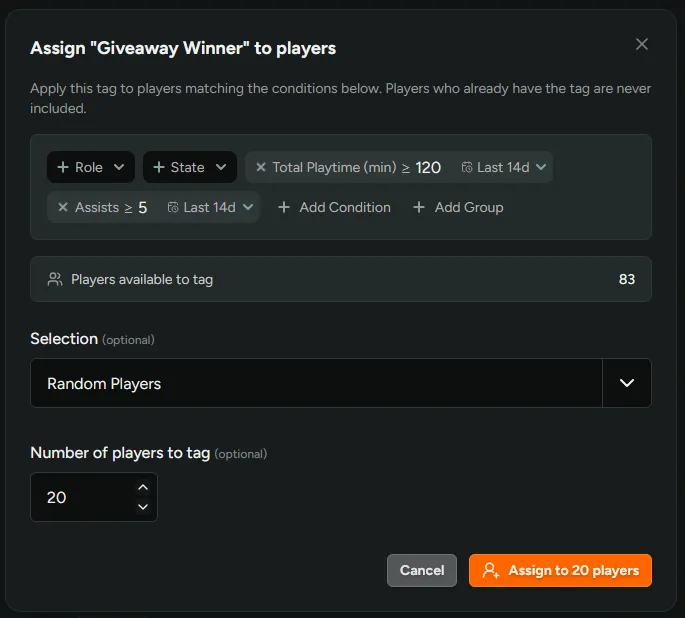
Assign Tags by Conditions
You can now add players to a tag by filter conditions instead of selecting them one by one. Go to Settings → Player Tags and click the Assign to players icon on a tag’s row to open the dialog.
Select a cohort using the any Player condition filters (e.g. role, access state, wishlist conditions, surveys, playtime, sentiment, etc), then pick a subset of players matching the conditions to tag, either All, the first N players by Sign-Up Order, or a set number of matching players randomly.
Random selection works well for giveaways or capacity-limited playtests. Filter to players who completed your survey, tag 25 at random, then use that tag to invite them, send an announcement or grant a reward.