Translate Player Responses
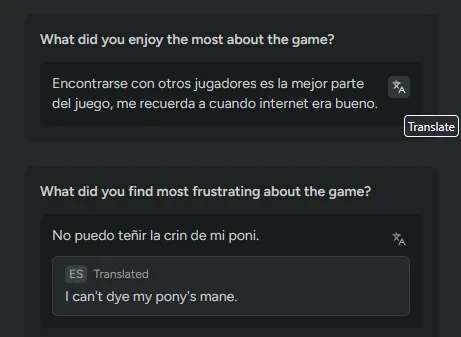
Survey text responses and Sentiment sources now have a translate button. Click it and an English translation appears under the original, tagged with the language we detected. Click again to hide it.
It covers survey feedback, Discord messages, Steam reviews, and Steam discussions. The original text stays on screen either way, so you can check the wording yourself or pass it to someone who reads the language.
Each response is translated when you ask for it, not ahead of time. In Sentiment, the button only shows on text we’ve detected isn’t already in English.
Translation needs LLM Localization turned on. Enable it in FirstLook Labs.