Configuration
The Configuration section is where you control how your creator program looks and behaves. You can customise the messaging creators see at each step of the sign-up flow, set which social accounts are required to apply, configure the emails sent when applications are approved, enrolled, or rejected, and define which content across Twitch, YouTube, and TikTok counts toward your program. Everything here feeds directly into the creator experience, so changes take effect as soon as you save.
To Get Started
Section titled “To Get Started”Set up a dedicated path for creators to apply and get approved:
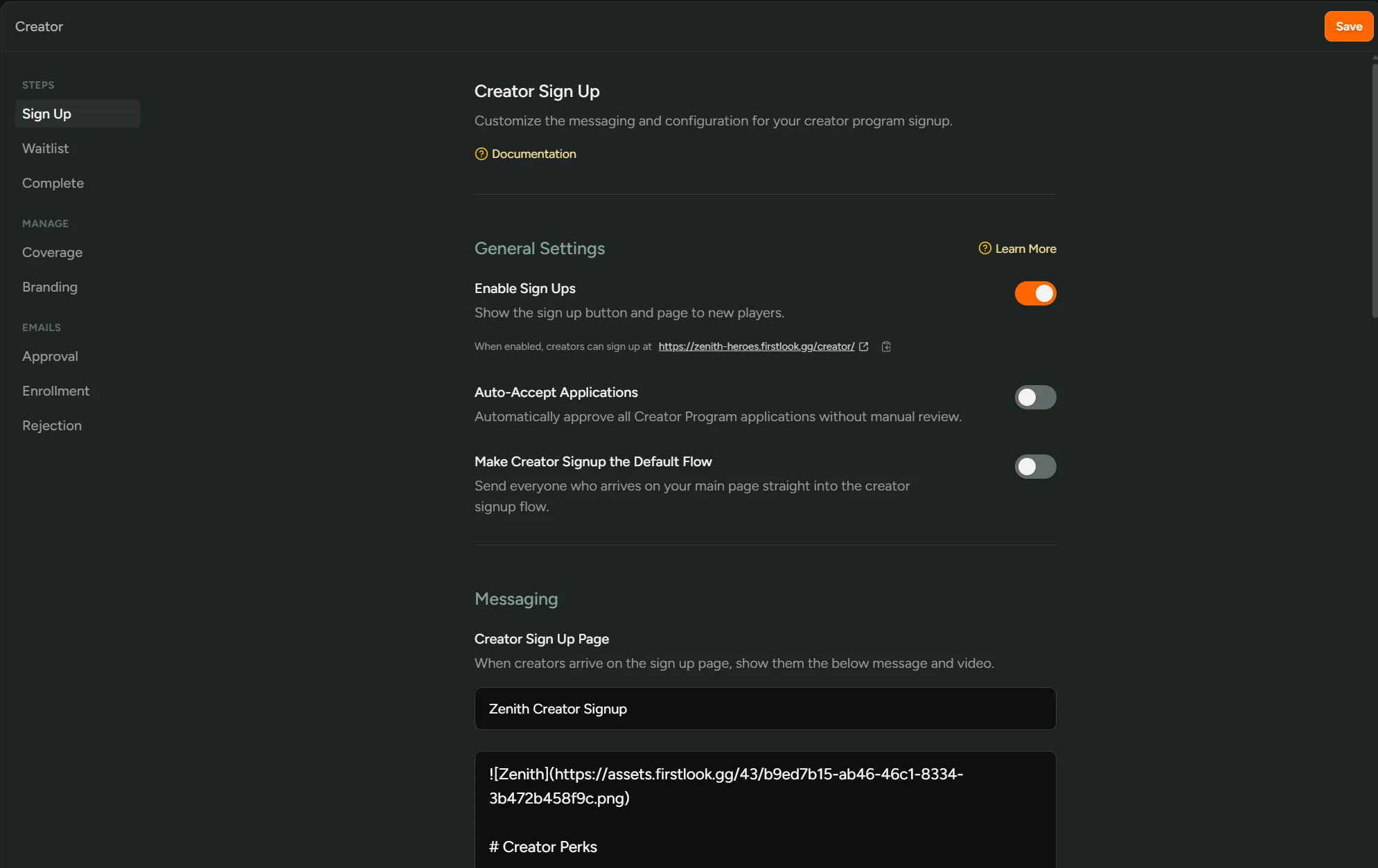
- Go to Configuration → Creators → Sign Up
- Toggle on Enable Sign Ups.
- (Optional) Toggle on Auto‑Accept Applications.
- Click Save.
Sign Up
Section titled “Sign Up”Players land on your creator page, read your program description, and connect their creators.gg account to apply. Existing players are automatically pre-filled with their linked accounts.
| Setting | Description |
|---|---|
Enable Sign Ups | Show the sign-up button and page to new creators. The sign-up URL is shown here once enabled. |
Auto-Accept Applications | Automatically approve all applications without manual review. When off, creators enter the Waitlist step after applying. |
Title | Heading shown on the creator landing page. |
Message | Body text (supports Markdown) describing your program and creator perks. |
Video | Optional YouTube URL shown above the sign-up form. |
Custom Footer | Optional small-print text displayed below the sign-up button. |
Sign Up Methods | Enable and optionally require social accounts (Discord, Steam, PlayStation, Xbox, Epic, EA, Google Play, Apple, Roblox, 2K, and more). |
Custom Questions | Add extra profile questions shown to creators as separate steps after account creation. |
Waitlist
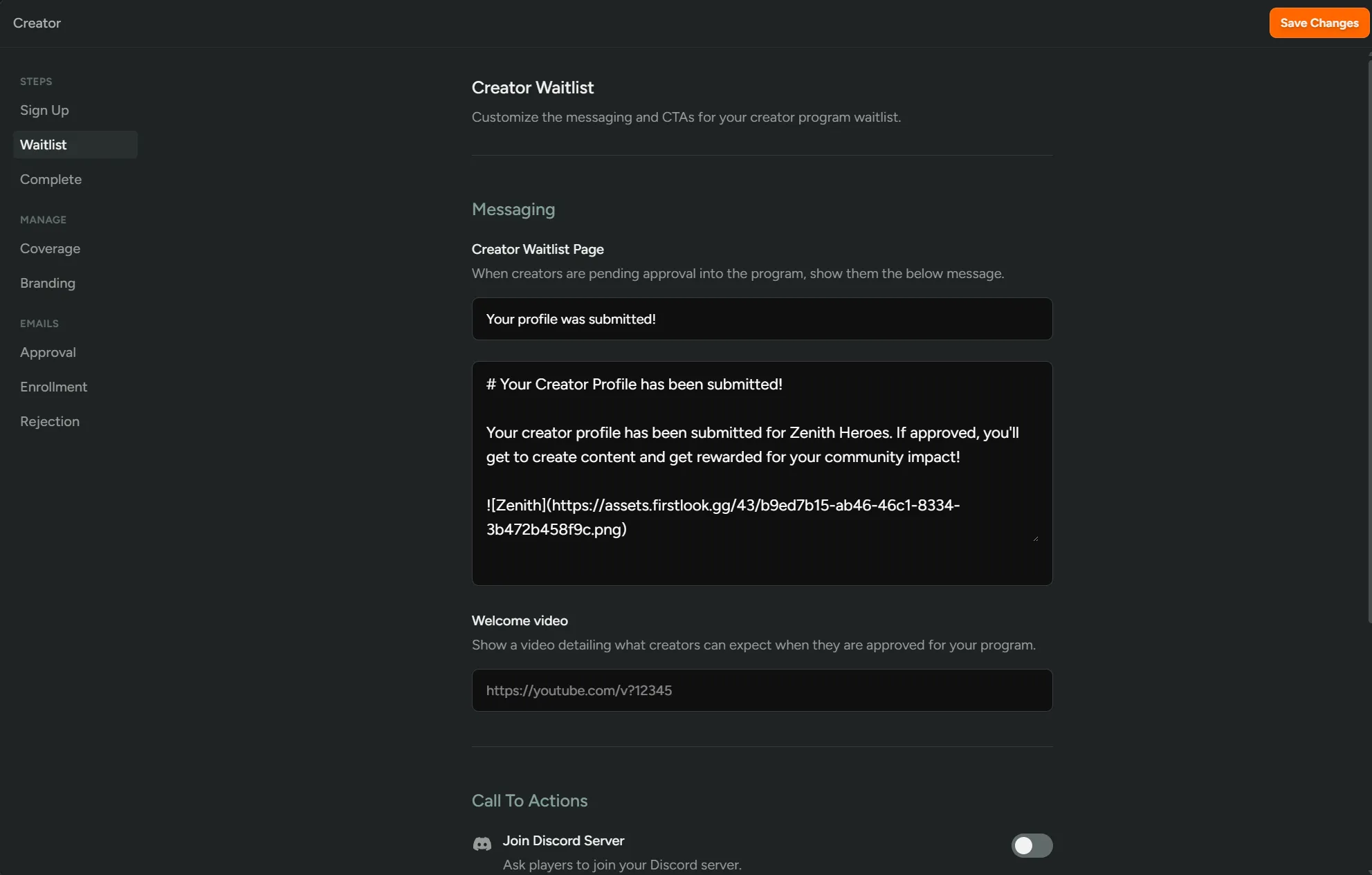
Section titled “Waitlist”After applying, creators whose applications are under review land on the waitlist page. This step only appears when Auto-Accept is turned off. Creators can still manage their profile while they wait.
Configuration → Creators → Waitlist
| Setting | Description |
|---|---|
Title | Heading shown on the waitlist page. |
Message | Body text explaining next steps or expected review timeline (supports Markdown). |
Video | Optional YouTube video shown on the waitlist page. |
Join Discord Server | Show a Discord CTA. Optionally auto-join creators if they connected Discord, grant roles, or use an invite link instead of the bot. |
Steam Wishlist | Show a Steam Wishlist CTA (requires a Steam App ID to be configured). |
Xbox / PlayStation Wishlist | Show store wishlist CTAs (requires cross-platform feature). |
Custom Actions | Add any number of custom CTA buttons with your own labels and URLs. |
Complete
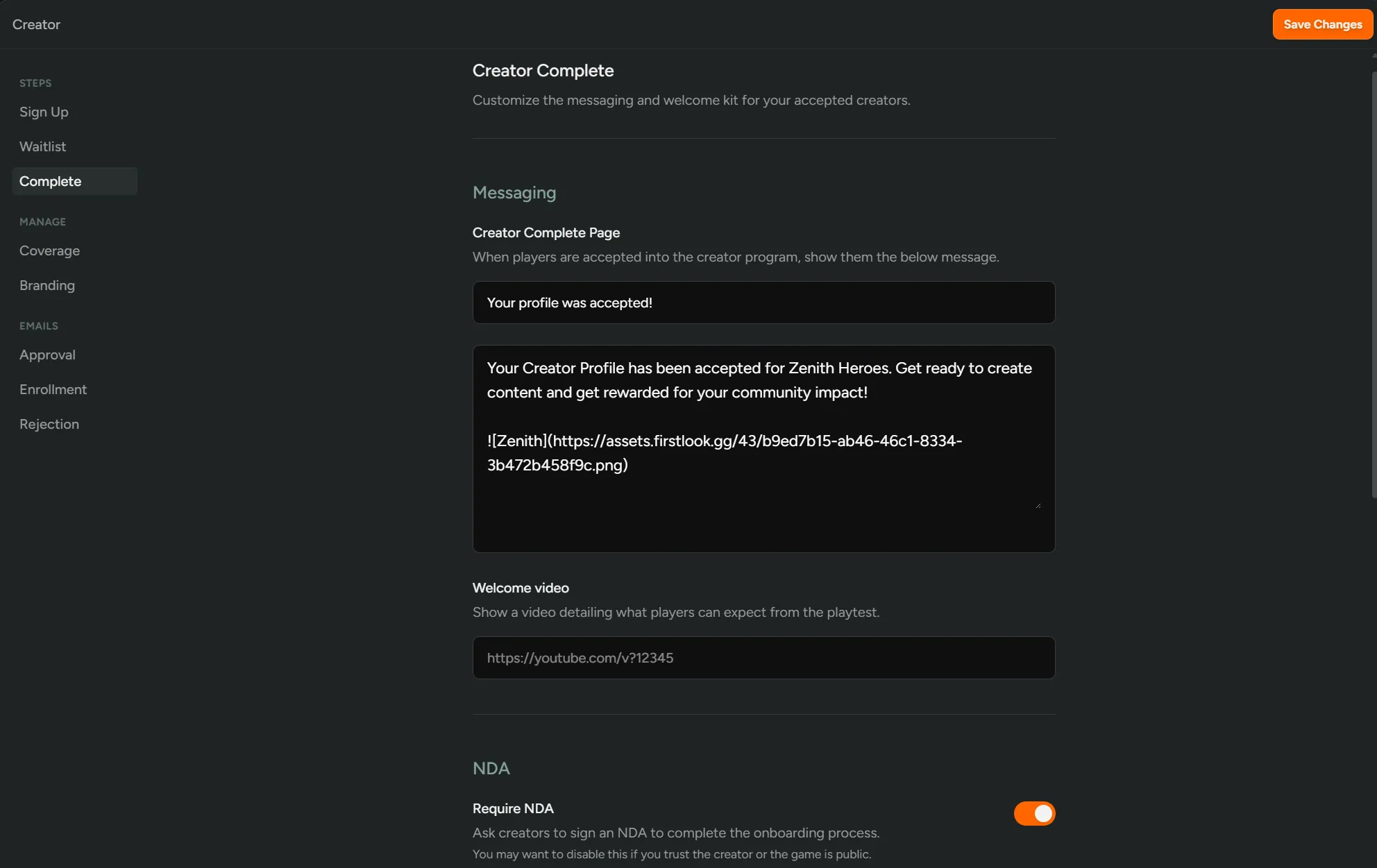
Section titled “Complete”Once approved, creators see the completion page with links to your active campaigns and their profile. They may also be asked to sign an NDA and will receive any keys or Discord roles you’ve configured. If an application is rejected the creator sees a system message (the rejection message is not customisable).
Configuration → Creators → Complete
| Setting | Description |
|---|---|
Title | Heading shown on the completion page. |
Message | Body text welcoming the creator and pointing them toward next steps (supports Markdown). |
Video | Optional YouTube video shown on the completion page. |
Require NDA | Ask creators to sign an NDA before accessing the program. Optionally require scroll-to-accept. |
Welcome Kit URL | Link to a welcome pack (e.g. Google Drive folder) shown as a button on the completion page. |
Keys and Access | Select the key/entitlement types automatically granted to approved creators. |
Discord Roles | Grant one or more Discord roles to creators on approval. |
Coverage
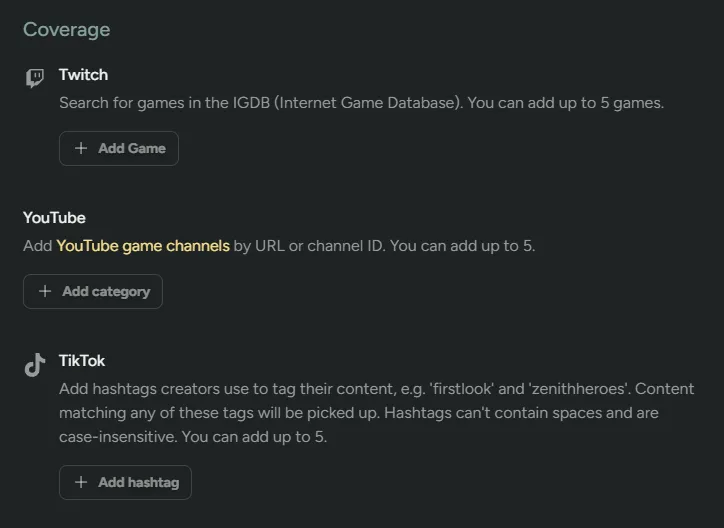
Section titled “Coverage”Define which creator content is tracked across your entire program. These are the game-wide baseline filters — campaign-level Content Eligibility settings can further narrow content for individual campaigns.
Configuration → Creators → Coverage
| Platform | Description |
|---|---|
| Twitch Games | Track Twitch content where the creator is streaming one of the specified games (searched by IGDB title). Up to 5 games. |
| YouTube Channels | Track content from specific YouTube channels. Up to 5 channels. |
| TikTok Tags | Track TikTok content containing specific hashtags. |
Branding
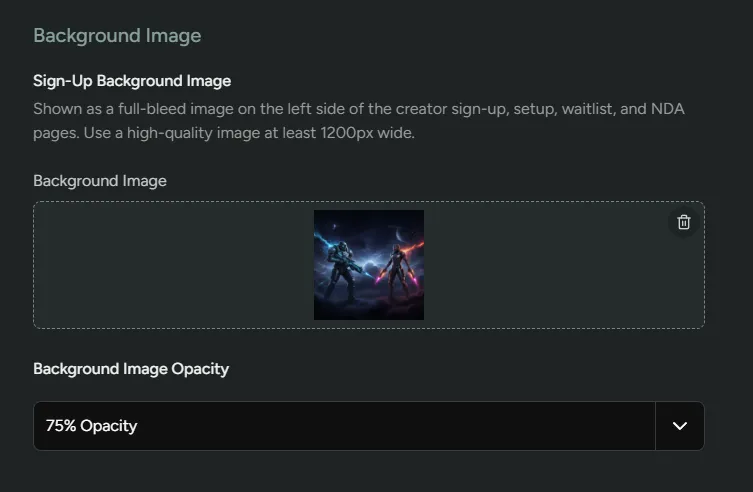
Section titled “Branding”Set a full-bleed background image and overlay opacity shown across the sign-up, setup, waitlist, and NDA pages.
Configuration → Creators → Complete
Saving changes with filters removed will re-process your existing content links to reflect the updated rules.
Emails
Section titled “Emails”Three transactional emails can be customised for your creator program.
| Page | Email triggered |
|---|---|
| Approve | Sent when a creator’s application is approved. Includes a CTA linking to their creator dashboard. |
| Enroll | Sent when a player is manually invited to the program via Enroll as Creator. Includes a CTA linking to the creator sign-up page. |
| Reject | Sent when a creator’s application is denied. |
Each email can be toggled between the default system template and a fully custom template using the built-in email composer.