Flow Setup Guide
Now that you’ve defined your player segments, the next step is to set up a Flow for each group.
Flows are about meeting players where they are. Someone inside your studio already understands that the game is still in development and what the playtest is trying to achieve. A public playtester probably doesn’t. Each group needs different messaging and context so it is best to create different flows to guide different prospective players.
Before You Begin
Section titled “Before You Begin”Note: The examples below reflect common patterns that work well for many studios, but they’re not strict rules. You can simplify, expand, or adjust each flow based on your goals and audience.
Identity Providers:
Signing up with Discord is often preferred. It simplifies player verification and allows FirstLook to automatically add players to your Discord server. If you are distributing builds through Steam, players typically link their Steam accounts during onboarding so keys can be assigned automatically.
In the Player Segmentation guide, we identified three main segments:
- Public Playtesters
- Internal Team & Partners
- Creators & Media
In this guide, we’ll go step by step through our Playtesters flow as a detailed example, showing configuration choices for each stage with screenshots.
The remaining flows, Internal Team, Media Partners, and Open Beta are included as shorter examples that show how configuration and messaging change for different audiences.
Here’s how each can be configured, and why.
Playtesters Flow
Section titled “Playtesters Flow”
This flow is used for public playtesters, Friends & Family, and anyone joining from your homepage. It acts as the default flow and serves as the entry point for your playtest program.
The goal is to make these players feel welcomed, informed, and excited, while clearly explaining how to provide useful feedback. Below, we’ll walk through each step of this flow in detail, showing exactly how we’ve configured it in our setup.
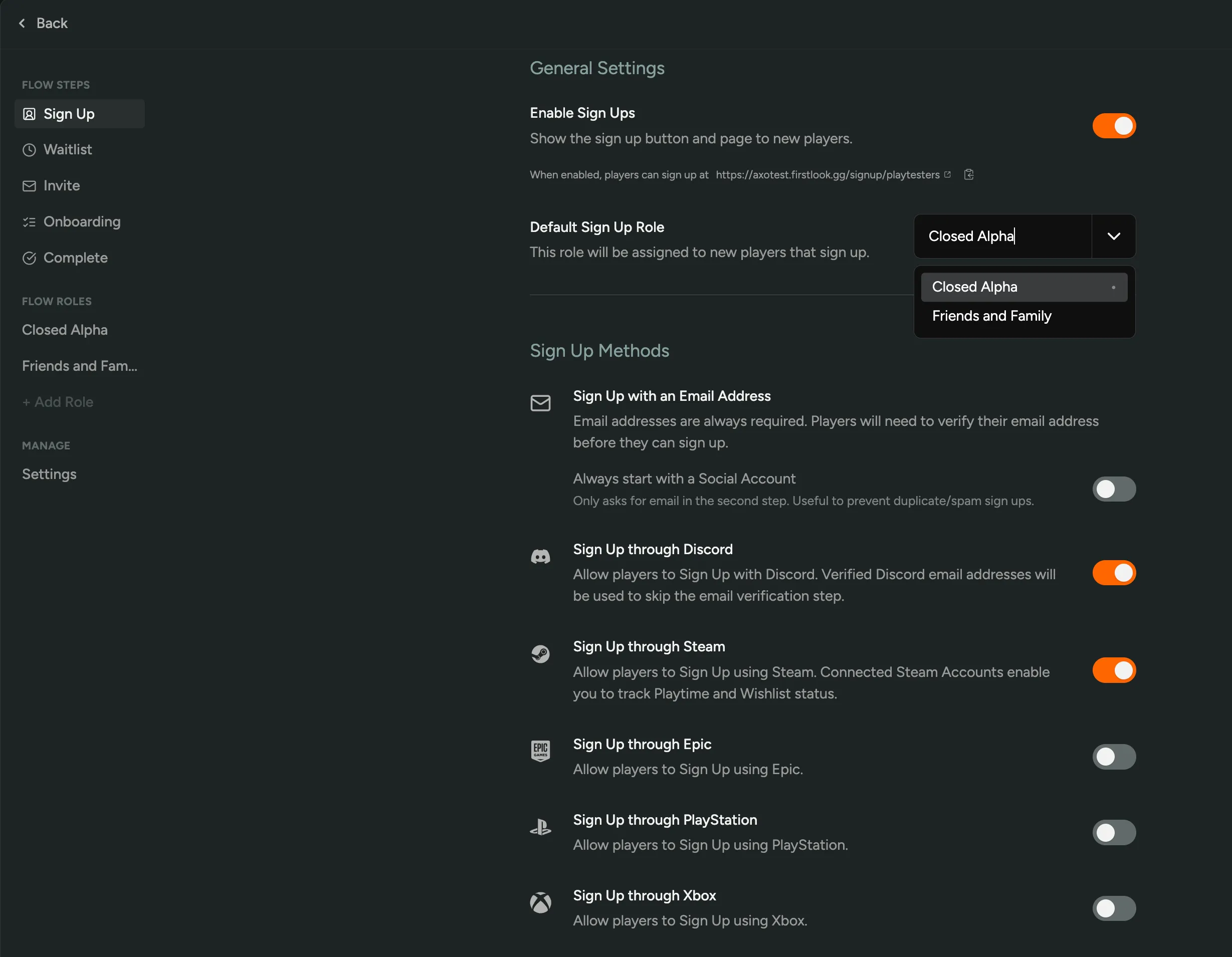
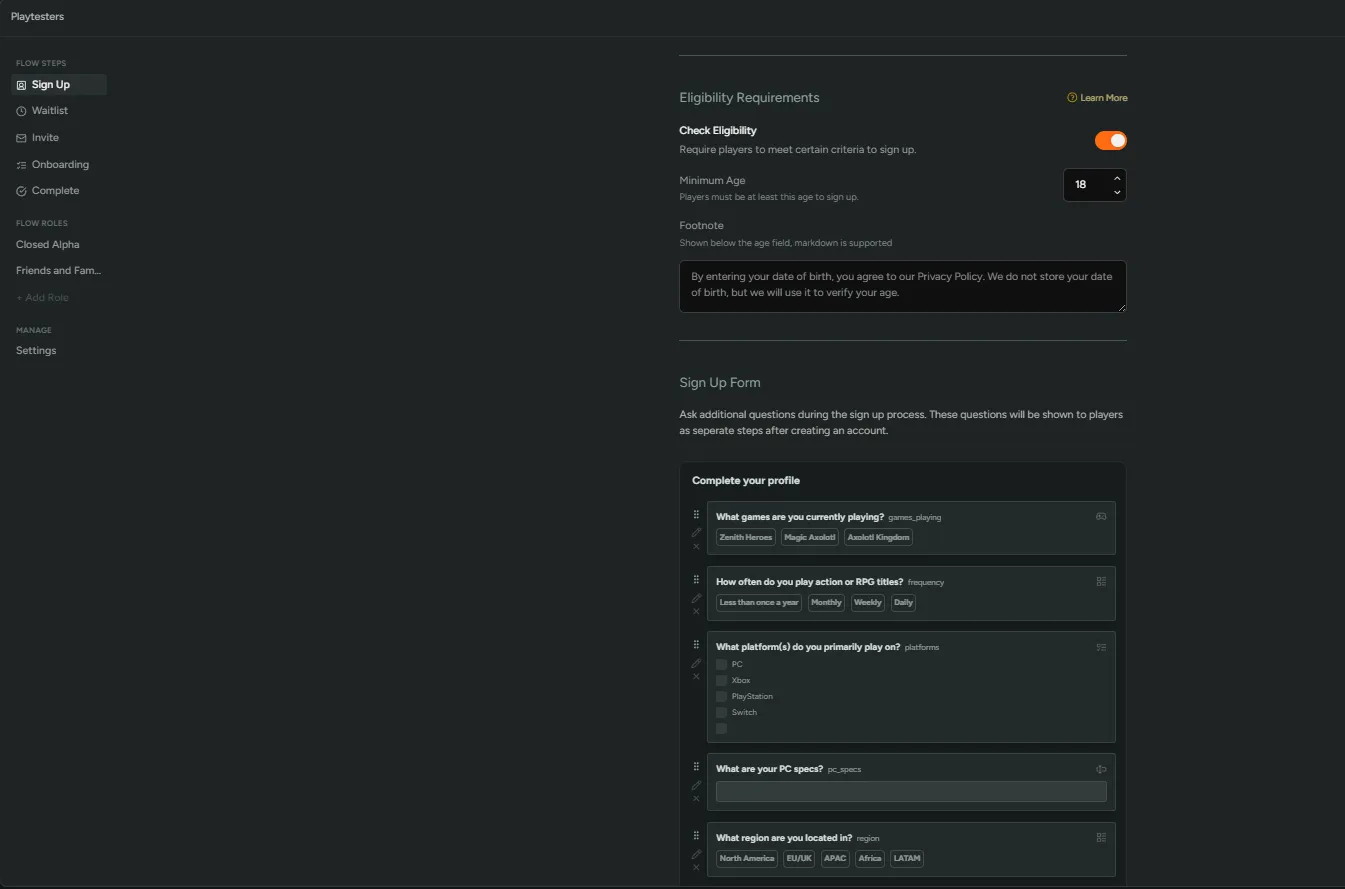
We’ve included a few Sign Up questions to help us decide who to invite from the waitlist. In our example, these focus on player specs, experience, and demographics.
For more information on the Sign Up step, visit the Sign Up configuration docs
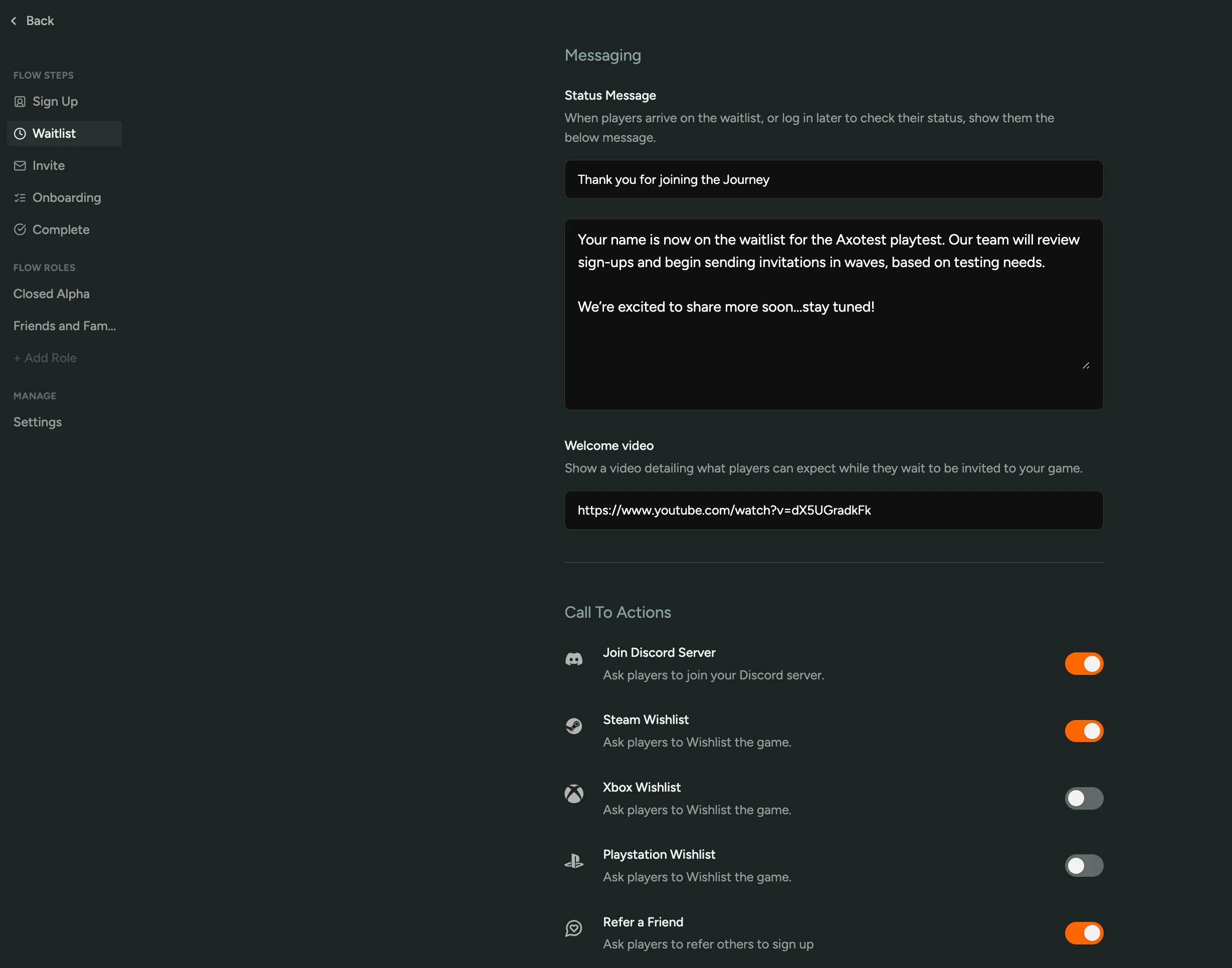
After signing up, players land on the waitlist page. Here, we’ve added clear calls to action so players stay engaged while they wait.
Our configuration includes buttons to Join Discord and Wishlist on Steam. We have also enabled Refer a Friend, which lets players share a link for others to join the waitlist.
We also include a short thank you message that sets expectations and reminds players that invites will go out once testing begins.
For more information on the Waitlist step, visit the Waitlist configuration docs
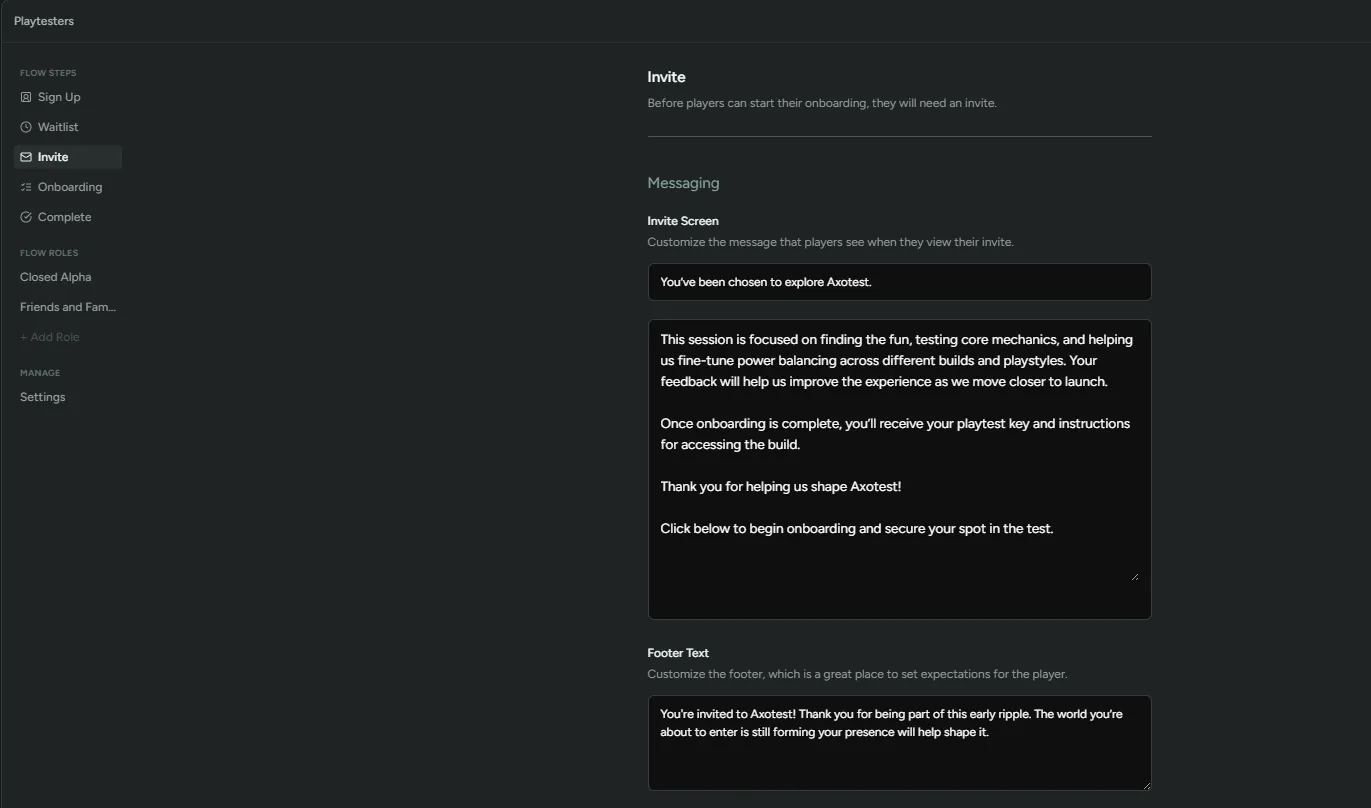
When it’s time to begin a playtest, we select players from the waitlist to invite. Invites sent from this flow automatically assign players to the flow’s default role, Closed Alpha, however, we also have the ability to manually send out invites to a different role, for example, Friends and Family.
Our invitation messaging confirms selection, outlines what the playtest is for, and provides a link to begin onboarding.
For more information on the Invite step, visit the Invite configuration docs
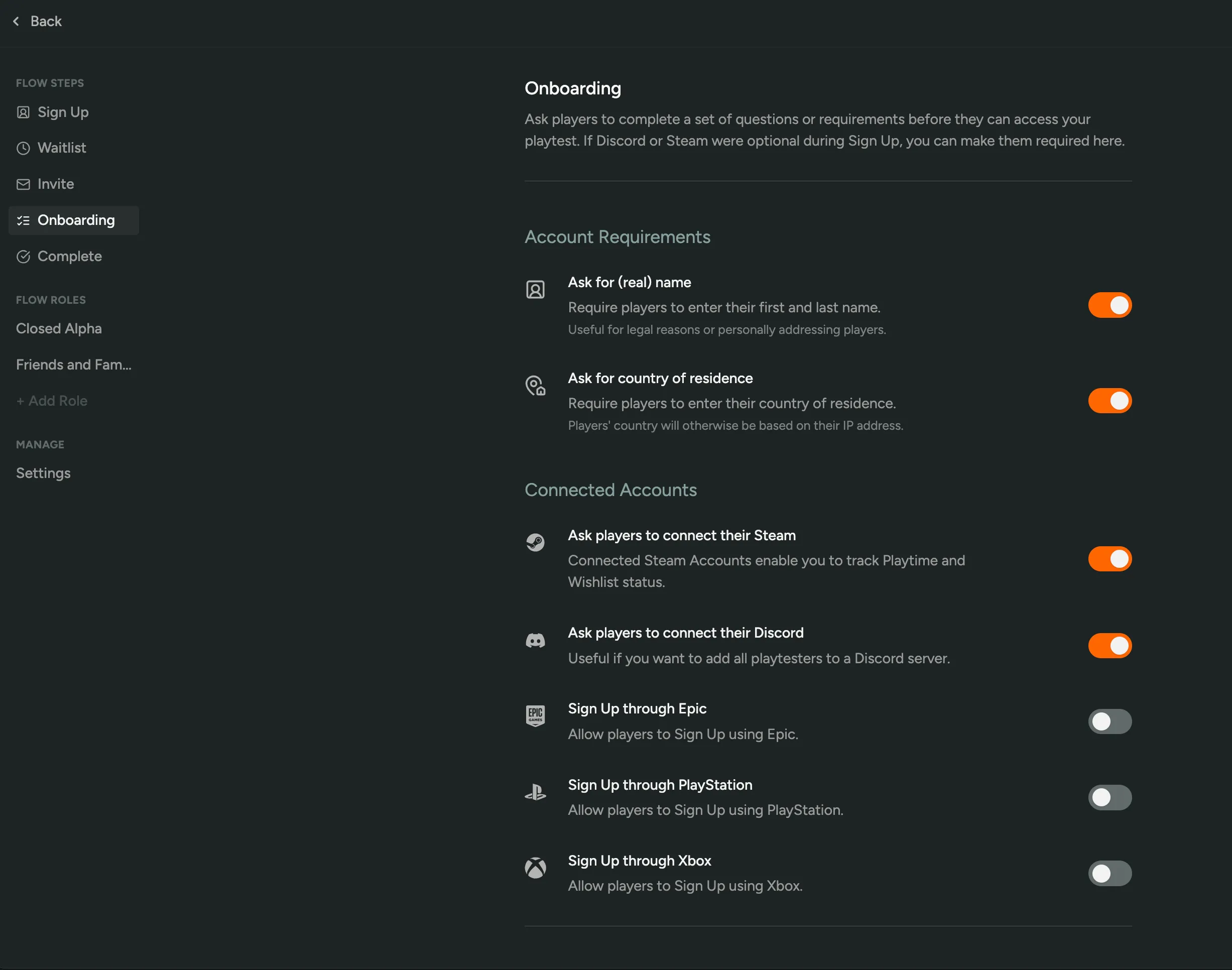
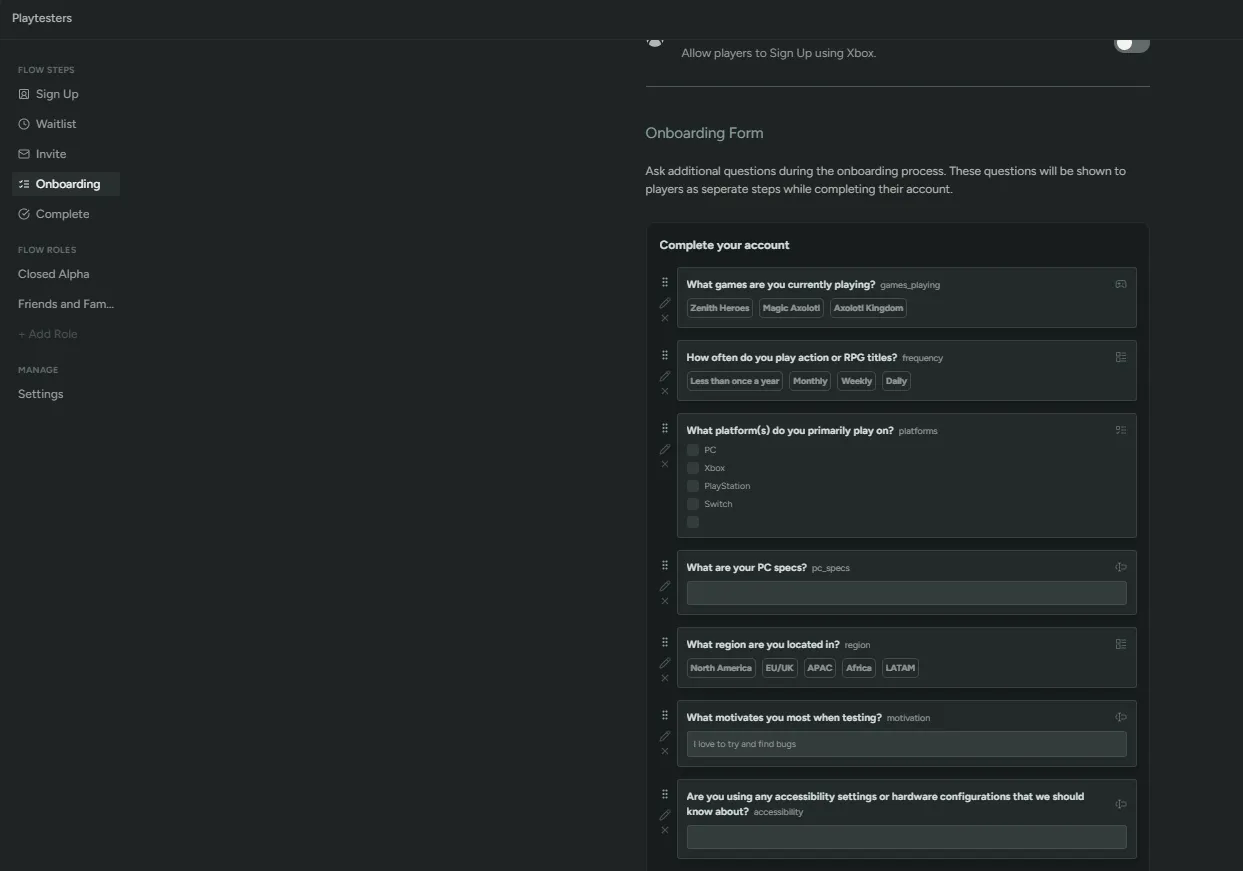
At this step, we require both Steam and Discord connections since once onboarding is complete, players are assigned Discord roles and their Steam key.
For more information on the Onboarding step, visit the Onboarding configuration docs
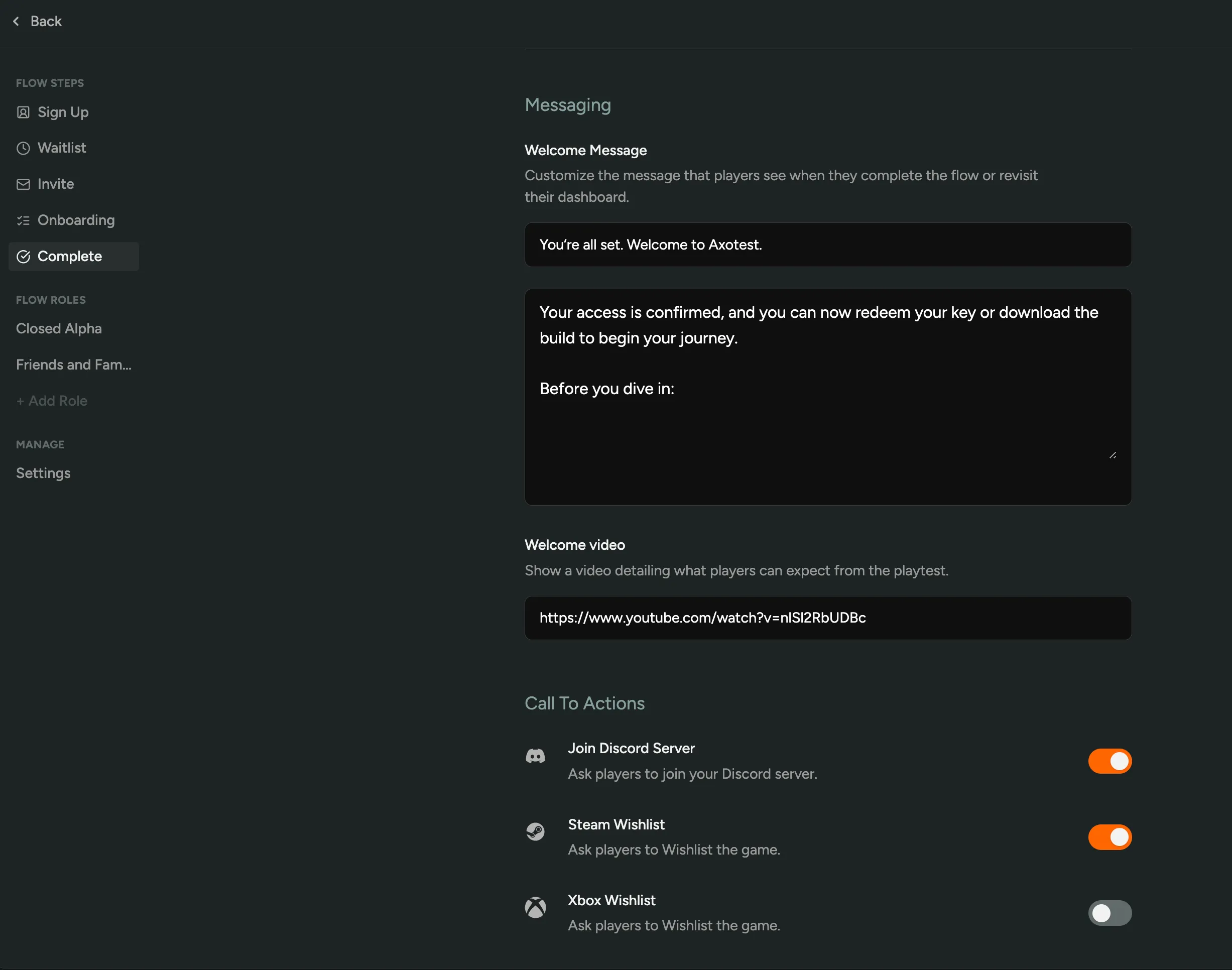
When players finish onboarding, they reach the Complete page, confirming they are ready to play. Our setup includes a short welcome message, an embedded video, and clear call-to-action buttons to join Discord and wishlist on Steam.
For more information on the Complete step, visit the Complete configuration docs
Internal Team Flow
Section titled “Internal Team Flow”
This flow is designed for studio members and close partners who already know the game in development.
Signups are disabled, as access is controlled through invites. These users already know where to go and don’t discover the playtest through a public link.
The default role is Internal Non-Dev. Developers are assigned the Dev role when invited, giving them access to all necessary keys and channels.
Discord is linked at signup so internal users land directly in the correct communication spaces. Steam can be linked during onboarding when keys are issued.
The tone for this flow should be direct and functional. Internal users don’t need onboarding guidance or polished marketing copy — they simply need to get in quickly and know where to report issues.
The goal here is fast, organized access rather than structured onboarding.
Media Partners Flow
Section titled “Media Partners Flow”
This flow is for creators, press, influencers, and external partners who are previewing the game rather than testing it.
Signups are disabled, as access is provided through direct invitations.
The default role is Media and Press. You may also include a Press Team +1 role so media or creator partners can bring one additional person if needed.
Steam is required during onboarding to ensure clean key delivery. Discord is optional depending on whether your studio uses it for creator communication.
This flow should feel polished and professional. Media partners are often evaluating or showcasing your game, so clarity and presentation matter.
Use this flow to communicate what can (and cannot) be shared publicly, ensuring everyone is aligned before access is granted.
The goal is for their first impression to reflect your best foot forward — clear, confident, and on-brand.
Open Beta Flow
Section titled “Open Beta Flow”
This flow is used for large-scale, low-friction participation.
Signups are enabled, allowing anyone to join. The default role is Open Beta Tester. Either Discord or Steam is required at signup.
This flow should help players understand what’s happening, what to expect when they first load in, and where to go for help.
After that, focus on getting them into the game quickly — clear direction and a little hype go a long way.
Open Beta is about accessibility and scale.
The flow should feel friendly, fast, and welcoming, lowering friction as much as possible.
Wrapping Up
Section titled “Wrapping Up”Flows determine how players sign up and what they see along the way.
When someone signs up, they join the waitlist with the flow’s default role.
At the Invite step, you select the role that determines their actual access.