FirstLook and Platform Activity
On the Analytics Page, you can find insights on your players, Steam, and Discord.
Player Signups
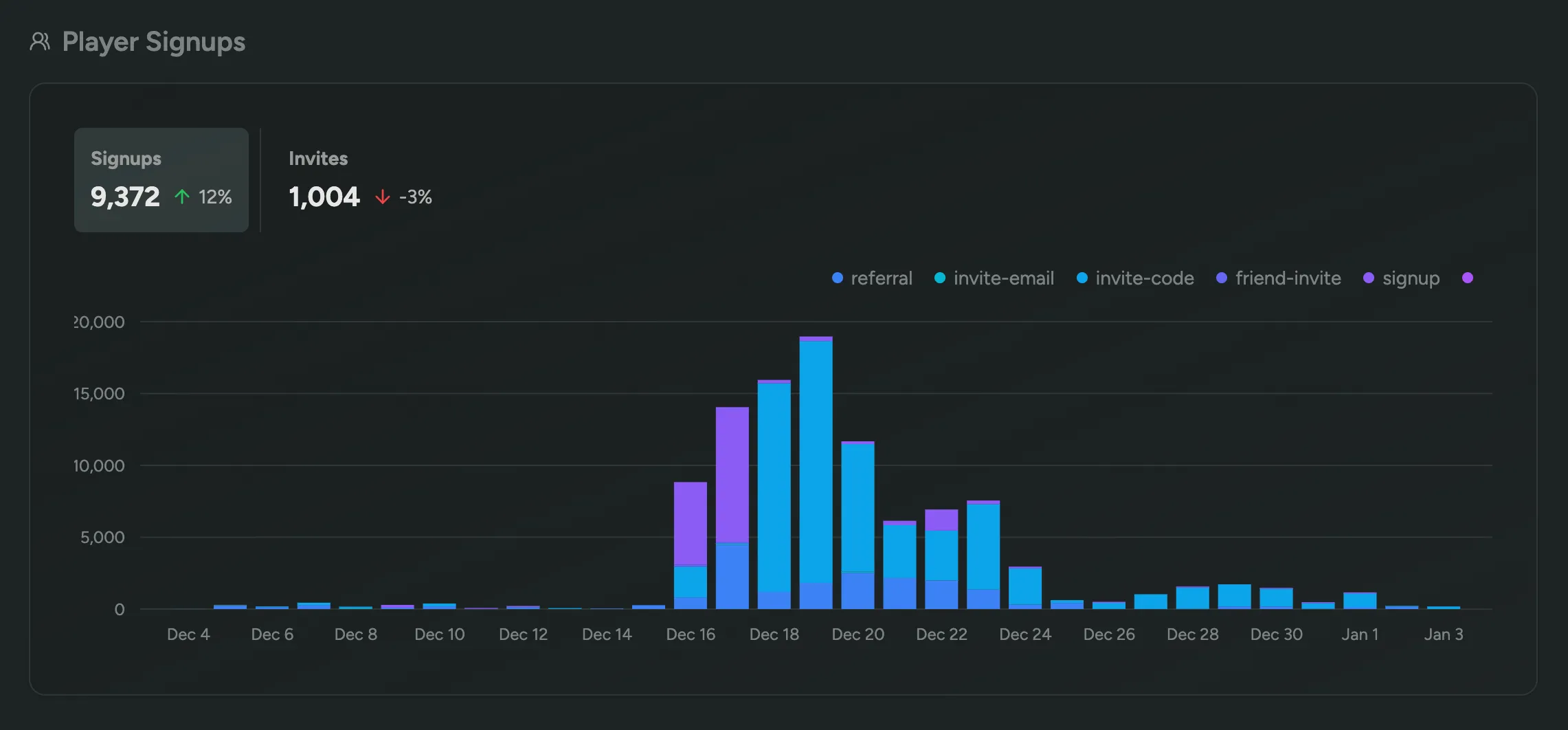
Section titled “Player Signups”See how many players have signed up for your playtest, and through which method (invite-code, friend invite, etc). Additionally, you can see which vanity invite codes were used the most.
Discord Activity
Section titled “Discord Activity”Install the Discord App to sync your Discord channels and get insights on your Discord activity broken down by channel. We’ll also show you a leaderboard of the most active members, in addition to a graph displaying the amount of unique active members.

Steam Playtime
Section titled “Steam Playtime”See how much time players have spent playing your game on Steam, including the total time played, average time played, and the amount of unique players. Learn More

Web Analytics
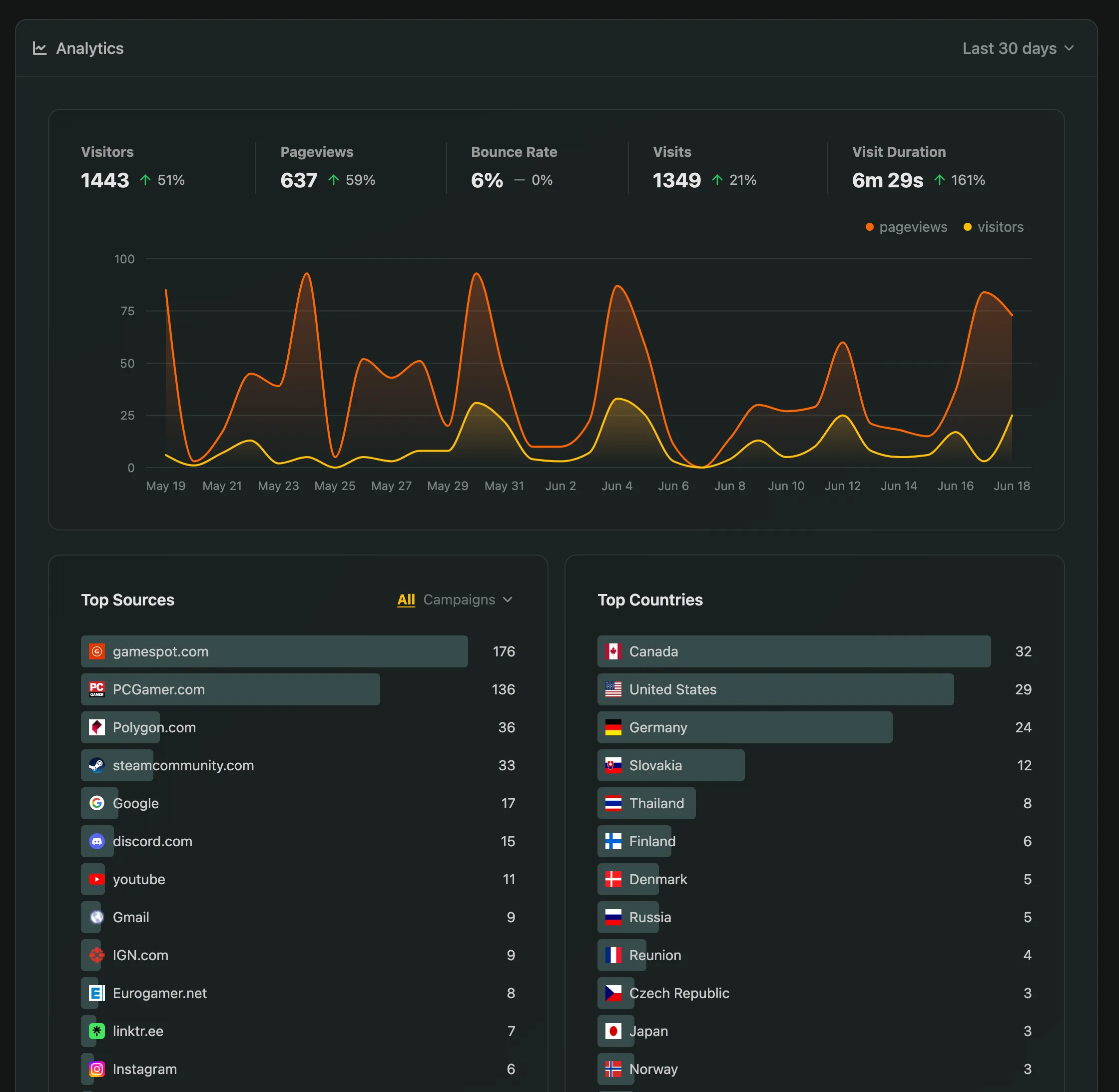
Section titled “Web Analytics”Discover the number of visitors to your waitlist and onboarding tool, as well as their origins.
In your dashboard, you can find the analytics page featuring:
- Key Metrics such as Visitors, Pageviews, Duration, and their change compared to the previous period
- Top Referral Sources by visitor count, allowing grouping by Referrer, UTM Campaign parameters, and more
- Top Countries based on visitor count for the chosen period
- Period Selector to access statistics for today, this week, month, half-year, or year.