Running a Stealth Playtest
A stealth playtest is a private playtest where access and visibility are tightly controlled. FirstLook provides built-in features like NDA enforcement, invite-only access, and controlled key distribution so you can run playtests under the radar with confidence.
With the right configurations, you can:
- Require testers to accept an NDA before joining.
- Prevent your dashboard from appearing in search results.
- Restrict who can sign up or participate.
- Minimize branding and identifiers that could leak.
- Track and manage testers through roles and tags.
With these goals in mind, here’s how to set up your project in FirstLook for a stealth playtest:
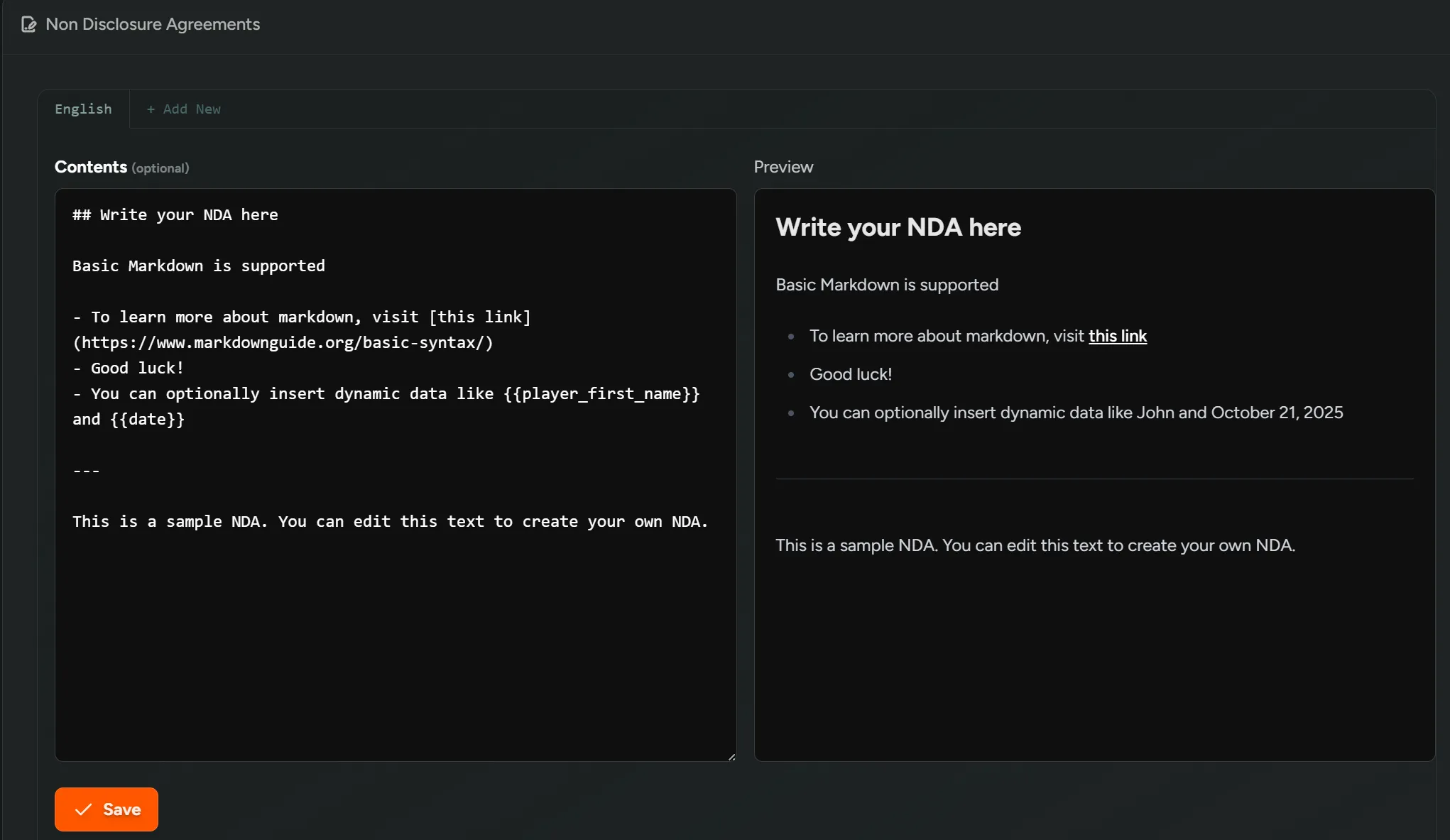
1. Configure an NDA
Section titled “1. Configure an NDA”Go to Configuration → NDAs to create or update the NDA used for this playtest.
- Add your NDA text here - multiple languages are supported. Players will see a dropdown to select their preferred language.
- NDAs automatically appear during onboarding for any flow that requires them.
- Whether or not an NDA is required is determined per role in your flows (see step 3 below).
2. Disable Search Indexing
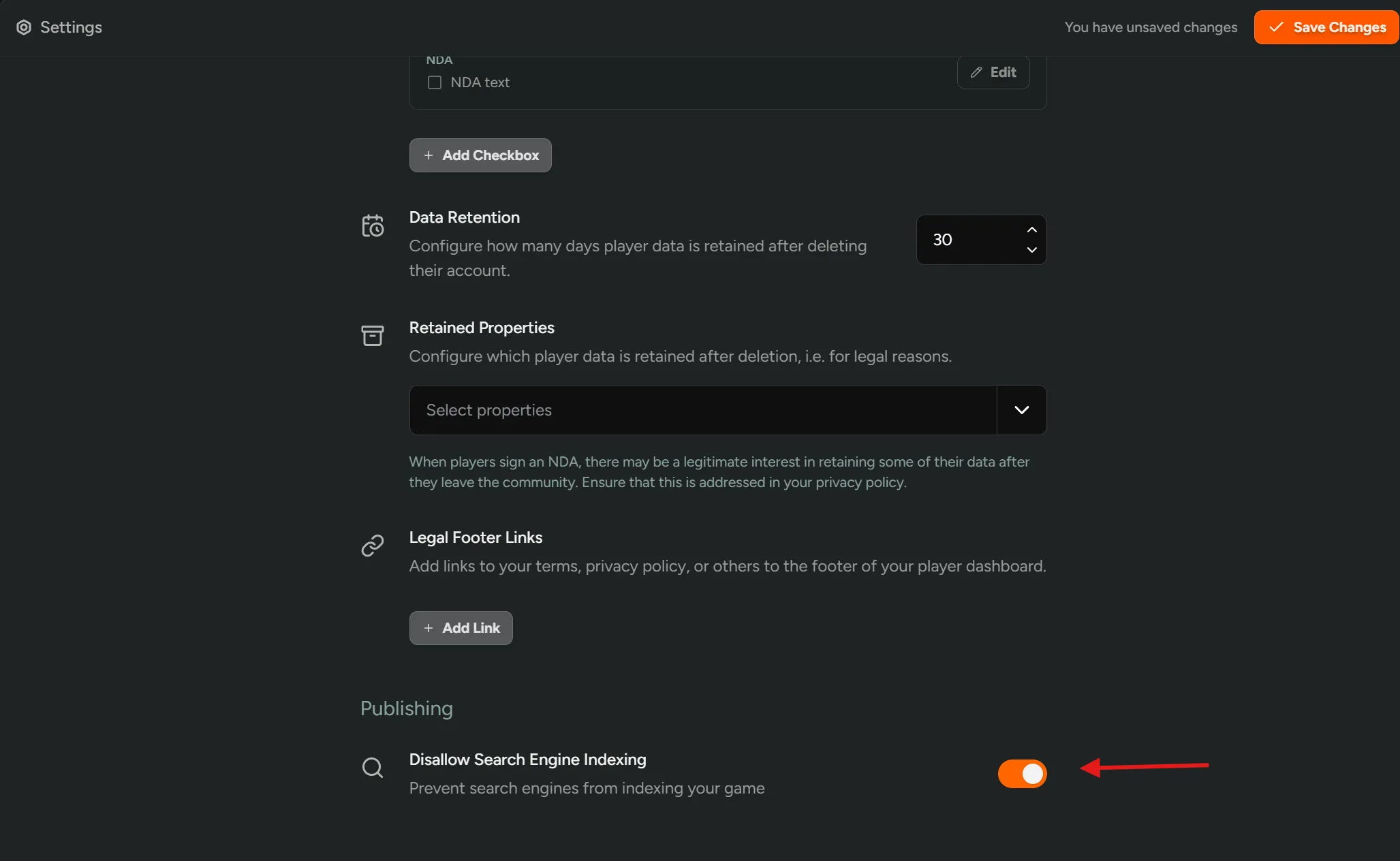
Section titled “2. Disable Search Indexing”Go to Configuration → Settings and toggle Disallow Search Engine Indexing → ON.
This prevents your dashboard from being indexed by Google or other search engines.
3. Restrict Signup Access and Require NDA
Section titled “3. Restrict Signup Access and Require NDA”Navigate to Flows and select the flow used for the stealth playtest.
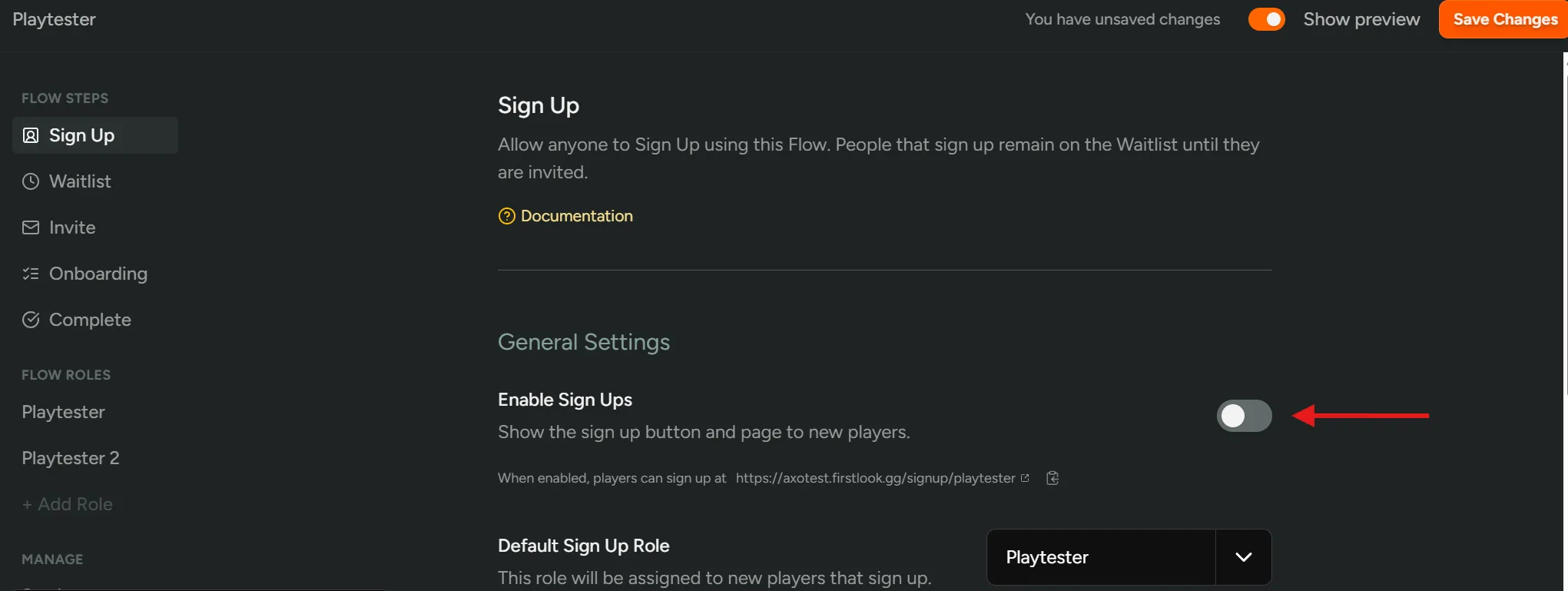
Disable Open Signups
Section titled “Disable Open Signups”Toggle Enable Sign Ups → OFF. This ensures only players you invite can begin onboarding.
Configure Role Settings
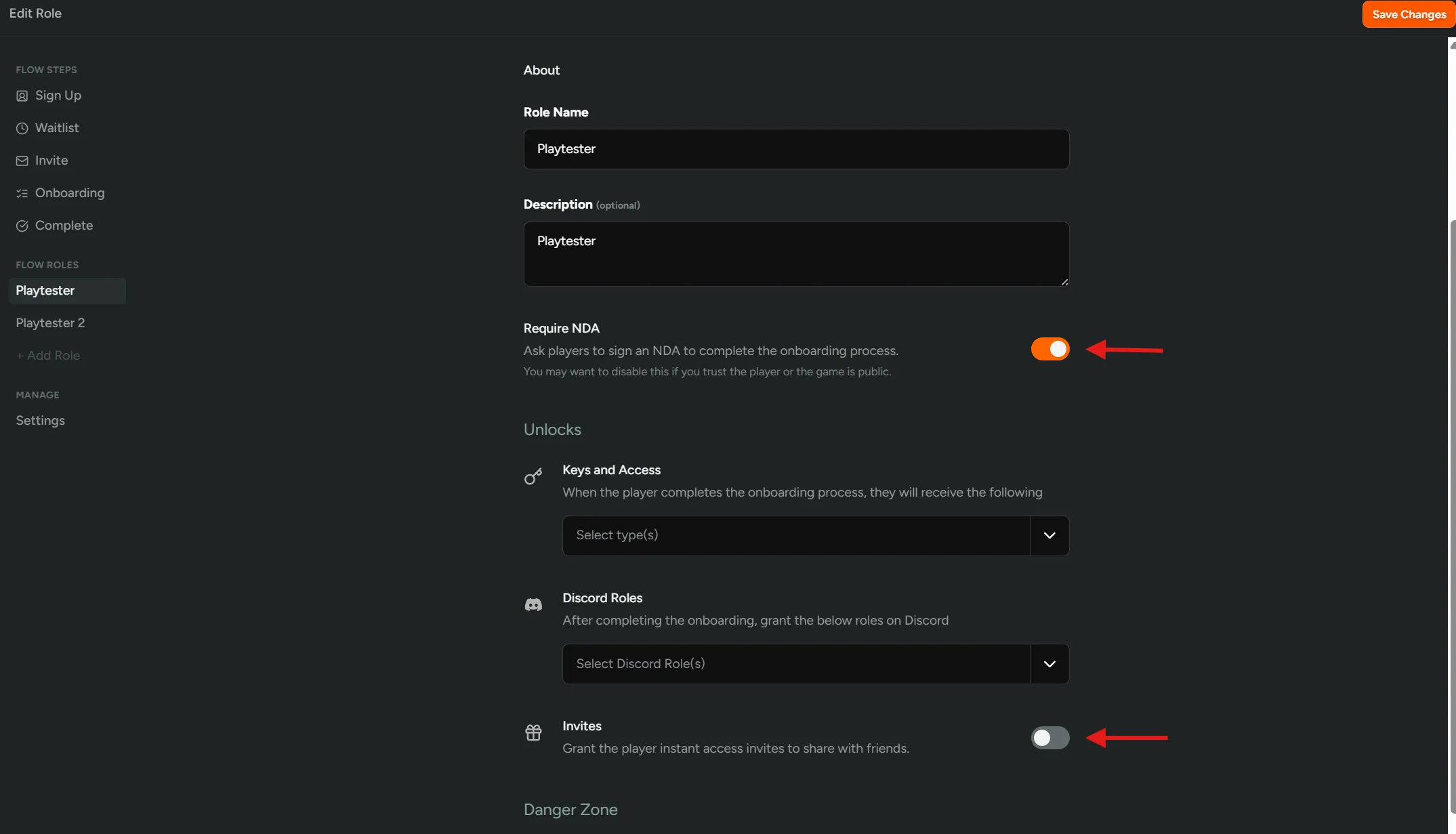
Section titled “Configure Role Settings”- Select the Role associated with the flow and adjust:
Require NDA→ONto enforce NDA acceptance by players.Invites→OFFto prevent players from inviting others, keeping access tightly controlled.
4. Use Neutral or Anonymous Branding
Section titled “4. Use Neutral or Anonymous Branding”Go to Configuration → Branding.
For stealth playtests, consider:
- Replacing game-specific logos or images with neutral or placeholder branding.
- Avoiding imagery that reveals gameplay, characters, or story elements.
5. Enable Confidential Mode
Section titled “5. Enable Confidential Mode”If you require maximum secrecy:
- Contact your CSM to enable
Confidential Mode.
When enabled:
- Your player site becomes hidden unless a user arrives through a valid invite link.
- Branding and page routes are minimized or removed.
- Direct access to most pages is blocked for uninvited users.