How To Use FirstLook At Events
Showing off your game at events is a great way to create hype and get players interested in what you’re working on. Typically this is quite challenging as you’ll want to collect players information for upcoming playtests, follow up with marketing content, add them to your Discord community, connect their social accounts and ask them to wishlist your game. This requires a fair amount of coordination, especially if you’re at a busy booth!
FirstLook makes this simple so you can focus on engaging with your community. Let’s look at the best way to make that happen.
Invite Codes
Section titled “Invite Codes”Multiple-use invite codes are a great way to start funnelling players to your game. It’s a shareable URL that can be given out as many times as you want during an event. This keeps things nice and simple as players will be directed to start onboarding to your game. You’ll also be able to automatically distribute keys for access to your build and assign Discord roles.
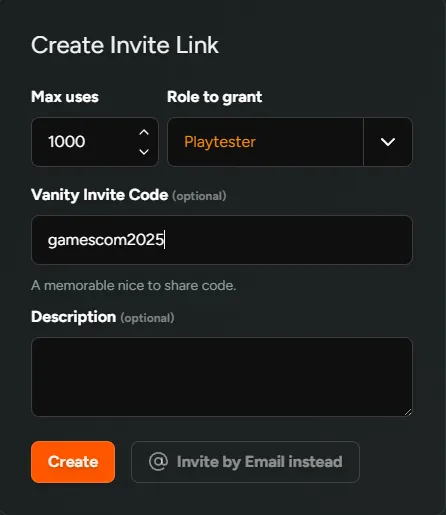
When setting this up for your next event, remember the following:
- Set the number of max-uses in the invite code to a very high number so that if you have a successful event, players aren’t blocked from getting access.
- Add a Vanity Code that makes sense. If you’re showcasing at Gamescom, add something like gamescom2025 to create a URL -
https://demo.firstlook.gg/invite/gamescom2025 - You’ll need to grant a Role to players. This will dictate what access is granted e.g. Steam keys, Discord roles, NDA requirements etc.
- In the Onboarding portion of your flow, you’ll be able to enable/require the necessary social connections. We recommend making at least 1 social account mandatory as well as email to limit bots.
- In the Complete stage, you can request players wishlist your game and join your Discord server.
Players who have signed up in this way are easily trackable. Either through the Players tab by selecting + Add Filter→ More → Invite Code , or through the Invite tab and choosing the code you’ve created.
Homepage
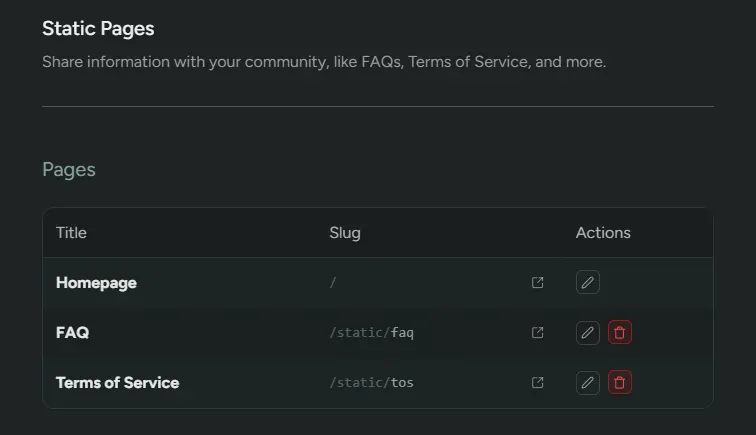
Section titled “Homepage”Every studio has the ability to customise their own Homepage to make it unique and engaging for players. Like Invite Codes, the homepage URL can be shared with players. There are a few things to keep in mind.
- You cannot limit the number of players signing up.
- You won’t be able to track where these players came from.
- Players will be signing up and will therefore be on your Waitlist. You’ll be able to connect social accounts, wishlist and funnel players into your Discord server, but you’ll need to send them an invite before they have access to your build. This might be preferred, but worth keeping in mind.