Creators
Creators help showcase your game and reach new audiences. With FirstLook, you can customize how creators sign up, review and accept applications, and see the content they produce.
Configure your Creator Program
Section titled “Configure your Creator Program”Set up a dedicated path for creators to apply and get approved.
Enable sign ups
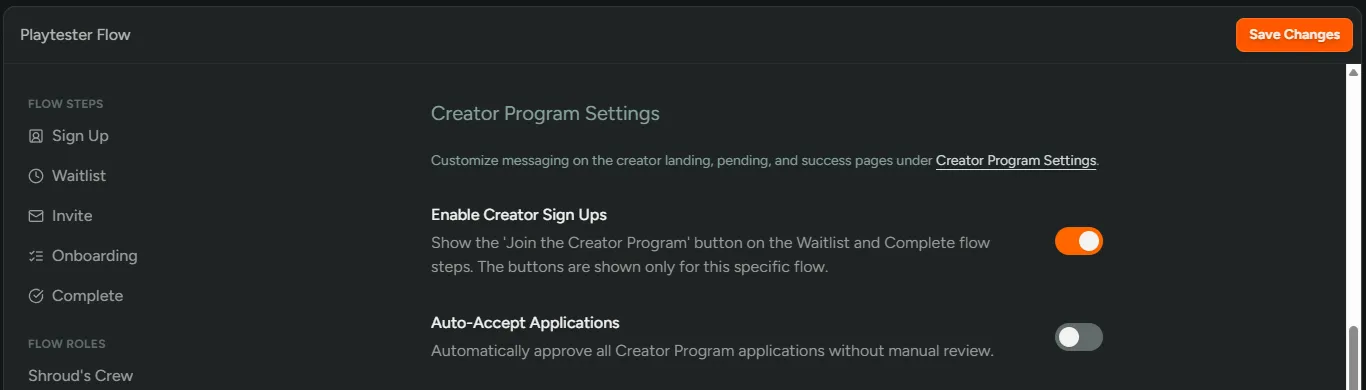
Section titled “Enable sign ups”- Go to Configuration → Flows and create or select a flow for creators.
- Open ‘Settings’ and scroll to ‘Creator Program Settings’.
- Toggle on ‘Enable Creator Sign Ups’.
- (Optional) Toggle on ‘Auto‑Accept Applications’. See Accept Creators into your Program.
- Click ‘Save Changes’.
Customize the experience
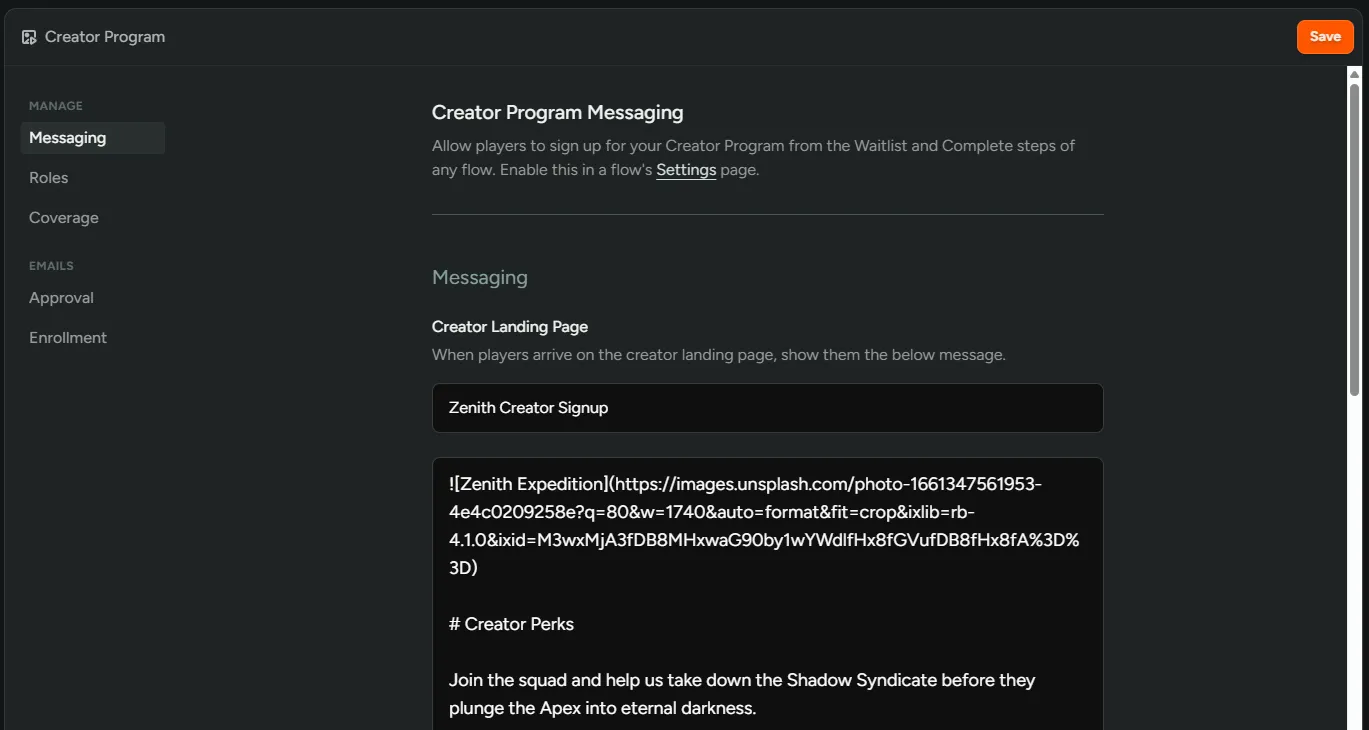
Section titled “Customize the experience”- Go to Configuration → Settings → Creator.
- In ‘Messaging’, customize the landing, pending, and success pages creators will see.
- In ‘Roles’, choose specific FirstLook and Discord roles to give creators creators.
- In ‘Emails’, customize the ‘Approval’ and ‘Enrollment’ emails.
Accept Creators into your Program
Section titled “Accept Creators into your Program”Review incoming creator applications and decide who to accept.
View your creators
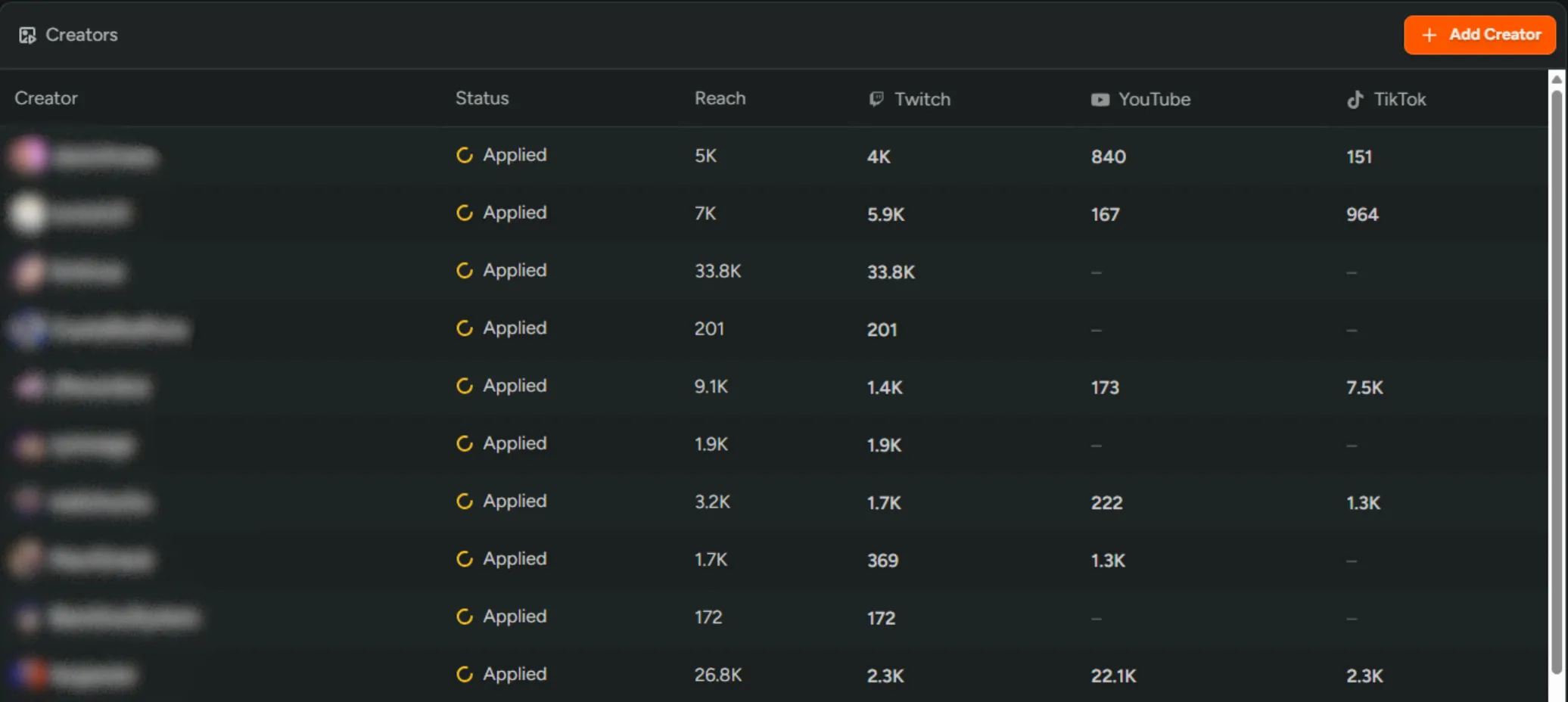
Section titled “View your creators”Go to Dashboard → Creators to view all the creators in your program.
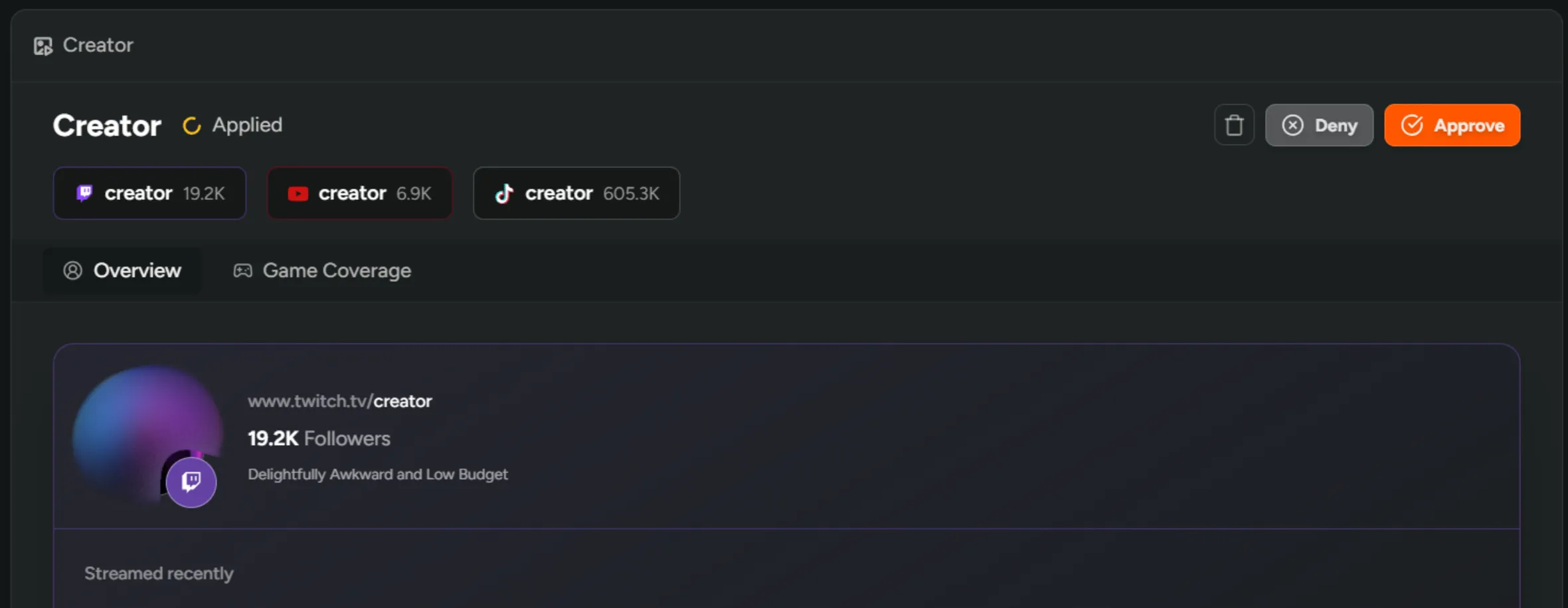
The status of the creator will indicate if they just ‘Applied’, if they are accepted and ‘Active’, or if they were ‘Rejected’. Manually added creators will have a ‘Tracking’ status, see Tracking potential Creators.
Accept or reject an application
Section titled “Accept or reject an application”- Select an ‘Applied’ creator from the table.
- Review their content and click ‘Approve’ or ‘Deny’.
- Approved creators will receive an email welcoming them to your program.
Enroll players as Creators
Section titled “Enroll players as Creators”Invite engaged playtesters to your creator program.
Enroll a player
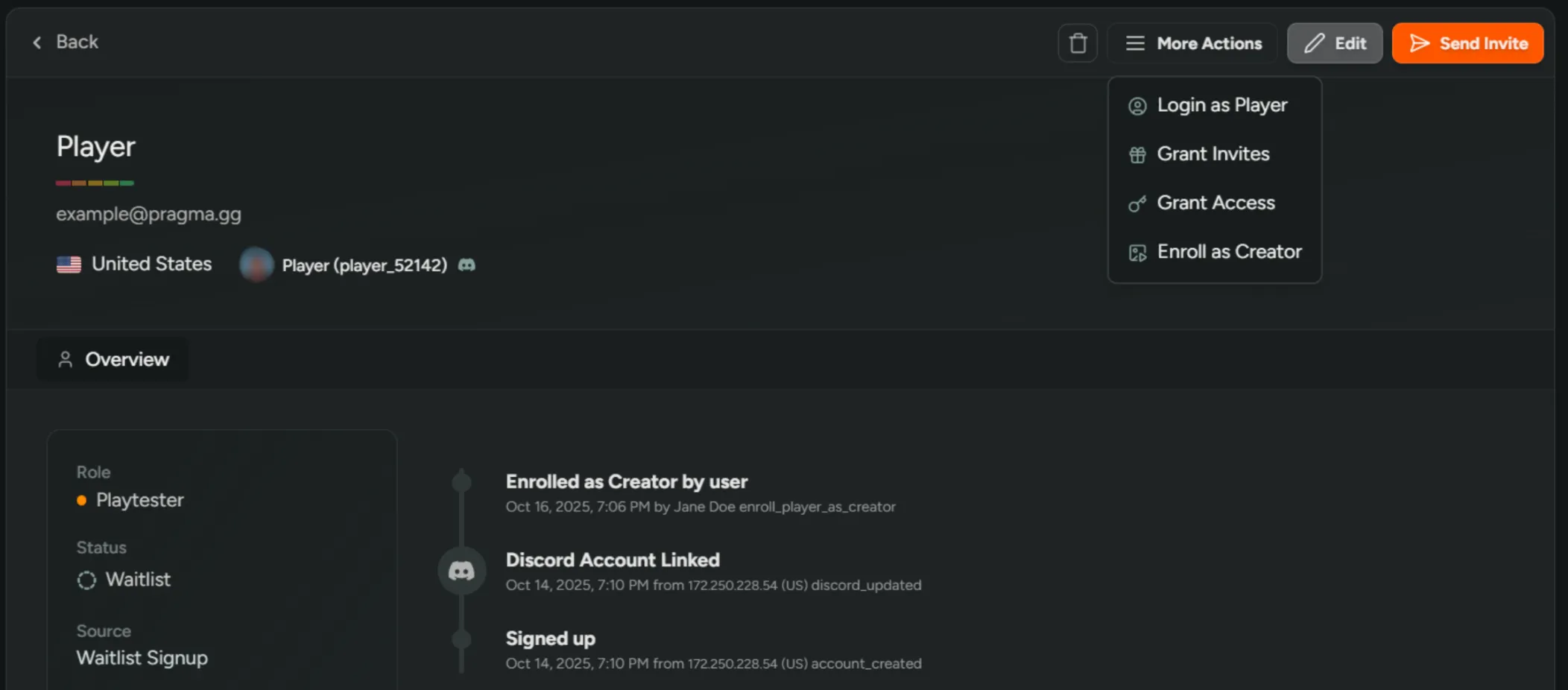
Section titled “Enroll a player”- Open the player in Dashboard → Players.
- Click ‘More Actions’ → ‘Enroll as Creator’.
- The player will receive an email inviting them to join the program, with a link to your creator landing page.
Tracking potential Creators
Section titled “Tracking potential Creators”Keep a list of prospects you’d like to work with before they apply.
Manually add creators
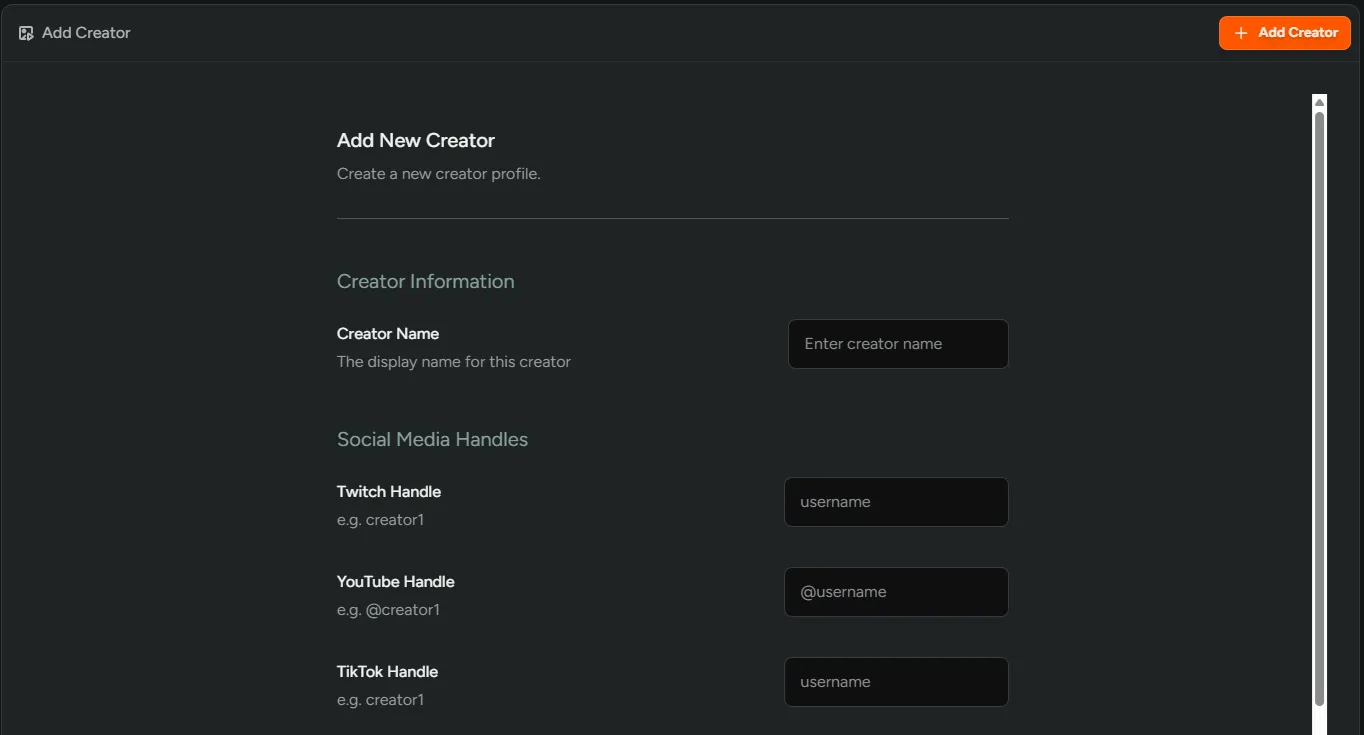
Section titled “Manually add creators”- Go to Dashboard → Creators and click ‘Add Creator’.
- Enter their name and social handles.
- Click ‘Add Creator’ and they will appear as ‘Tracking’ in the table.
- Their content will populate within a few minutes.
Filter and track content
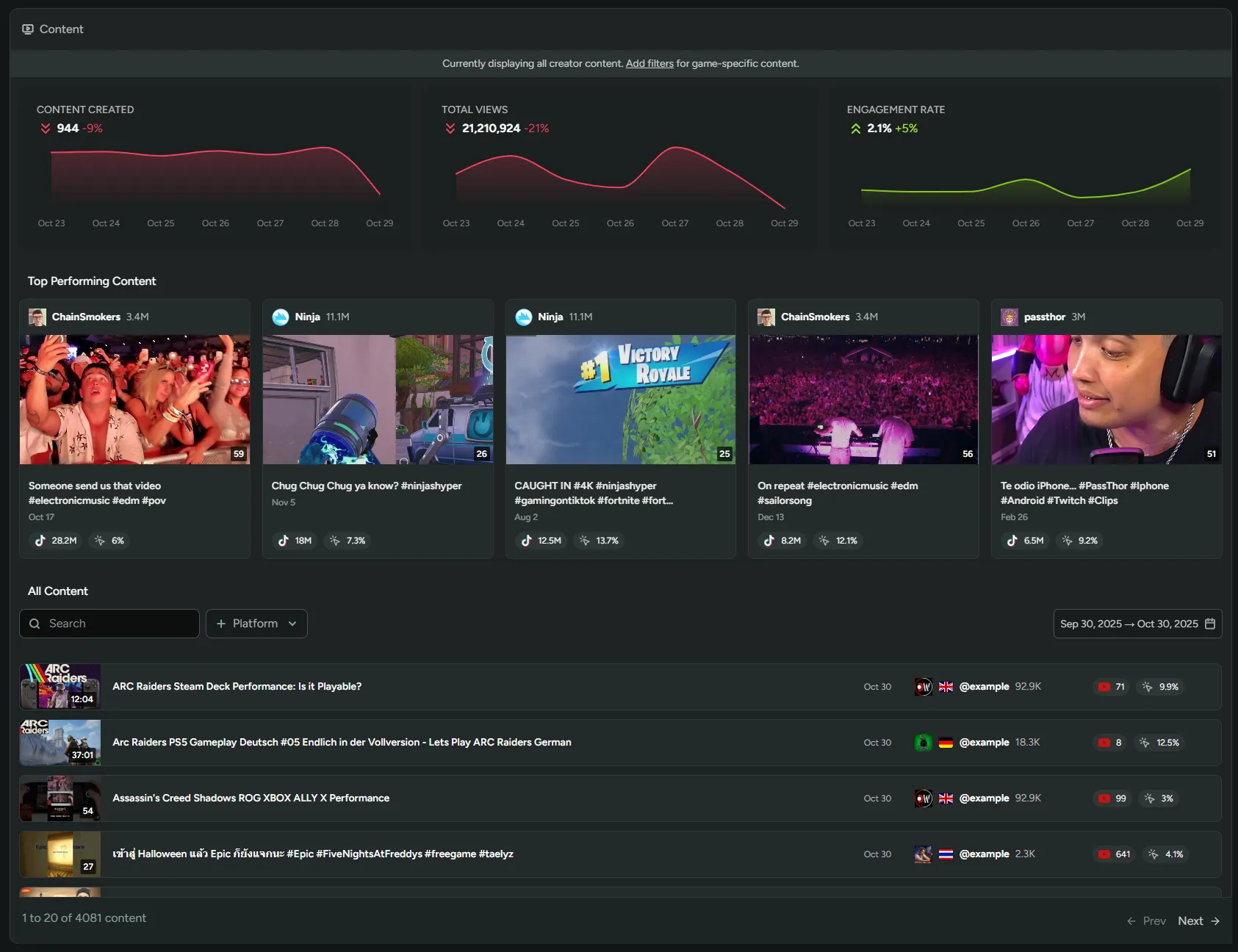
Section titled “Filter and track content”Navigate to Creators → Content to monitor and analyze content from all your creators.
Apply content filters
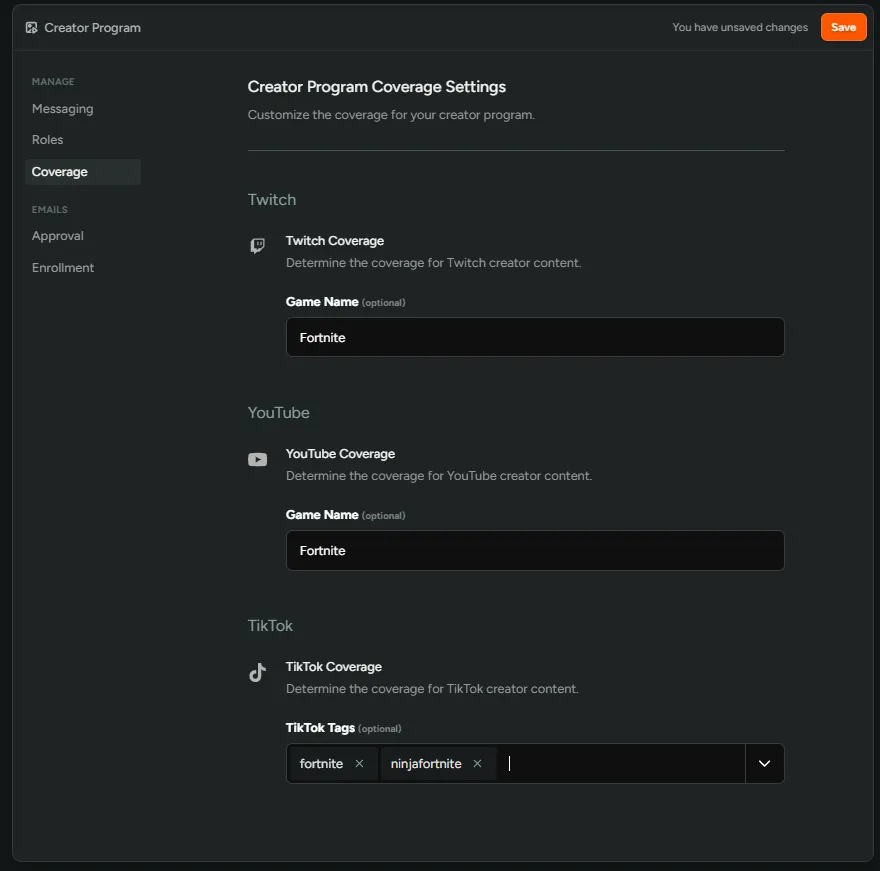
Section titled “Apply content filters”Go to Configuration → Settings → Creator to add the games you want to filter content by.